00029011.DOC, Version 1.2
14/16
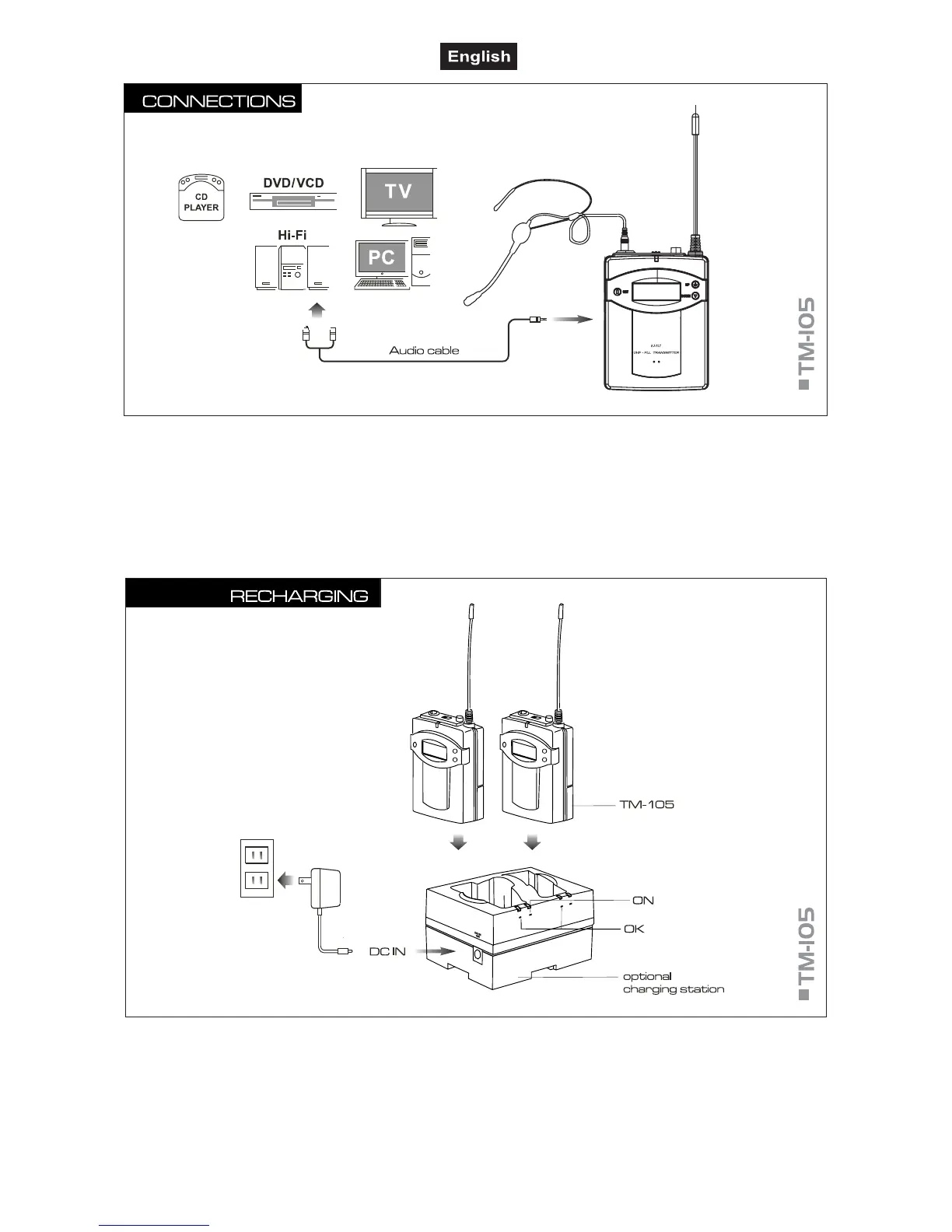
■ If necessary, connect the transmitter with a suitable audio cable to the AUX output of your external audio
source.
5.3 Recharging batteries
■ When the batteries are going flat, the battery symbol on the LCD screen starts flashing. In this case, turn
off the transmitter and charge the batteries. Recharging time for discharged batteries is 4 hours (with 1300
mA batteries).
■ Connect the power supply unit to the jack DC IN of the optional charging station and the mains plug to a
mains socket. Thus, the charging station is switched on.
■ For charging, the batteries remain in the pocket transmitter. Insert the unit into one of the charging station’s
compartments.



 To Next Page