9
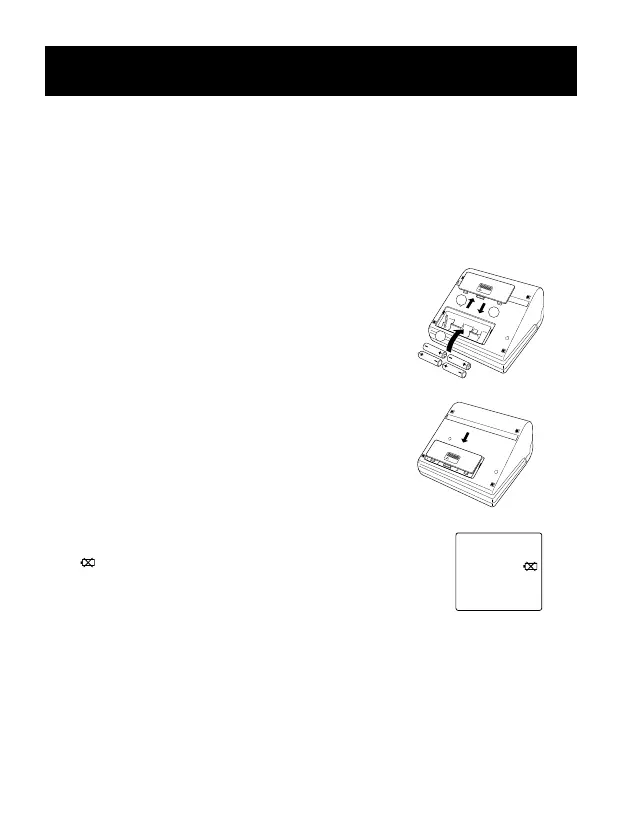
BA TTERY INSTALLATION/REPLACEMENT
1. Slide the battery cover off in the
direction of the arrow.
2. Install or replace 4 “AA”size
batteries so + (positive) and
– (negative) polarities match
the polarities of the battery
compartment as indicated.
3. Replace the battery cover.
4. If the Low Battery Indicator
( ) appears on the display,
replace all four batteries.
Long-life alkaline batteries
are recommended.
t5. Remove the batteries if the
monitor will not be used for an
extended period of time.
SYSTOLIC
mmHg
DIASTOLIC
mmHg
PULSE
m/n
Low Battery Indication









 To Next Page