EasyManua.ls Logo

Omron M6 AC - User Manual

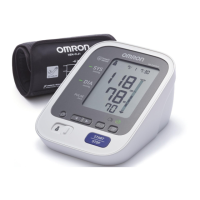
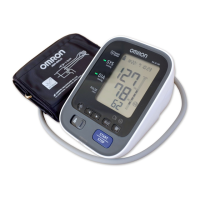
Omron M6 AC
36 pages
Print Icon
To Next Page IconTo Next Page
Loading...
IM-HEM-7322-E-01-08/2013
English
Français
Deutsch
Italiano
Español
Nederlands

Türkçe
2298870-5A
Automatic Blood Pressure Monitor
Model M6 AC
Instruction Manual

Questions and Answers

  • J
    Jason BeasleyAug 16, 2025
    What to do if Omron M6 AC Blood Pressure Monitor detects irregular heartbeats?
    • C
      Carlos HoffmanAug 16, 2025
      If the Omron Blood Pressure Monitor detects irregular heartbeats, remove the arm cuff, wait 2-3 minutes, and take another measurement. If the error persists, it is recommended to contact your physician.
  • P
    Paul BurnsAug 18, 2025
    What to do if Omron Blood Pressure Monitor shows error due to movement and insufficient inflation?
    • R
      Richard EdwardsAug 18, 2025
      If the Omron Blood Pressure Monitor displays an error due to movement during measurement and insufficient inflation, repeat the measurement while remaining still and avoiding talking. If 'E2' appears repeatedly, manually inflate the arm cuff to 30-40 mmHg above your previous reading.
  • L
    Lindsey CurtisAug 22, 2025
    What to do if Omron Blood Pressure Monitor air plug is disconnected?
    • K
      kristina32Aug 22, 2025
      If the air plug of your Omron Blood Pressure Monitor is disconnected, securely insert it.
  • B
    Brian RichardsAug 25, 2025
    What to do if Omron M6 AC arm cuff is leaking air?
    • C
      Crystal CooperAug 25, 2025
      If air is leaking from the arm cuff of your Omron Blood Pressure Monitor, replace it with a new one.
  • T
    Tristan BellAug 27, 2025
    What to do if Omron M6 AC arm cuff was inflated above 299 mmHg?
    • X
      xreynoldsAug 27, 2025
      If your Omron Blood Pressure Monitor displays an error because the arm cuff was inflated above 299 mmHg manually, avoid inflating the arm cuff above this limit during manual inflation.
  • T
    Terri CoxAug 30, 2025
    What to do if Omron Blood Pressure Monitor shows movement during measurement?
    • C
      crystalloweAug 30, 2025
      If the Omron Blood Pressure Monitor displays an error due to movement during measurement, carefully read and repeat the measurement steps.
  • J
    Jeffrey FarrellSep 2, 2025
    What to do if Omron Blood Pressure Monitor arm cuff is too loose?
    • Z
      zmorganSep 2, 2025
      If the arm cuff on your Omron Blood Pressure Monitor is applied too loosely, apply it tighter.
  • J
    James FlynnSep 5, 2025
    How to fix Omron M6 AC Blood Pressure Monitor when batteries are low?
    • T
      Tonya RyanSep 5, 2025
      If the Omron Blood Pressure Monitor indicates low batteries, replace them with new ones as soon as possible.
  • B
    Brandon SullivanSep 8, 2025
    How to fix Omron M6 AC Blood Pressure Monitor when batteries are exhausted?
    • S
      stephaniesmithSep 8, 2025
      If the Omron Blood Pressure Monitor displays an error because the batteries are exhausted, replace them immediately with new ones.
  • K
    Kevin FernandezSep 12, 2025
    How to fix Omron M6 AC when clothing interferes with arm cuff?
    • K
      Kristin MontesSep 12, 2025
      If clothing is interfering with the arm cuff of your Omron Blood Pressure Monitor, remove the clothing.

Summary

Important Safety Information

1. Know Your Device

2. Preparation

2.1 Battery Installation

Steps for correctly installing the batteries into the device.

2.2 Using the AC Adapter

Guide on connecting and using the optional AC adapter.

3. Using the Device

3.1 Applying the Arm Cuff

Detailed steps for properly fitting and securing the arm cuff.

3.3 Taking a Measurement

Step-by-step procedure for performing a blood pressure measurement.

4. Error Messages and Troubleshooting

4.1 Error Messages

Lists common error codes, their causes, and recommended solutions.

Omron M6 AC Specifications

General IconGeneral
TypeAutomatic
Cuff size22 - 42 cm
Display typeLCD
Memory slots200
Date imprintingYes
Number of users2 user(s)
Speaking function-
Placement supportedUpper arm
Battery typeAA
Number of batteries supported4
Quantity per pack1 pc(s)

Related product manuals