EasyManua.ls Logo

Omron M2 - User Manual

Omron M2
35 pages
Print Icon
To Next Page IconTo Next Page
Loading...
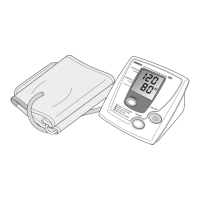
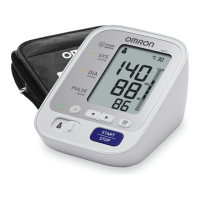
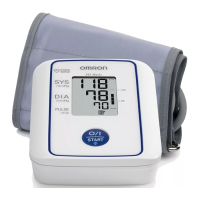
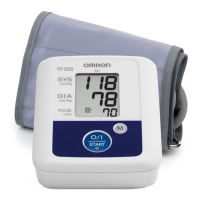
Digital Automatic Blood Pressure Monitor
Model M2
• Instruction Manual
• Mode d’emploi
• Gebrauchsanweisung
• Manuale di istruzioni
• Manual de instrucciones
• Gebruiksaanwijzing
Руководство по эксплуатации
EN
FR
DE
IT
ES
NL
RU
AR
IM-HEM-7117-E-03-10/2010
5329507-4B
HEM-7117-E_B_M03_101028.pdf
HEM-7117-E_A_M.fm Page 1 Thursday, October 28, 2010 2:09 PM

Other manuals for Omron M2

Questions and Answers

  • J
    Jonathan SmithJul 31, 2025
    Why is my Omron M2 Blood Pressure Monitor reading so low or high?
    • J
      Julia SantanaAug 1, 2025
      An extremely low or high reading on your Omron Blood Pressure Monitor can occur due to several reasons: * The arm cuff may not be applied correctly. Make sure to apply the arm cuff as instructed. * You might be moving or talking during the measurement. Remain still and avoid talking. * Clothing may be interfering with the arm cuff. Remove any clothing that obstructs the cuff.
  • D
    David CarsonAug 7, 2025
    What to do if Omron M2 arm cuff pressure does not rise?
    • R
      Robert CameronAug 7, 2025
      If the arm cuff pressure on your Omron Blood Pressure Monitor does not rise, it could be due to these reasons: * The air plug may not be securely inserted into the main unit. Ensure it is connected securely. * Air might be leaking from the arm cuff. Replace the arm cuff with a new one.
  • J
    Jennifer ThomasAug 13, 2025
    What to do if my Omron Blood Pressure Monitor loses power during measurement?
    • J
      Jennifer ThompsonAug 13, 2025
      If your Omron Blood Pressure Monitor loses power during measurement, the batteries are likely empty. Replace them with new ones.
  • M
    Mr. Kevin OrtegaAug 18, 2025
    How to fix an Omron M2 when nothing happens when you press the buttons?
    • K
      Kayla CarrilloAug 19, 2025
      If nothing happens when you press the buttons on your Omron Blood Pressure Monitor, try the following: * The batteries may be empty. Replace them with new ones. * The batteries might be inserted incorrectly. Ensure they are inserted with the correct (+/-) polarity.
  • S
    Shelley Montoya PhDAug 25, 2025
    Why Omron M2 Blood Pressure Monitor arm cuff deflates too soon?
    • G
      Gloria WilsonAug 25, 2025
      If the arm cuff on your Omron Blood Pressure Monitor deflates too soon, it is likely that the arm cuff is loose. Apply the cuff correctly so that it is firmly wrapped around the arm.

Summary

Introduction to the OMRON M2 Blood Pressure Monitor

Intended Use of the Device

This product is designed to measure blood pressure and pulse rate for people within the designated arm cuff range.

Important Safety Information

General Safety Warnings

Contains 'Warning' and 'Caution' statements regarding hazardous situations and potential injuries.

Specific Safety Precautions

Safety guidelines for AC adapter usage, battery usage, and general handling of the device.

Device Overview

Main Unit Components

Details the display, buttons, and jacks of the main blood pressure monitor unit.

Arm Cuff Components

Describes the arm cuff, air tube, and air plug.

Display Symbols and Readings

Explains the meanings of symbols and readings shown on the LCD display.

Package Contents

Lists all items included in the product package.

Preparation and Setup

Installing and Replacing Batteries

Step-by-step guide for inserting or replacing batteries in the main unit.

Battery Life and Management

Information on battery indicators, lifespan, and proper disposal methods.

Using the Blood Pressure Monitor

Correct Posture for Measurement

Guidance on proper seating posture and environmental conditions for accurate readings.

Applying the Arm Cuff

Instructions on correctly attaching the arm cuff to the upper arm.

Taking a Blood Pressure Reading

Step-by-step process for performing a measurement, including interpreting results and accuracy factors.

Special Condition Measurement

Procedure for taking measurements when systolic pressure exceeds 220 mmHg.

Memory Function Operations

Instructions for viewing, and deleting stored measurement results.

Quick Reference Guide

Basic Operation Summary

A condensed guide to the essential steps for using the blood pressure monitor.

Error and Problem Handling

Understanding Error Messages

Lists error displays, their causes, and recommended solutions for troubleshooting.

Troubleshooting Common Issues

Provides solutions for problems like inaccurate readings, pressure loss, or unit malfunction.

Maintenance and Storage

Unit Maintenance Procedures

Guidelines for cleaning and protecting the unit from damage.

Storage Instructions

How to properly store the unit in its case and conditions to avoid.

Optional Parts and Accessories

Available Optional Parts

Details on optional accessories like medium/large arm cuffs and AC adapter.

Using the AC Adapter

Instructions for connecting and using the optional AC adapter.

Technical Specifications

Device Specifications

Detailed technical data including measurement ranges, accuracy, and dimensions.

EMC and Disposal Information

Information on electromagnetic compatibility and responsible disposal of the product.

Blood Pressure Information

Understanding Blood Pressure

Basic explanation of blood pressure, its measurement, and the benefits of home monitoring.

Blood Pressure Classification

Presents WHO/ISH blood pressure categories based on systolic and diastolic values.

Omron M2 Specifications

General IconGeneral
TypeAutomatic
Cuff size22 - 32 cm
Display typeLCD
Placement supportedUpper arm
Pulse rate measuring-
Mean arterial pressureYes

Related product manuals