18
ERROR INDICATORS
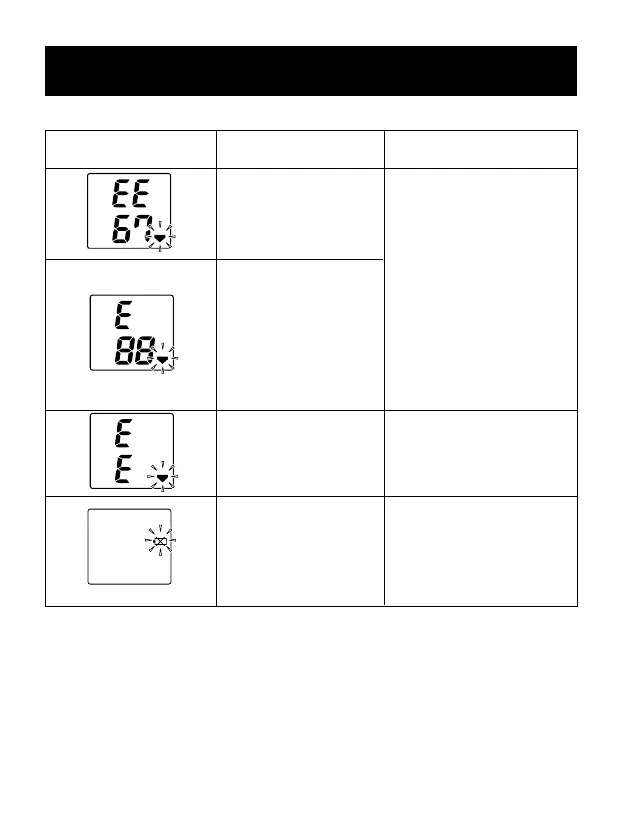
Error Indicator Cause Correction
Cuff under-inated.
Cuff over-inated
(more than
300 mm Hg).
Battery voltage is
excessively low.
Movement during
measurement.
Wait 10 minutes before
taking another measure-
ment. Repeat steps listed
under “How to Take a
Reading.”If “EE” is dis-
played again, take another
measurement by pressing
and holding the START
button as listed in step 2a
under “How to Take a
Reading.”
Carefully read and
repeat steps listed under
“How to Take a Reading.”
Replace all four “AA”
batteries with new batteries.
If you continue to have difculty obtaining a reading, call OMRON
HEALTHCARE CUSTOMER SERVICE TOLL FREE 1-800-634-4350.
Please tell the representative you have an Omron Model HEM-739.







 To Next Page