125
Memory Card Format Section 7-2
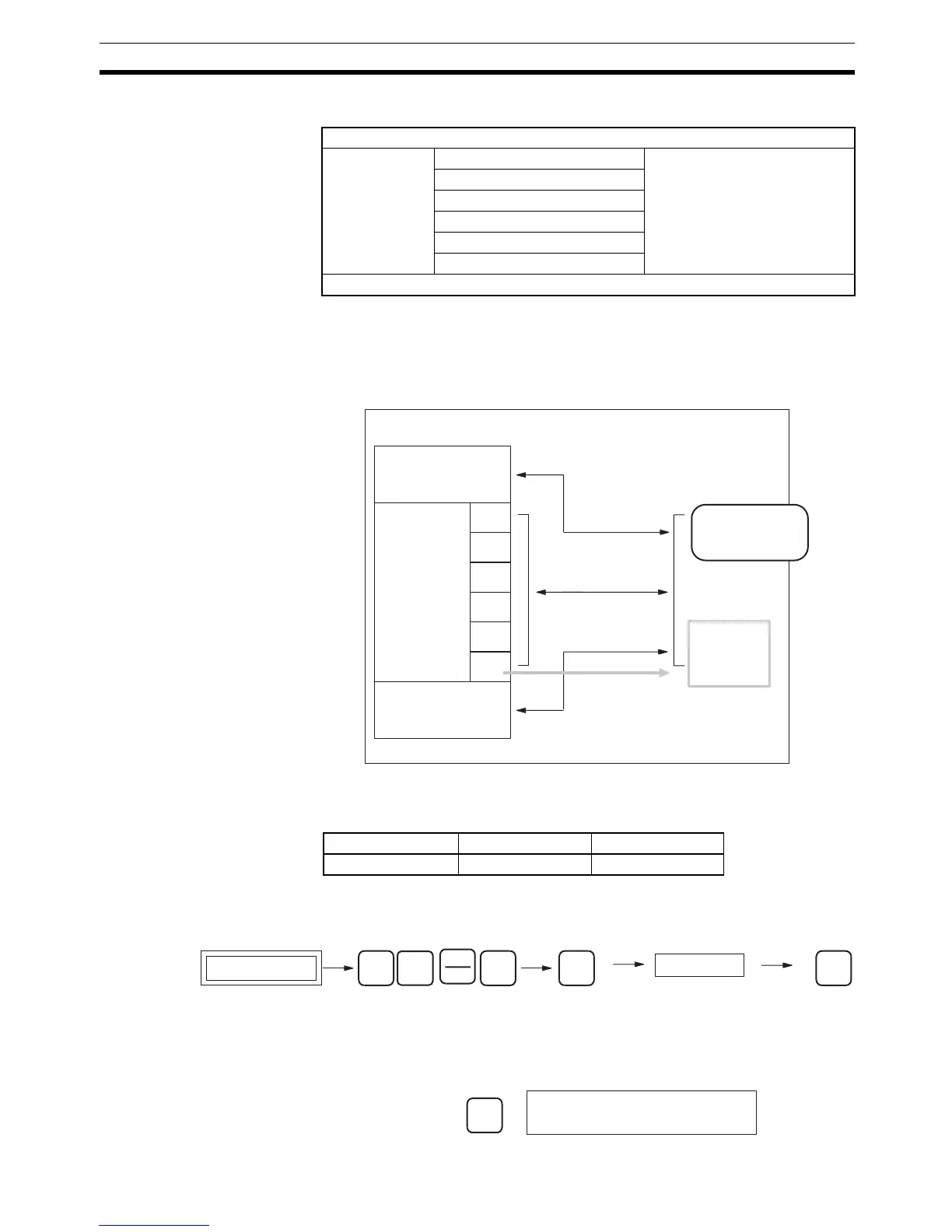
Note The memory areas that can be transferred or deleted are as follows:
With CS1-series PLCs, Memory Cards and the specified range of EM File
Memory can be used as file memory. Regardless of whether it’s the UM Area,
I/O memory or the Parameter Areas (e.g., PLC Setup), all data is saved as
files.
7-2 Memory Card Format
This operation is used to format Memory Cards or EM File Memory.
Key Sequence
Operation Example
1,2,3... 1. From the initial display, access the Memory Card operations menu.
…
UM Area
I/O memory CIO Area Specify the transfer start
address and end address for
each memory area.
Note One area = 1 file
Work Area (WR)
Holding Bit Area (HR)
Auxiliary Bit Area (AR)
DM Area (DM)
EM Area (EM)
Parameter Areas (e.g., PLC Setup)
xxxxxxxx.OBJ
Memory area
UM Area
I/O memory
Parameter Areas
(PLC Setup, I/O
tables, etc.)
File memory
Memory Card
EM File
Memory
CIO
HR
WR
AR
DM
EM
xxxxxxxx.IOM
xxxxxxxx.STD
CPU Unit
RUN MONITOR PROGRAM
OK OK OK
Password
Initial display
SHIFT
WRITE
FUN
2
Fixed: 9713 (Memory Card)
8426 (EM File Memory)
CONT
#
↓
CLR
000000 CT00


 To Next Page