71
Editing Programs Section 4-3
4-3 Editing Programs
4-3-1 Instruction Change
This operation is used to overwrite instructions in user programs.
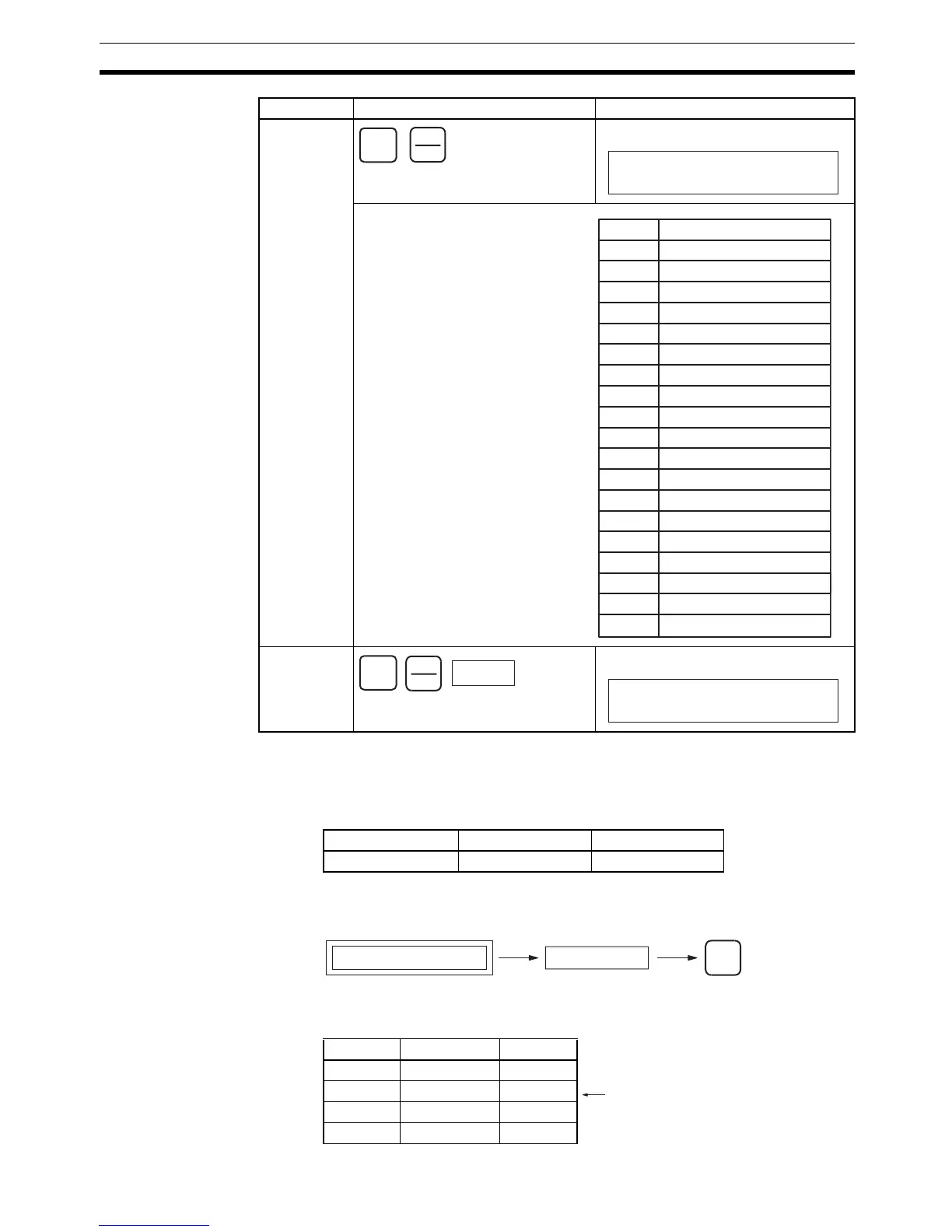
Key Sequence
Operation Example In the following instruction block, the instruction for address 000200 will be
changed to LD NOT 000002.
Clock pulse/
Condition
Flag
Ta s k Fl ag
RUN MONITOR PROGRAM
No No OK
Bit type Key sequence Display example
SHIFT
CF
SRCH
Always ON Flag
000000
BIT ON
When clock pulses or Condition
Flags are designated, the bits
listed at the left can be designated,
by using the Up and Down Keys.
ON Always ON Flag
OFF Always OFF Flag
AER Access Error Flag
0.02s 0.02-s clock pulse
0.1s 0.1-s clock pulse
0.2s 0.2-s clock pulse
1s 1-s clock pulse
1min 1-min clock pulse
ER Error Flag
CY Carry Flag
> Greater Than Flag
= Equals Flag
< Less Than Flag
N Negative Flag
OF Overflow Flag
UF Underflow Flag
>= Greater Than or Equals Flag
<> Not Equal Flag
<= Less Than or Equals Flag
Display Bit
SHIFT
Number
TK
CNT
TK0000
000000
BIT TK0000
Program address display Input mnemonic
WRITE
Address Instruction Operand
:::
000200 LD 000001
000201 AND 000200
:::
Changed to LD NOT 000002.


 To Next Page