Uninstalling the Drivers
Uninstalling the Drivers
Use the following procedure to delete (uninstall) the drivers for the USB-Serial
Conversion Cable.
1. Disconnect the Conversion Cable from the computer.
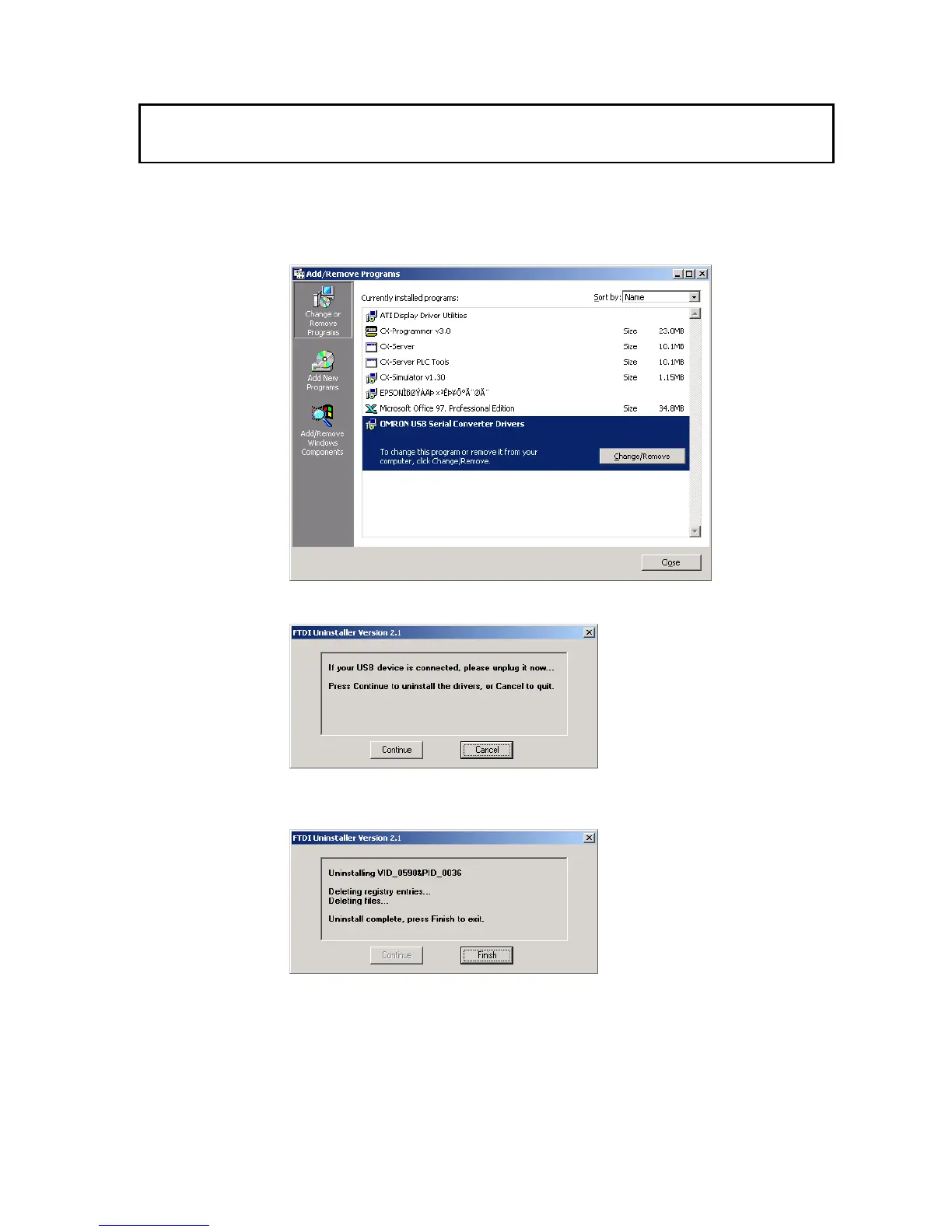
2. Select Add/Remove Programs from the Control Panel.
3. Select OMRON USB-to-Serial Converter Drivers and click the Delete button.
The following window will be displayed.
4. Click the Continue button.
When the drivers have been successfully deleted, the message Uninstall complete,
press Finish to exit will be displayed.
5. Click the Finish button.
This completes the deletion (uninstallation) of the Conversion Cable's drivers.
33


 To Next Page