
 Need help?
Do you have a question about the Omron CS1W and is the answer not in the manual?
Defines target readers and outlines general safety and operational guidelines for using OMRON products.
Specifies environmental conditions to avoid and application-specific safety measures for cable operation.
Explains compliance with EC Directives, EMC, and Low Voltage standards for the cable.
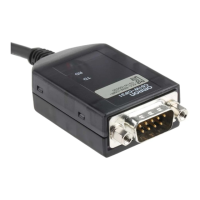
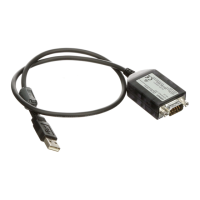
Provides a general description of the USB-Serial Conversion Cable and its use with OMRON devices.
Identifies the physical parts of the USB-Serial Conversion Cable and its connectors.
Lists the items included in the package for the D-sub connector cable.
Lists the operating systems that are compatible with the USB-Serial Conversion Cable.
Details the OMRON software applications that can be used with the cable.
Explains limitations and settings for communication ports, especially with NT Support Tool.
Lists OMRON devices (PLCs, PTs, relays) supported by the cable and software.
Illustrates connection methods for CS/CJ-series PLCs using different cables.
Details connection procedures for various C-series PLC models.
Shows how to connect CQM1H and CPM2C PLCs using different cable types.
Details connection methods for CVM1/CV PLCs, NS/NT PTs, and ZEN Programmable Relays.
Details connection configurations for CS/CJ-series CPU units and communication boards.
Provides connection tables for various C-series PLC units.
Lists connection tables for CQM1H and CPM2C CPU units.
Covers connection tables for CVM1/CV PLCs, NS/NT PTs, and ZEN relays.
Explains how to physically connect the USB-Serial Conversion Cable to the computer and PLC.
Guides on how to select the correct COM port within the CX-Programmer software.
Explains how to check which COM port has been assigned to the USB-Serial Conversion Cable.
Provides steps to change the COM port number assigned to the USB-Serial Conversion Cable.
 General
| Brand | Omron |
|---|---|
| Model | CS1W |
| Category | Cables and connectors |
| Language | English |






 To Next Page