EasyManua.ls Logo

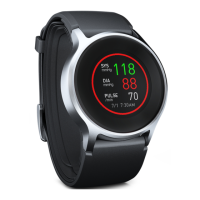
Omron HeartGuide BP8000-M - User Manual

Omron HeartGuide BP8000-M
72 pages
Print Icon
To Next Page IconTo Next Page
Loading...
OMRON HEALTHCARE Co., Ltd.
53, Kunotsubo, Terado-cho, Muko, Kyoto, 617-0002 JAPAN
Distributed by:
OMRON HEALTHCARE, INC.
1925 West Field Court, Lake Forest, IL 60045 U.S.A.
OmronHealthcare.com
©2019 OMRON HEALTHCARE, INC.
Made in Japan

Questions and Answers

  • R
    Rick ChenAug 20, 2025
    What to do if Omron HeartGuide BP8000-M Blood Pressure Monitor detects irregular heartbeat?
    • N
      nelsontroyAug 20, 2025
      If your Omron Blood Pressure Monitor detects an irregular heartbeat, remove the monitor, wait 2-3 minutes, and take another measurement. Repeat the steps in sub-section 3.1. If the error continues, consult with your physician.
  • K
    Kenneth CastroAug 22, 2025
    What does Error 5 mean on Omron Blood Pressure Monitor?
    • J
      Jennifer FarrellAug 22, 2025
      Error 5 on your Omron Blood Pressure Monitor means that the band was not applied correctly or was moved during a measurement. Apply the band correctly, then take another measurement. Remain still and sit correctly during a measurement.
  • N
    nathanmcbrideAug 25, 2025
    What does Error 1 mean on Omron Blood Pressure Monitor?
    • P
      pattersonjoannaAug 25, 2025
      Error 1 on your Omron Blood Pressure Monitor indicates that the band is not applied correctly. Apply the band correctly, then take another measurement.
  • Z
    Zachary StoneAug 27, 2025
    What does Error 2 mean on Omron Blood Pressure Monitor?
    • A
      Alexis CampbellAug 27, 2025
      Error 2 on your Omron Blood Pressure Monitor indicates that the band may be applied too loosely. To resolve this, apply the band correctly and then take another measurement.
  • R
    Robert RileyAug 28, 2025
    What does Error 3 mean on Omron HeartGuide BP8000-M Blood Pressure Monitor?
    • F
      Frederick JacksonAug 28, 2025
      Error 3 on your Omron Blood Pressure Monitor means that the cuff was inflated exceeding the maximum allowable pressure. Do not touch your monitor while taking a measurement.
  • R
    ryanmccarthyAug 30, 2025
    What does Error 7 mean on Omron HeartGuide BP8000-M Blood Pressure Monitor?
    • R
      rmercerAug 30, 2025
      Error 7 on your Omron Blood Pressure Monitor means that your wrist is moved up and down during a measurement. Take another measurement making sure not to move your wrist.
  • S
    Sandra JimenezSep 1, 2025
    What does Error 9 mean on Omron HeartGuide BP8000-M Blood Pressure Monitor?
    • J
      John JonesSep 1, 2025
      Error 9 on your Omron Blood Pressure Monitor indicates that the band may be applied too tightly. Apply the band correctly, then take another measurement.
  • A
    Andrew GarciaSep 2, 2025
    What does Error 123 mean on Omron Blood Pressure Monitor?
    • C
      Catherine MillerSep 2, 2025
      Error 123 on your Omron Blood Pressure Monitor means that the monitor has malfunctioned. Turn off and restart your monitor.
  • M
    marysmithSep 4, 2025
    What does Error 8 mean on Omron HeartGuide BP8000-M Blood Pressure Monitor?
    • L
      Laura WilliamsSep 4, 2025
      Error 8 on your Omron Blood Pressure Monitor indicates a temperature error is detected. Wait a few minutes, then take another measurement in a place with moderate room temperature.
  • G
    gregorybrooksSep 6, 2025
    What to do if Omron HeartGuide BP8000-M says 'Do not move'?
    • C
      Colleen ConleySep 6, 2025
      If your Omron Blood Pressure Monitor displays 'Do not move and take another measurement,' it means your body moved during a measurement. Carefully read and repeat the steps in sub-section 3.1.

Summary

Introduction to Your Monitor

Safety Instructions

Essential guidelines for safe and proper use of the OMRON BP8000-M monitor.

Important Safety Information

General Safety Precautions

Comprehensive warnings and precautions for safe operation, usage, and battery handling.

Preparation for Use

Charging the Battery

Step-by-step instructions for charging the monitor's battery.

Using Your Monitor Without a Smart Device

Taking a Blood Pressure Measurement

How to take readings, including tips, positioning, sitting, and the measurement process.

Using Your Monitor With a Smart Device

Pairing and Connection

Steps to pair the monitor with a smart device and confirm successful connection.

Settings and Troubleshooting

Error Messages and Troubleshooting

Identifies errors, explains troubleshooting steps for common problems.

Omron HeartGuide BP8000-M Specifications

General IconGeneral
Product NameOmron HeartGuide BP8000-M
CategoryBlood Pressure Monitor
TypeWrist Blood Pressure Monitor
Measurement MethodOscillometric
Memory100 readings
ConnectivityBluetooth
CompatibilityiOS and Android devices
Power SourceRechargeable lithium-ion battery
Operating Temperature50°F to 104°F (10°C to 40°C)
Operating Humidity15% to 85% RH
Storage Humidity10% to 95% RH
Warranty2 years
Measurement RangePressure: 0 to 299 mmHg, Pulse: 40 to 180 beats/min
Accuracy±3 mmHg
Storage Temperature-20°C to 60°C

Related product manuals