EasyManua.ls Logo

Omron HEM-780 - User Manual

Omron HEM-780
104 pages
Print Icon
To Next Page IconTo Next Page
Loading...
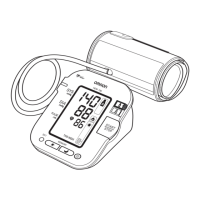
Automatic Blood Pressure Monitor
with ComFit™ Cuff
Model HEM-780
INSTRUCTION MANUAL
ESPAÑOL
ENGLISH
HEM-7080-updated Sept 22.qxd 9/22/06 3:46 PM Page 1

Table of Contents

Questions and Answers

  • B
    Brian TrevinoJul 30, 2025
    Why are the blood pressure readings on my Omron Blood Pressure Monitor too high or too low?
    • A
      anthonyriddleJul 30, 2025
      Blood pressure readings can vary due to several factors, including stress, time of day, and how the cuff is wrapped. Review the instructions on preparing for and taking a measurement to ensure proper technique.
  • T
    Tammy ColemanAug 8, 2025
    What to do if my Omron Blood Pressure Monitor has no power and the display is blank?
    • R
      Ryan SandersAug 8, 2025
      If your Omron Blood Pressure Monitor has no power, replace all four batteries with new ones. Also, check the battery installation to ensure the battery polarities are correctly aligned.
  • B
    blairchristianAug 14, 2025
    What to do if the cuff is under-inflated or not applied correctly on my Omron HEM-780?
    • S
      spencerfosterAug 15, 2025
      Remove the arm cuff from your Omron Blood Pressure Monitor. Then read the section on how to take a measurement and take another measurement. If you are using TruReadTM Mode, the monitor will repeat the process up to 5 times.
  • K
    Kenneth BarkerAug 22, 2025
    What to do if Omron Blood Pressure Monitor cannot detect pulse wave?
    • J
      James BaileyAug 23, 2025
      If your Omron Blood Pressure Monitor cannot detect a pulse wave, take another measurement and remain still until the measurement is complete.

Summary

Safety Information

Safety Symbols Used in This Instruction Manual

Explains symbols like Warning and Caution used in the manual.

Operating the Device

Provides essential guidelines for safe operation of the blood pressure monitor.

Risk of Electrical Shock

Care and Maintenance

Before Taking a Measurement

Battery Installation

Battery Replacement

Setting the Date and Time

To Start the Setting

Steps to begin setting the date and time on the monitor for the first time.

Resetting the Date and Time

Applying the Arm Cuff

Applying the Cuff on the Left Arm

Detailed instructions for correctly applying the arm cuff to the left arm.

Applying the Cuff on the Right Arm

Taking a Measurement

Selecting the User ID

Selecting the TruRead Mode

Using the Single Mode

Using the TruRead Mode Operation

Using the Memory Function

Care and Maintenance Procedures

Error Indicators and Troubleshooting Tips

Error Indicators

Lists error symbols, their causes, and suggested corrections for the monitor.

Troubleshooting Tips

Omron HEM-780 Specifications

General IconGeneral
ModelHEM-780
CategoryBlood Pressure Monitor
DisplayLCD
Measurement MethodOscillometric
Measurement Range (Pressure)0-299 mmHg
AccuracyPressure: ±3 mmHg, Pulse: ±5% of reading
InflationAutomatic by electric pump
Power Source4 x AA batteries or AC adapter
FeaturesIrregular Heartbeat Detection
Measurement Range (Pulse)40-180 beats/minute
DeflationAutomatic
WeightApprox. 340g (without batteries)

Related product manuals