EasyManua.ls Logo

Omron HEM-7211 - User Manual

Omron HEM-7211
29 pages
Print Icon
To Next Page IconTo Next Page
Loading...
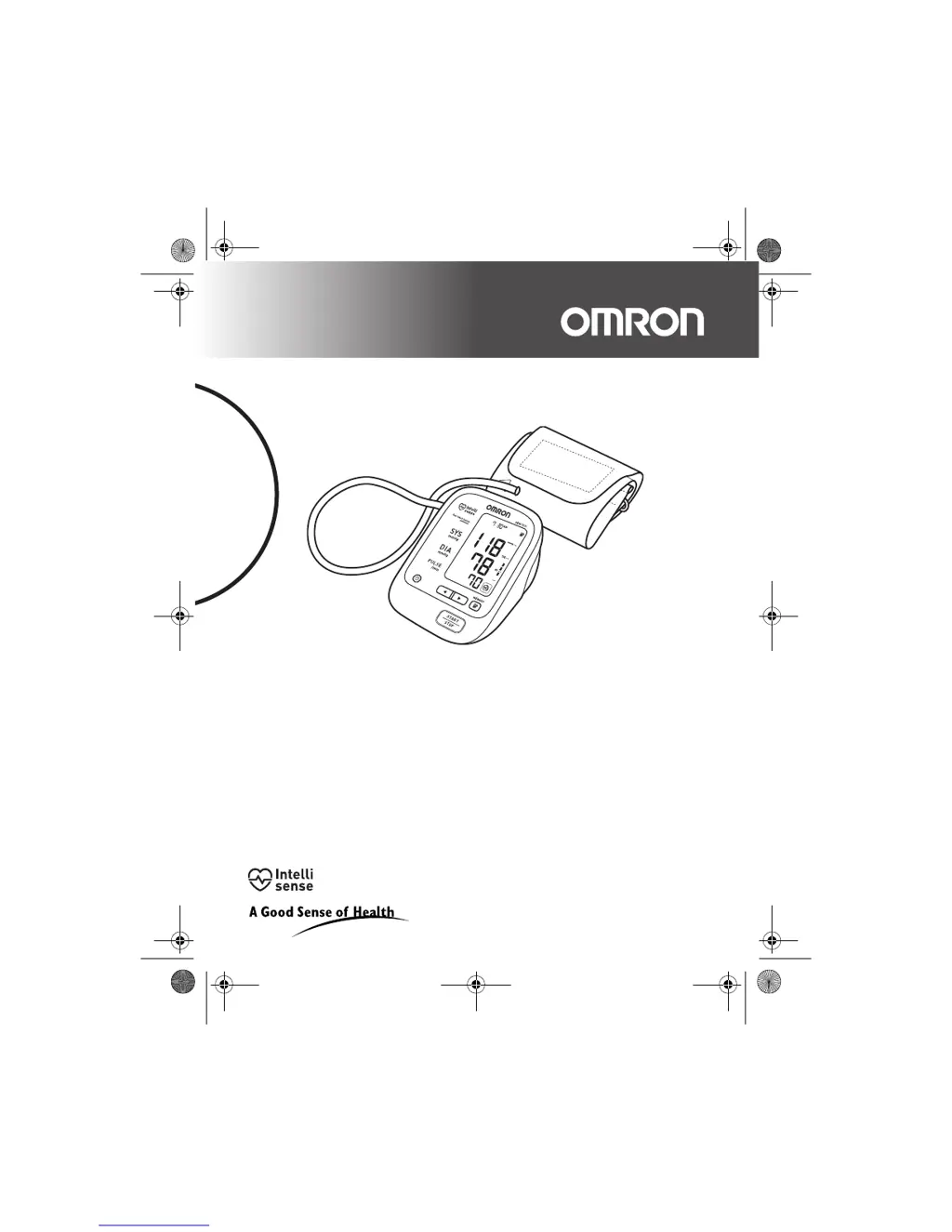
Automatic Blood Pressure Monitor
Model HEM-7211
Instruction Manual
HEM-7211-C1_B_M01_100427.pdf
HEM-7211-C1_B_M.book Page 1 Tuesday, April 27, 2010 4:00 PM

Questions and Answers

  • A
    Amber BondAug 18, 2025
    Why is my Omron HEM-7211 reading so high or low?
    • I
      idoyleAug 18, 2025
      An extremely low or high reading on your Omron Blood Pressure Monitor can be caused by several factors: * The arm cuff may not be applied correctly. * You might have moved or talked during the measurement. * Clothing could be interfering with the arm cuff. Ensure the arm cuff is correctly positioned, remain still and silent during measurement, and remove any constricting clothing.
  • K
    Kristi TateAug 20, 2025
    What to do if my Omron HEM-7211 Blood Pressure Monitor doesn't start when I press the buttons?
    • J
      Jason JordanAug 20, 2025
      If your Omron Blood Pressure Monitor does not respond when you press the buttons, the batteries may be empty or inserted incorrectly. Replace the batteries with new ones, ensuring they are inserted with the correct (+/-) polarity.
  • D
    Dustin AguirreAug 22, 2025
    How to fix arm cuff over inflated on Omron HEM-7211?
    • J
      Joseph WatkinsAug 23, 2025
      If the arm cuff over inflates on your Omron Blood Pressure Monitor, repeat the measurement, remaining still and refraining from talking. If the issue persists and an “E2” error appears repeatedly, manually inflate the cuff until it is 30 to 40 mmHg above your previous measurement result.
  • A
    aguirredarrylAug 25, 2025
    What to do if my Omron HEM-7211 Blood Pressure Monitor arm cuff deflates too soon?
    • J
      Jonathan GarzaAug 26, 2025
      If the arm cuff on your Omron Blood Pressure Monitor deflates too soon, it may be too loose. Apply the cuff correctly, ensuring it is firmly wrapped around your arm.
  • S
    stephenpriceAug 27, 2025
    Why won't the pressure rise in my Omron Blood Pressure Monitor's arm cuff?
    • L
      lschmidtAug 27, 2025
      If the arm cuff pressure doesn't rise on your Omron Blood Pressure Monitor, it may be caused by: * The air tube not being securely connected to the main unit. * Air leaking from the arm cuff. Ensure the air tube is securely connected. If the issue persists, replace the arm cuff with a new one.
  • R
    Rebecca ClarkAug 30, 2025
    What to do if I get Irregular heartbeats detected on Omron Blood Pressure Monitor?
    • M
      Melissa ThompsonAug 30, 2025
      If your Omron Blood Pressure Monitor detects irregular heartbeats, remove the arm cuff, wait 2-3 minutes, and then take another measurement. If this error continues to appear, contact your doctor.
  • G
    Gordon LewisSep 2, 2025
    Why can't my Omron Blood Pressure Monitor measure or readings are too low or too high?
    • C
      coxtiffanySep 2, 2025
      If you cannot get a measurement, or the readings are too low or too high on your Omron Blood Pressure Monitor, the arm cuff may not have been inflated sufficiently. Inflate the cuff so that it is 30 to 40 mmHg above your previous measurement result.
  • J
    Jeremiah AllenSep 4, 2025
    What to do if my Omron HEM-7211 batteries are low?
    • S
      Sonya ParkerSep 4, 2025
      If the batteries in your Omron Blood Pressure Monitor are low, replace them with new ones ahead of time.
  • U
    umorenoSep 7, 2025
    What to do if clothing is interfering with the arm cuff of my Omron HEM-7211 Blood Pressure Monitor?
    • J
      Joy WaltersSep 7, 2025
      If clothing is interfering with the arm cuff of your Omron Blood Pressure Monitor, remove any clothing interfering with the arm cuff.
  • D
    Danielle RussellSep 9, 2025
    What to do if my Omron Blood Pressure Monitor batteries are exhausted?
    • C
      Christina MartinSep 9, 2025
      If the batteries in your Omron Blood Pressure Monitor are exhausted, replace them with new ones at once.

Summary

Important Safety Information

Overview

Preparation

Installing and Replacing Batteries

Instructions for battery management, crucial for device operation.

Using the Unit

Applying the Arm Cuff

Step-by-step guidance on properly fitting the arm cuff for accurate readings.

Taking a Blood Pressure Reading

Comprehensive guide on performing a measurement, including special conditions and checks.

Memory Function and Data Access

Explains how to store, view, average, and delete measurement data.

Troubleshooting and Maintenance

Icons and Error Messages

Interpretation of device symbols and error codes with their solutions.

Omron HEM-7211 Specifications

General IconGeneral
BrandOmron
ModelHEM-7211
CategoryBlood Pressure Monitor
LanguageEnglish

Related product manuals