EasyManua.ls Logo

Omron HEM-7280T - User Manual

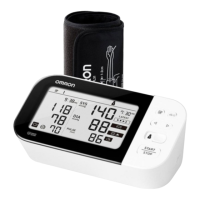
Omron HEM-7280T
42 pages
Print Icon
To Next Page IconTo Next Page
Loading...
Binh Duong Province, VIETNAM
Manufacturer
EU-representative
Production facility
438A Alexandra Road, #05-05/08
Alexandra Technopark, Singapore 119967
www.omronhealthcare-ap.com
Asia Pacific HQ
OMRON HEALTHCARE EUROPE B.V.
Scorpius 33, 2132 LR Hoofddorp, THE NETHERLANDS
OMRON HEALTHCARE Co., Ltd.
53, Kunotsubo, Terado-cho, Muko, KYOTO,
617-0002 JAPAN
OMRON HEALTHCARE SINGAPORE PTE LTD.
14G1648
3262572-4B
Automatic Blood Pressure Monitor
Model HEM-7280T
Instruction Manual
Package includes:
HEM-7280T-AP_B_M03_151013.pdf
Automatic Blood Pressure Monitor
Model HEM-7280T
Instruction Manual

Questions and Answers

  • M
    maciasjamesAug 18, 2025
    What to do if nothing happens when I press the buttons on my Omron HEM-7280T?
    • P
      Patricia PetersAug 19, 2025
      If nothing happens when you press the buttons on your Omron Blood Pressure Monitor, it could be due to depleted batteries or incorrectly inserted batteries. Replace the batteries with new ones, ensuring they are inserted with the correct (+/-) polarity.
  • P
    Patricia CarrollAug 20, 2025
    Why is my Omron Blood Pressure Monitor reading so low or high?
    • L
      Lori MclaughlinAug 20, 2025
      An extremely low or high reading on your Omron Blood Pressure Monitor can occur if the arm cuff is applied too loosely, if there is movement or talking during measurement, or if clothing is interfering with the arm cuff. Make sure the arm cuff is applied tighter, remain still and do not talk during measurement, and remove any clothing interfering with the arm cuff.
  • D
    Dana RiddleAug 23, 2025
    Why does my Omron HEM-7280T arm cuff keep deflating too soon?
    • D
      ddawsonAug 23, 2025
      The arm cuff might be loose. To fix this, apply the arm cuff correctly so that it is firmly wrapped around the arm.
  • C
    Cheryl GrayAug 26, 2025
    How to fix Omron Blood Pressure Monitor when the arm cuff pressure does not rise?
    • D
      Donald BurnettAug 26, 2025
      If the arm cuff pressure does not rise on your Omron Blood Pressure Monitor, it may be because the air connector is not securely connected into the air jack or air is leaking from the arm cuff. Make sure that the air tube is connected securely. If that doesn't work, replace the arm cuff with a new one.
  • J
    Jessica PotterAug 27, 2025
    What to do if my Omron HEM-7280T Blood Pressure Monitor batteries are low?
    • D
      Darlene HallAug 28, 2025
      If the batteries are low, it is recommended to replace them with new ones ahead of time.
  • W
    Wendy TaylorAug 30, 2025
    What to do if my Omron Blood Pressure Monitor batteries are depleted?
    • Q
      qkelleyAug 30, 2025
      If the batteries are depleted, replace all 4 batteries with new ones at once.
  • J
    Jason JohnsonSep 1, 2025
    What to do if my Omron Blood Pressure Monitor displays irregular heartbeats?
    • S
      Samantha WrightSep 1, 2025
      If your Omron Blood Pressure Monitor detects irregular heartbeats, remove the arm cuff, wait 2-3 minutes, and then take another measurement. If this error continues, contact your physician.
  • F
    fgibsonSep 3, 2025
    What to do if the air plug is disconnected from my Omron Blood Pressure Monitor?
    • S
      Sarah ThompsonSep 4, 2025
      If the air plug is disconnected, insert it securely.
  • M
    Melissa WilliamsSep 6, 2025
    Why is my Omron HEM-7280T arm cuff is applied too loosely?
    • P
      Phillip FrySep 6, 2025
      If the arm cuff is applied too loosely, apply the arm cuff tighter.
  • M
    Mark NguyenSep 8, 2025
    What to do if air is leaking from the arm cuff of my Omron Blood Pressure Monitor?
    • T
      Tony CrawfordSep 8, 2025
      If air is leaking from the arm cuff, replace the arm cuff with a new one.

Summary

Important Safety Information

General Safety and Precautions

Covers warnings, cautions, and precautions for safe use of the blood pressure monitor.

Getting Started with Your Device

Device Components and Display Symbols

Identifies monitor parts, display icons, and their meanings for user understanding.

Preparation and Connectivity

Guides on battery installation, smartphone pairing, and manual date/time setting for device readiness.

Using the Blood Pressure Monitor

Applying the Arm Cuff and Measurement Setup

Details how to correctly apply the arm cuff and sit for accurate blood pressure measurements.

Taking and Transferring Measurements

Step-by-step guide on taking measurements, stopping, and transferring data to a smartphone.

Memory, Averages, and Guest Mode

Explains how to use guest mode, access stored measurements, view averages, and delete data.

Bluetooth Management and Initialization

Instructions for turning Bluetooth on/off and performing an initial monitor reset.

Troubleshooting and Maintenance

Error Messages and Their Solutions

Lists common error codes displayed by the monitor and their respective causes and solutions.

General Troubleshooting Guide

Addresses common operational problems, their causes, and recommended corrective actions.

Device Care and Proper Storage

Provides guidelines for cleaning, maintaining, and storing the blood pressure monitor to ensure longevity.

Additional Product Information

Optional Parts and Technical Specifications

Lists available optional accessories and provides detailed technical data for the blood pressure monitor.

Understanding Blood Pressure and Arrhythmia

Explains blood pressure concepts, defines arrhythmia, and highlights the benefits of home monitoring.

Omron HEM-7280T Specifications

General IconGeneral
Device TypeUpper Arm Blood Pressure Monitor
Measurement MethodOscillometric
Display TypeLCD
Cuff Size22-42 cm
Bluetooth ConnectivityYes
Irregular Heartbeat DetectionYes
Body Movement DetectionYes
Hypertension IndicatorYes
Average Reading FunctionYes
Clinically ValidatedYes
Measurement Range (Pressure)0-299 mmHg
Measurement Range (Pulse Rate)40-180 bpm
Memory (Users)2 users
Power Source4 x AA batteries or AC adapter

Related product manuals