EasyManua.ls Logo

Omron HEM-7280T-E - User Manual

Omron HEM-7280T-E
44 pages
Print Icon
To Next Page IconTo Next Page
Loading...
IM-HEM-7280T-E-03-02/2017
5344802-4C
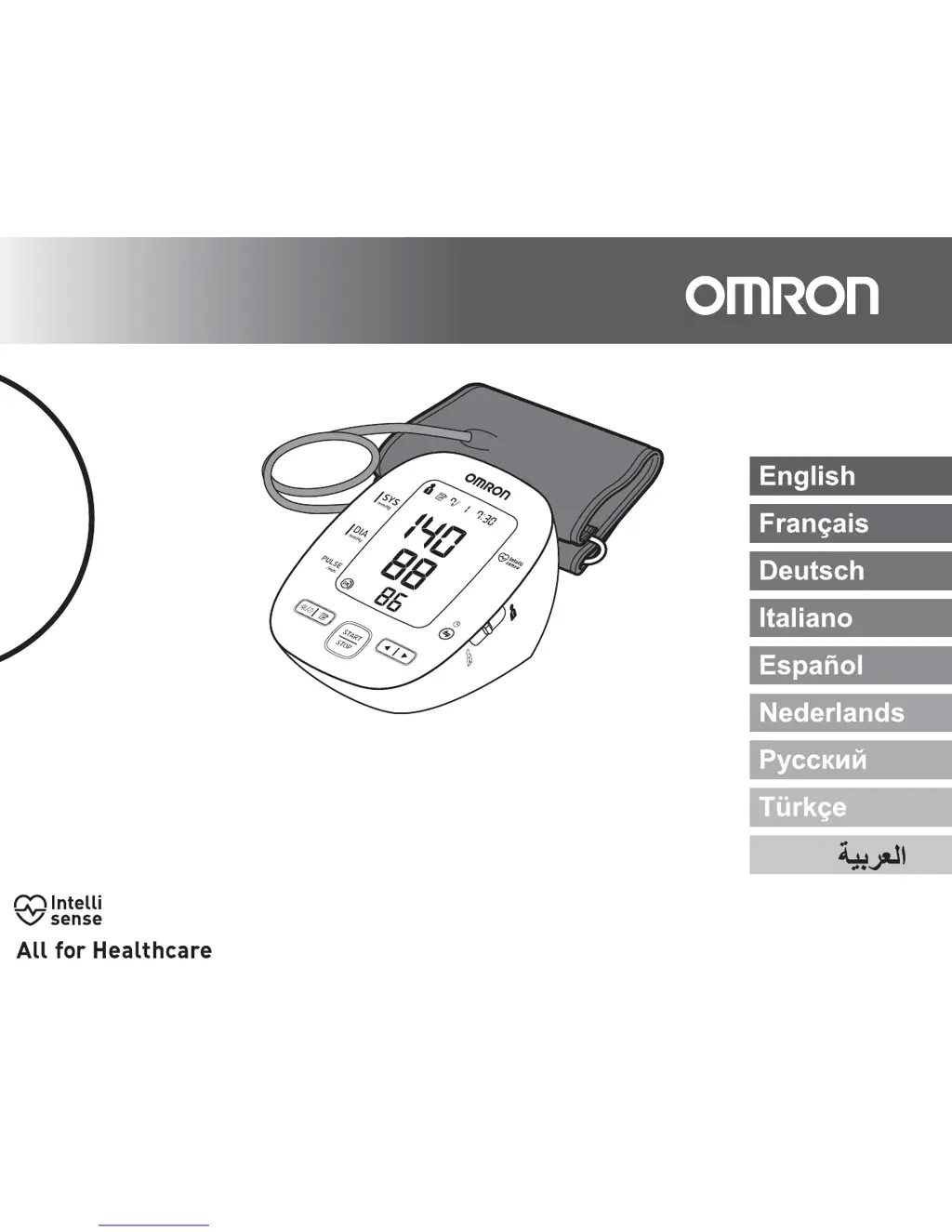
Automatic Upper Arm Blood Pressure Monitor
MIT5s Connect (HEM-7280T-E)
Instruction Manual

Questions and Answers

  • D
    Daniel GriffinAug 3, 2025
    What to do if irregular heartbeats are detected on Omron HEM-7280T-E?
    • A
      Angel RobinsonAug 3, 2025
      If you detect irregular heartbeats on your Omron Blood Pressure Monitor, remove the arm cuff, wait 2-3 minutes, and take another measurement, repeating the steps. If the error persists, it is recommended to contact your physician.
  • S
    Sheila MaxwellAug 8, 2025
    What to do if Omron HEM-7280T-E shows error E2?
    • V
      Victor HenryAug 9, 2025
      If you experience movement during measurement, and the arm cuff hasn't inflated enough on your Omron Blood Pressure Monitor, repeat the measurement, remaining still and silent. If 'E2' appears repeatedly, manually inflate the cuff to 30-40 mmHg above your previous reading.
  • M
    Marcus SmithAug 14, 2025
    How to fix air leaking from Omron Blood Pressure Monitor arm cuff?
    • M
      Michael CabreraAug 14, 2025
      If air is leaking from the arm cuff of your Omron Blood Pressure Monitor, replace the arm cuff with a new one.
  • A
    Angela BurkeAug 20, 2025
    What to do if the Omron HEM-7280T-E batteries are exhausted?
    • A
      Amanda CampbellAug 20, 2025
      If the batteries in your Omron Blood Pressure Monitor are exhausted, replace them with new ones immediately.
  • K
    Karen LeeAug 27, 2025
    How to fix disconnected air plug on Omron HEM-7280T-E?
    • A
      Amanda ButlerAug 27, 2025
      If the air plug is disconnected from your Omron Blood Pressure Monitor, insert it securely.

Summary

1. Know Your Device

1.1 Display Symbols

Explains various symbols displayed on the monitor during operation.

1.2 Before Taking a Measurement

Provides essential steps and precautions to ensure accurate blood pressure readings.

2. Preparation

2.1 Battery Installation

Instructions for correctly inserting and replacing the device's batteries.

2.2 Using this device with a Smartphone

Guide to downloading, installing, and pairing the OMRON connect app.

2.3 Setting the Date and Time Manually

Steps to manually set the date and time if not automatically synced.

3. Using the Device

3.1 Applying the Arm Cuff

Instructions on how to correctly apply the arm cuff to the upper arm.

3.2 How to Sit Correctly

Guidance on proper posture and seating for accurate measurements.

3.3 Taking a Measurement

Step-by-step process for performing a blood pressure measurement.

3.4 Using the Memory Function

How to view stored measurement values and averages.

To View the Average Value

Instructions for viewing the average blood pressure and pulse readings.

To View the Weekly Average Value

Explanation of how weekly averages for morning and evening are calculated.

TO TRANSFER THE DATA

Steps to transfer measurement data from the monitor to a smartphone.

TO DELETE ALL RESULTS AND SETTINGS

Procedure to erase all stored measurement results and settings from the monitor.

To Delete All the Values Stored in Memory

Instructions for deleting measurement data specific to a user ID.

3.5 Turning “OFF” the Bluetooth

How to disable the Bluetooth® wireless function on the monitor.

To turn ON the Bluetooth

Instructions for enabling the Bluetooth® wireless function on the monitor.

4. Error Messages and Troubleshooting

4.1 Error Messages

Table listing error displays, their causes, and suggested solutions.

4.2 Troubleshooting

Common problems, their causes, and recommended solutions.

5. Maintenance and Storage

5.1 Maintenance

Guidelines for cleaning and general care of the device.

5.2 Storage

Instructions for properly storing the device when not in use.

6. Optional Parts

6.1 Optional Medical Accessories

Details on available optional accessories like arm cuffs and AC adapters.

Omron HEM-7280T-E Specifications

General IconGeneral
BrandOmron
ModelHEM-7280T-E
CategoryBlood Pressure Monitor
LanguageEnglish

Related product manuals