EasyManua.ls Logo

Omron HEM-7300 - User Manual

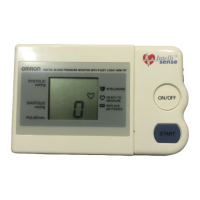
Omron HEM-7300
72 pages
Print Icon
To Next Page IconTo Next Page
Loading...
HEM-7300-C3_B_M01_100309.pdf
INSTRUCTION MANUAL
Automatic Blood Pressure Monitor
Model
HEM-7300
HEM-7300-C3_B_M.fm Page 1 Tuesday, March 9, 2010 10:17 AM
All for Healthcare

Questions and Answers

  • M
    Mr. Kenneth MckayJul 29, 2025
    Why is my Omron HEM-7300 Blood Pressure Monitor reading so high or low?
    • A
      Alexis WigginsJul 30, 2025
      Inaccurate readings on your Omron Blood Pressure Monitor can occur for several reasons. Check the following: * Ensure the arm cuff is correctly applied. * Avoid movement or talking during the measurement. * Make sure clothing isn't interfering with the arm cuff.
  • A
    Alexis Moody DVMAug 3, 2025
    Why doesn't the arm cuff pressure rise on my Omron HEM-7300 Blood Pressure Monitor?
    • J
      Janice SchmidtAug 3, 2025
      If the arm cuff pressure isn't rising on your Omron Blood Pressure Monitor, first, ensure the air jack is securely inserted into the main unit. If it is, check the arm cuff for leaks; if air is leaking, replace the arm cuff with a new one.
  • D
    Dawn HardingAug 7, 2025
    What to do if Omron HEM-7300 Blood Pressure Monitor readings are too high or it cannot measure?
    • K
      Kyle RileyAug 7, 2025
      If your Omron Blood Pressure Monitor is showing high readings or failing to measure, ensure the arm cuff is correctly attached. Also, check that the air plug is properly connected to the unit by firmly pushing it into the air jack.
  • N
    Nancy SmithAug 11, 2025
    Why does my Omron HEM-7300 Blood Pressure Monitor lose power during measurement?
    • J
      Jay TurnerAug 11, 2025
      If your Omron Blood Pressure Monitor loses power during measurement, the batteries are likely empty. Replace them with new ones.
  • K
    Karen ThomasAug 16, 2025
    How to fix an Omron HEM-7300 Blood Pressure Monitor arm cuff that deflates too soon?
    • B
      Billy HarveyAug 16, 2025
      If the arm cuff on your Omron Blood Pressure Monitor deflates too soon, it may be too loose. Apply the cuff correctly so that it is firmly wrapped around your arm.
  • P
    Patrick ConnerAug 20, 2025
    Why nothing happens when I press the buttons on my Omron HEM-7300?
    • K
      Kathleen LarsonAug 20, 2025
      If your Omron Blood Pressure Monitor isn't responding when you press the buttons, the batteries might be the issue. Try replacing the batteries with new ones, ensuring they are inserted with the correct (+/ -) polarity.
  • M
    Mary AlvarezAug 25, 2025
    What to do if I have other problems with my Omron HEM-7300?
    • Z
      zclarkAug 25, 2025
      Press the START/STOP button and repeat the measurement. If the problem continues, try replacing the batteries with new ones. If this still does not solve the problem, contact your local authorised Omron distributor or dealer.

Summary

Important Safety Information

General Usage Warnings

Covers warnings for general use, including consulting doctor and avoiding self-diagnosis.

Battery Usage Warnings

Provides warnings related to battery fluid contact with eyes and immediate medical attention.

Battery Usage Precautions

Details safety precautions for battery usage, including fluid contact, correct types, and polarity.

OMRON HEM-7300 Overview

Preparation and Setup

Installing and Replacing Batteries

Step-by-step guide on how to install or replace batteries in the main unit.

Operating the Blood Pressure Monitor

Correct Posture for Measurement

Guides users on how to sit correctly to ensure accurate blood pressure readings.

Applying the Arm Cuff (Left Arm)

Step-by-step instructions for correctly applying the arm cuff to the left arm.

Applying the Arm Cuff (Right Arm)

Instructions for correctly applying the arm cuff to the right arm, including positioning.

Taking a Blood Pressure Reading

Details the process of taking a blood pressure measurement, from starting the unit to reading results.

Handling Errors and Problems

Maintenance and Storage

Technical Specifications

Omron HEM-7300 Specifications

General IconGeneral
Measurement MethodOscillometric
Measurement Range (Pressure)0 to 299 mmHg
Measurement Range (Pulse Rate)40 to 180 beats/min
Accuracy (Pressure)±3 mmHg
Accuracy (Pulse)±5% of reading
Memory Capacity60 readings
DisplayLCD
Automatic Shut-offYes
Irregular Heartbeat DetectionYes
WHO Classification IndicatorYes
InflationAutomatic
DeflationAutomatic
Cuff Size22-42 cm
Power Source4 x AA batteries or AC adapter
Average ReadingYes

Related product manuals