EasyManua.ls Logo

Omron HEM-7320T-CA - User Manual

Omron HEM-7320T-CA
40 pages
Print Icon
To Next Page IconTo Next Page
Loading...
i
Monitor
Instruction Manual
C
Engli
s
h
Français
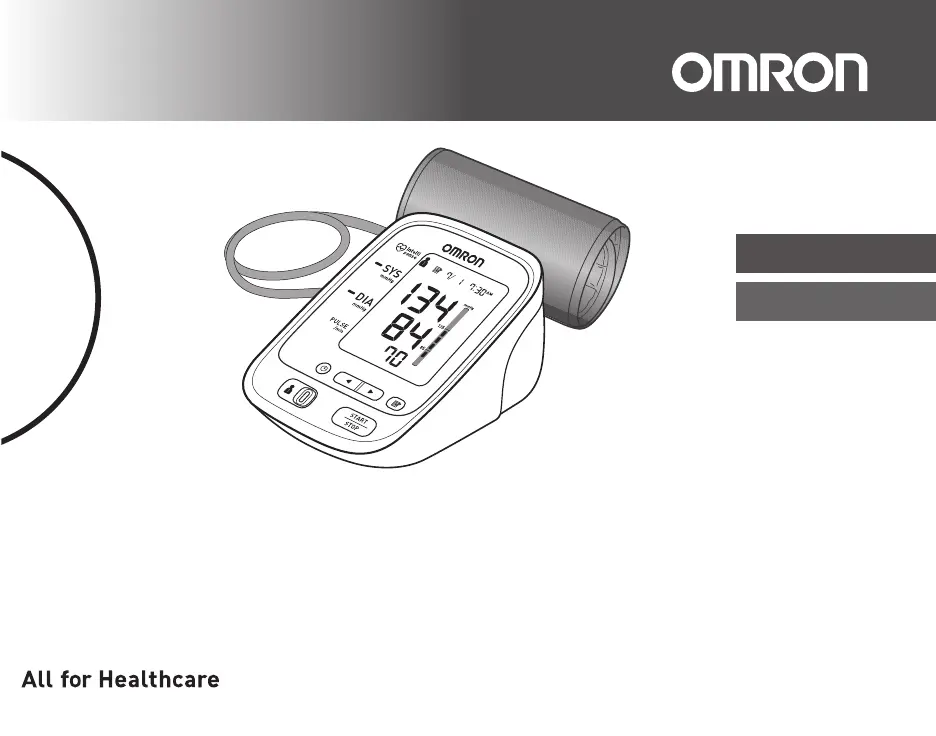
7 series Blood Pressure Monitor
Model BP761CAN
Instruction Manual
English
.
o, Kyoto, 617-0002 JAPAN
est, IL 60045 U.S.A.
n China/Fabriqué en Chine
Français
2298824-1A
Le produit inclut :
Tensiomètre
Guide de l’utilisateur
Quick
S
Guide d
B
Product includes:
7 series Blood Pressure Monitor
Model BP761CAN
Instruction Manual

Questions and Answers

  • M
    Mark ThomasAug 8, 2025
    Why does my Omron HEM-7320T-CA Blood Pressure Monitor show high/low values?
    • G
      George YoungAug 8, 2025
      If your Omron Blood Pressure Monitor displays measurement values that seem too high or too low, remember that blood pressure fluctuates constantly. Factors like stress, the time of day, and even how you wrap the cuff can influence your readings. It's recommended to review sections 1.2 and 3.3 for guidance.
  • C
    Christopher MartinAug 12, 2025
    What to do if data cannot be sent from Omron HEM-7320T-CA Blood Pressure Monitor?
    • K
      Kent NguyenAug 12, 2025
      If data cannot be sent from your Omron Blood Pressure Monitor, here are a few things to check: 1. Ensure the destination device isn't too far from the monitor. If it is, move the device within 16 ft (5 m) of the monitor and make sure there are no sources of interference nearby. 2. Verify that the Bluetooth function on the destination device is turned on, and try sending the data again. 3. Make sure pairing (registering) has been completed. 4. Check that the application on the destination device is ready, then try sending the data again. If the Err symbol still lights after checking the application, contact customer service.
  • B
    Brian RivasAug 17, 2025
    How to fix no power on Omron HEM-7320T-CA?
    • J
      jacksonaaronAug 17, 2025
      If your Omron Blood Pressure Monitor has no power and no display appears, replace all the batteries with new ones. Also, double-check the battery installation to ensure the battery polarities are correctly placed. Refer to section 2.1 for detailed instructions.
  • C
    Christine BlackAug 21, 2025
    What to do if my Omron HEM-7320T-CA Blood Pressure Monitor detects irregular heartbeats?
    • Q
      qwilliamsAug 21, 2025
      If your Omron Blood Pressure Monitor detects irregular heartbeats, remove the arm cuff and wait 2-3 minutes before taking another measurement. You may also need to repeat the measurement steps as outlined in section 3.3 of the manual.
  • J
    Janet RitterAug 26, 2025
    What to do if the air plug is disconnected from my Omron HEM-7320T-CA?
    • S
      Sarah GarzaAug 26, 2025
      If the air plug is disconnected from your Omron Blood Pressure Monitor, securely insert it back into its place.
  • T
    Tony HernandezAug 29, 2025
    What to do if I moved during measurement with Omron Blood Pressure Monitor?
    • G
      Gary KimAug 29, 2025
      If you moved during the measurement with your Omron Blood Pressure Monitor, carefully read the instructions and repeat the measurement.
  • B
    Benjamin FlemingSep 3, 2025
    What to do if cuff has not been inflated sufficiently on Omron Blood Pressure Monitor?
    • K
      Kelsey OrtegaSep 3, 2025
      If the arm cuff on your Omron Blood Pressure Monitor has not been inflated sufficiently and “E2” appears repeatedly, inflate the arm cuff manually until it is 30 to 40 mmHg above your previous measurement result.

Omron HEM-7320T-CA Specifications

General IconGeneral
Product NameOmron HEM-7320T-CA
CategoryBlood Pressure Monitor
Measurement MethodOscillometric
ConnectivityBluetooth
TechnologyIntellisense
Irregular Heartbeat DetectionYes
Clinically ValidatedYes
Warranty5 years
DisplayLCD
Cuff Size22-42 cm (9-17 inches)
Power Source4 x AA batteries or optional AC adapter

Related product manuals