EasyManua.ls Logo

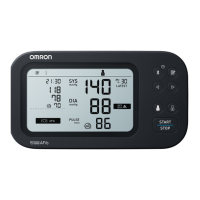
Omron HEM-7342T-CA - User Manual

Omron HEM-7342T-CA
55 pages
Print Icon
To Next Page IconTo Next Page
Loading...
EN
FR
3787156-1A
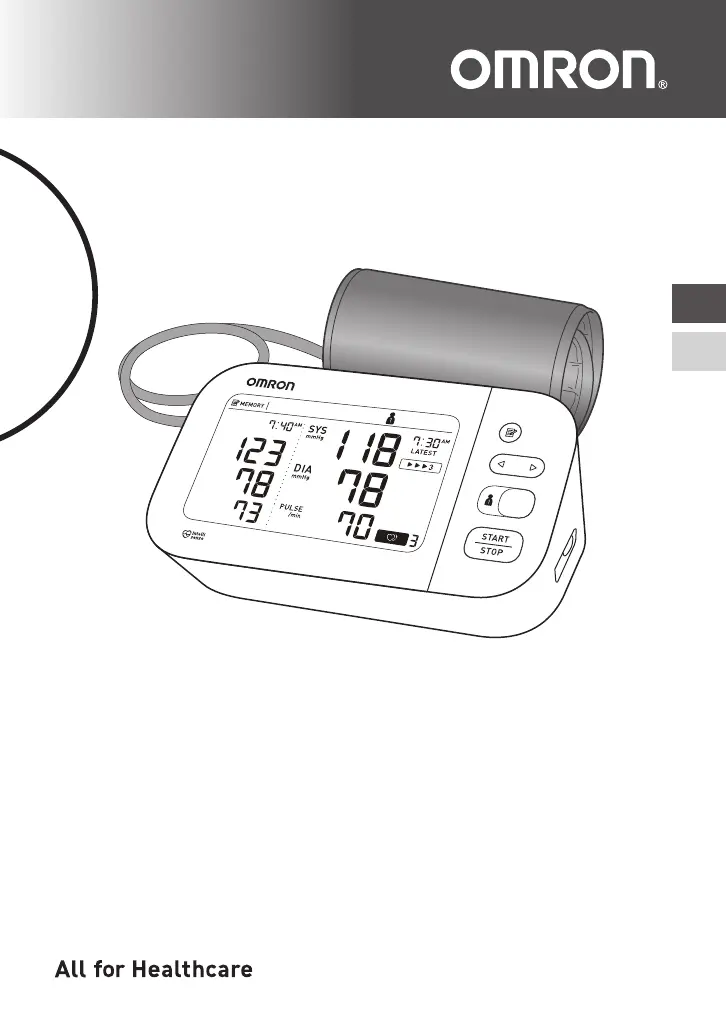
10 Series Upper Arm / Au Bras Série 10
Blood Pressure Monitor /
Tensiomètre
Model / Modèle BP7450CAN
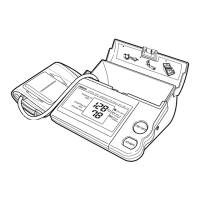
Instruction Manual
/
Guide de l’utilisateur

Questions and Answers

  • C
    csmithAug 15, 2025
    What does it mean when the battery symbol flashes on my Omron Blood Pressure Monitor?
    • K
      Kristina WilliamsAug 15, 2025
      When the battery symbol flashes on your Omron Blood Pressure Monitor, it means the batteries are low. It's recommended to replace all 4 batteries with new ones.
  • D
    Dave NashAug 18, 2025
    What to do if my Omron HEM-7342T-CA displays ?
    • P
      Paul JohnsonAug 18, 2025
      This symbol on your Omron Blood Pressure Monitor indicates that the pulse rate was not detected correctly. Make sure you apply the arm cuff correctly and remain still and sit correctly during the measurement. If the symbol continues to appear, it is recommended to consult with your physician.
  • B
    Brianna HensonAug 22, 2025
    Why won't my Omron HEM-7342T-CA Blood Pressure Monitor complete a measurement after inflation?
    • J
      joshuadavisAug 22, 2025
      If your Omron Blood Pressure Monitor can't complete a measurement after the arm cuff inflates, it might be because you moved or talked during the measurement, preventing sufficient inflation. Remain still and do not talk during the measurement. If “E2” appears repeatedly, inflate the arm cuff manually until the systolic pressure is 30 to 40 mmHg above your previous readings. This issue can also occur if your systolic pressure is above 210 mmHg. In this case, inflate the arm cuff manually until the systolic pressure is 30 to 40 mmHg above your previous readings.
  • J
    Jacob GarrisonAug 25, 2025
    Why does 'Er' appear on my Omron Blood Pressure Monitor?
    • Y
      yrichardsAug 25, 2025
      The 'Er' symbol indicates that the Omron Blood Pressure Monitor has malfunctioned. Try pressing the [START/STOP] button again to restart it. If the error persists, it means that you need to contact customer service.
  • G
    Geoffrey MillerAug 28, 2025
    Why does my Omron Blood Pressure Monitor turn off during measurement?
    • R
      Robert BlackAug 28, 2025
      If your Omron Blood Pressure Monitor displays or turns off unexpectedly during a measurement, it indicates that the batteries are depleted. Immediately replace all 4 batteries with new ones.
  • F
    Fernando MoralesAug 30, 2025
    Why does my Omron HEM-7342T-CA display ?
    • J
      jensenjasonAug 30, 2025
      The symbol on your Omron Blood Pressure Monitor means the arm cuff was inflated exceeding the maximum allowable pressure. Avoid touching the arm cuff or bending the air tube during measurement. If inflating manually, please refer to the instructions.
  • D
    Debra CooperSep 2, 2025
    Why is the bluetooth symbol flashing on my Omron HEM-7342T-CA?
    • A
      Alexis JensenSep 2, 2025
      If the bluetooth symbol is flashing on your Omron Blood Pressure Monitor, it means the monitor is waiting for pairing with the smart device. Refer to the manual for pairing instructions, or press the [START/STOP] button to cancel pairing and turn the monitor off.
  • D
    Dr. Terry FreySep 6, 2025
    Why is the transfer symbol flashing on my Omron HEM-7342T-CA?
    • S
      Susan MartinezSep 6, 2025
      If the transfer symbol is flashing on your Omron Blood Pressure Monitor, it means the monitor is ready to transfer your readings to the smart device. Open the “OMRON connect US/CAN” app to transfer your readings.
  • A
    Anthony JacksonSep 8, 2025
    Why does the memory symbol flash on my Omron Blood Pressure Monitor?
    • G
      garrettnicholasSep 8, 2025
      If the memory symbol flashes on your Omron Blood Pressure Monitor, it indicates that there are more than 80 readings in the memory to be transferred. Pair or transfer your readings to the “OMRON connect US/CAN” app to keep them in the app and make the symbol disappear.
  • K
    kreedSep 12, 2025
    What to do if I have any other problems with my Omron Blood Pressure Monitor?
    • E
      elizabethspencerSep 12, 2025
      Press the [START/STOP] button to turn the Omron Blood Pressure Monitor off, then press it again to take a measurement. If the problem continues, remove all batteries and wait for 30 seconds before re-installing them. If the issue still persists, it's time to contact customer service.

Summary

Know Your Monitor

Display and Symbols

Explains all icons and indicators on the device's display screen.

Preparation

Installing Batteries

Step-by-step guide for inserting batteries into the monitor.

Using the AC Adapter

Instructions on connecting and using the AC adapter for power.

Applying the Arm Cuff

Detailed instructions on how to correctly apply the arm cuff.

Using Your Monitor without a Smart Device

Taking a Measurement

Step-by-step process for taking a blood pressure measurement.

Using Your Monitor with a Smart Device

Pairing Your Monitor with a Smart Device

Guide to connecting the monitor to a smartphone via Bluetooth.

Using Memory Function

Viewing the Readings Stored in Memory

How to access and review past blood pressure readings.

Other Settings

Error Messages and Troubleshooting

Maintenance

Omron HEM-7342T-CA Specifications

General IconGeneral
BrandOmron
ModelHEM-7342T-CA
CategoryBlood Pressure Monitor
LanguageEnglish

Related product manuals