EasyManua.ls Logo

Omron HEM-7340T-CA - User Manual

Omron HEM-7340T-CA
48 pages
Print Icon
To Next Page IconTo Next Page
Loading...
EN
FR
3787149-9A
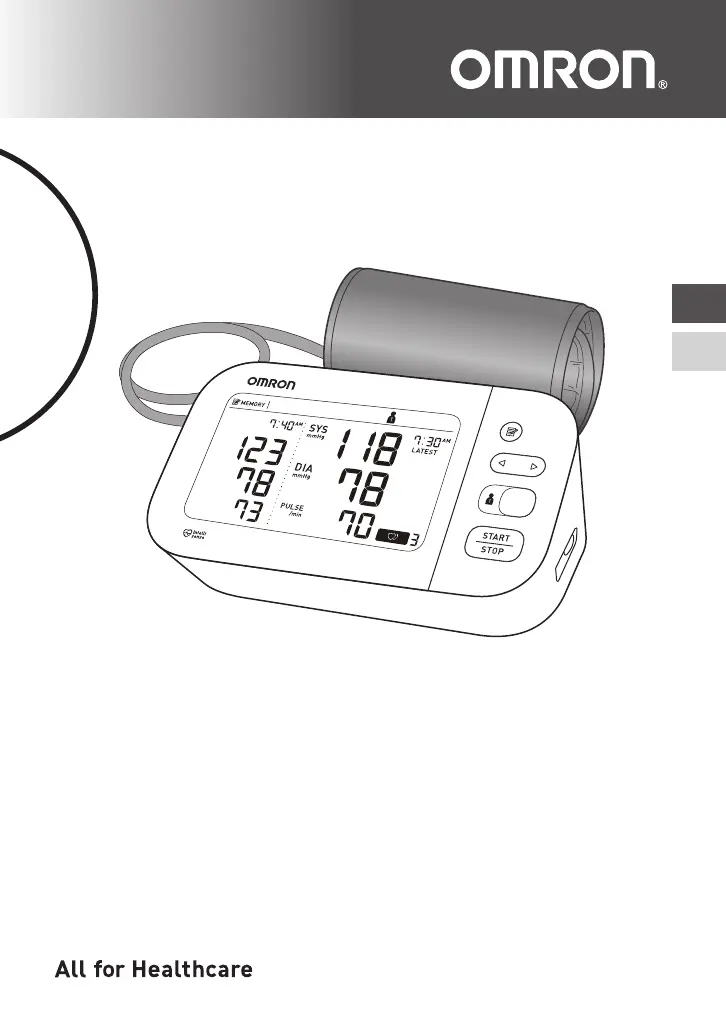
7 Series Upper Arm / Au Bras Série 7
Blood Pressure Monitor /
Tensiomètre
Model / Modèle BP7350CAN
Instruction Manual
/
Guide de l’utilisateur

Questions and Answers

  • H
    Harry HernandezAug 20, 2025
    What to do if my Omron Blood Pressure Monitor displays 'E1' or the arm cuff does not inflate?
    • L
      Linda GoodwinAug 20, 2025
      The 'E1' symbol appears, or the arm cuff does not inflate, due to a few potential reasons: * The air plug may not be fully inserted into the monitor. Make sure the air plug is securely inserted. * The arm cuff might not be applied correctly. Ensure the arm cuff is applied correctly and try another measurement. * There may be an air leak in the arm cuff. If so, replace the arm cuff with a new one.
  • H
    Holly GallowayAug 22, 2025
    What to do if my Omron HEM-7340T-CA Blood Pressure Monitor displays 'E2' or a measurement cannot be completed after the arm cuff inflates?
    • J
      Jesse DeleonAug 22, 2025
      The 'E2' symbol appears, or a measurement cannot be completed after the arm cuff inflates, due to these reasons: * You may be moving or talking during the measurement, or the arm cuff is not inflating sufficiently. Remain still and do not talk during measurements. If 'E2' appears repeatedly, manually inflate the arm cuff until the systolic pressure is 30 to 40 mmHg above your previous readings. * Your systolic pressure may be above 210 mmHg, preventing a measurement. Manually inflate the arm cuff until the systolic pressure is 30 to 40 mmHg above your previous readings.
  • D
    Dr. Joseph JonesAug 25, 2025
    What to do if my Omron Blood Pressure Monitor displays 'Err' and cannot connect to a smart device?
    • R
      roseroblesAug 25, 2025
      The 'Err' symbol appears when the monitor cannot connect to a smart device or transmit data correctly. Follow the instructions shown in the “OMRON connect US/CAN” app. If the symbol persists after checking the app, contact customer service.
  • J
    James MoralesAug 26, 2025
    What to do when the battery symbol flashes on my Omron HEM-7340T-CA Blood Pressure Monitor?
    • K
      Kristen VincentAug 26, 2025
      When the battery symbol flashes, it indicates that the batteries are low. It is recommended to replace all 4 batteries with new ones.
  • J
    Jeremy JohnsonAug 27, 2025
    What to do if my Omron HEM-7340T-CA Blood Pressure Monitor displays a battery symbol or turns off unexpectedly?
    • B
      brandonjosephAug 28, 2025
      If the battery symbol appears, or the monitor turns off unexpectedly during a measurement, it means the batteries are depleted. Immediately replace all 4 batteries with new ones.
  • M
    Melissa FloresAug 30, 2025
    What to do if nothing appears on the display of my Omron HEM-7340T-CA Blood Pressure Monitor?
    • W
      wilcoxdianeAug 30, 2025
      If nothing appears on the display, it could be due to depleted batteries or improperly aligned battery polarities. Check the battery installation to ensure proper placement.
  • T
    Thomas MartinezAug 31, 2025
    Why are the readings on my Omron HEM-7340T-CA Blood Pressure Monitor too high or too low?
    • K
      Kimberly KellySep 1, 2025
      Blood pressure varies constantly, and many factors, including stress, time of day, and how you apply the arm cuff, may affect your blood pressure. Review the instructions on proper usage.
  • S
    Shelly AdamsSep 3, 2025
    Why does 'Err' appear on my Omron HEM-7340T-CA?
    • C
      calebknightSep 3, 2025
      The 'Err' symbol appears because the monitor has malfunctioned. Try pressing the [START/STOP] button again. If the “Err” symbol continues to appear, you should contact customer service.
  • E
    Eric MartinSep 4, 2025
    Why does 'E3' appear on my Omron HEM-7340T-CA?
    • R
      Robert AndersonSep 5, 2025
      The 'E3' symbol appears if the arm cuff is inflated exceeding the maximum allowable pressure. Avoid touching the arm cuff or bending the air tube during the measurement. If inflating the arm cuff manually, please refer to the instructions.
  • N
    njohnsSep 6, 2025
    Why does 'EE' appear on my Omron Blood Pressure Monitor?
    • V
      Victoria RobinsonSep 6, 2025
      The 'EE' symbol appears if you move or talk during a measurement, or if vibrations disrupt the measurement. Remain still and do not talk during a measurement.

Summary

Introduction

Safety Instructions

Provides crucial safety information for the proper and safe use of the monitor.

Important Safety Information

General Safety Warnings

Covers critical warnings regarding device usage, medication, and specific environments.

AC Adapter and Battery Handling

AC Adapter Handling and Usage

Details safe practices for using the optional AC adapter, including handling and precautions.

1. Know Your Monitor

1.3 Display and Symbols

2. Preparation

2.2 Setting the Date and Time

2.3 Blood Pressure Measurement Tips

2.4 Applying the Arm Cuff

Proper Arm Cuff Placement

3. Using Your Monitor without a Smart Device

3.1 Taking a Measurement

Step-by-step instructions for performing a blood pressure measurement without using a smart device.

Manual Inflation for High Pressure

4. Using Your Monitor with a Smart Device

4.1 Pairing Your Monitor with a Smart Device

Guide on how to connect the monitor to a smart device via Bluetooth using the OMRON connect app.

4.2 Taking a Measurement

4.3 Disabling;Enabling Bluetooth

6.2 Restoring Default Settings

7. Error Messages and Troubleshooting

Troubleshooting Common Errors (E1, E2)

Explains possible causes and solutions for error codes E1 and E2 related to cuff inflation.

Troubleshooting Common Errors (E3, E4, E5)

Troubleshooting Other Display Issues

Troubleshooting Connectivity and Data Transfer Errors

Troubleshooting General Problems

9. Using the AC Adapter

10. Specifications

11. FCC;ISED Statement

12. Limited Warranty

Warranty Terms and Conditions

Outlines the warranty period, coverage, and limitations for the monitor and arm cuff.

Omron HEM-7340T-CA Specifications

General IconGeneral
Device TypeUpper Arm Blood Pressure Monitor
Product NameOmron HEM-7340T-CA
CategoryBlood Pressure Monitor
Measurement MethodOscillometric
AccuracyPressure: ±3 mmHg, Pulse: ±5% of reading
Irregular Heartbeat DetectionYes
Body Movement DetectionYes
Cuff Wrapping GuideYes
ConnectivityBluetooth
Measurement Range0 to 299 mmHg
Average Reading FunctionYes (last 3 readings taken within 10 minutes)
Power Source4 AA batteries or AC adapter
DisplayLCD
Cuff Size22-42 cm (9-17 inches)
Warranty5 years

Related product manuals