EasyManua.ls Logo

Omron HEM-7340T-CA - User Manual

Omron HEM-7340T-CA
48 pages
Print Icon
To Next Page IconTo Next Page
Loading...
EN
FR
3787149-9A
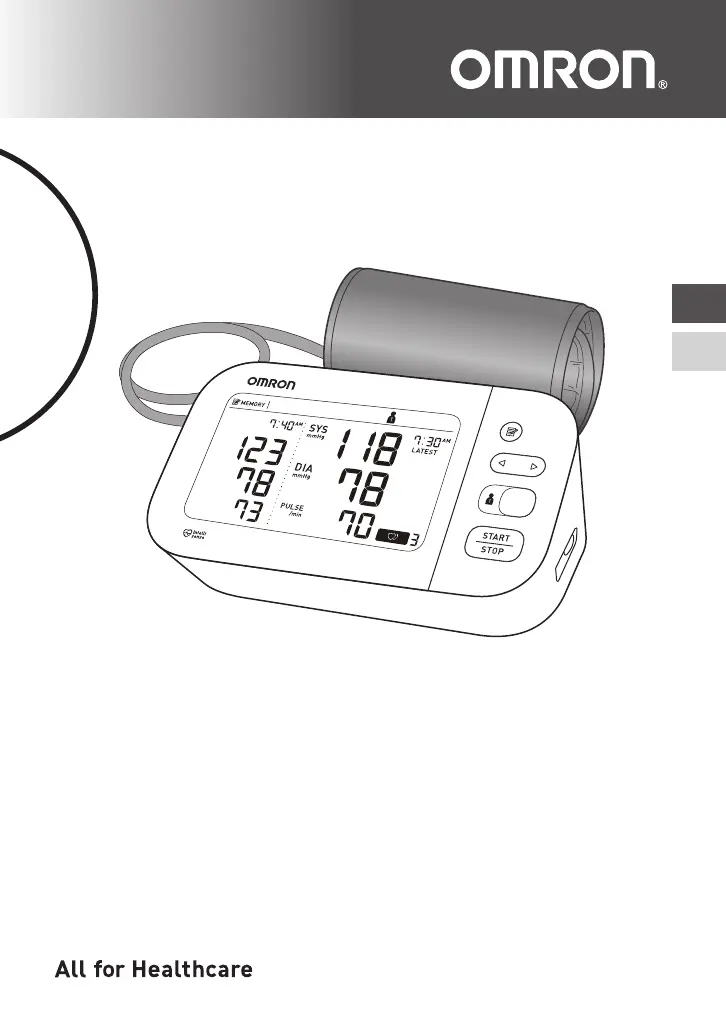
7 Series Upper Arm / Au Bras Série 7
Blood Pressure Monitor /
Tensiomètre
Model / Modèle BP7350CAN
Instruction Manual
/
Guide de l’utilisateur

Questions and Answers

  • A
    allisonrobertsSep 9, 2025
    Why does the heart symbol ' ' appear on my Omron Blood Pressure Monitor?
    • N
      nandersonSep 9, 2025
      The heart symbol appears because the pulse rate is not being detected correctly. Make sure to apply the arm cuff correctly and remain still and sit correctly during measurement. If the symbol continues to appear, it is recommended you consult with your physician.
  • T
    Travis HutchinsonSep 12, 2025
    What does it mean when the Bluetooth symbol flashes on my Omron Blood Pressure Monitor?
    • E
      ericakhanSep 12, 2025
      When the Bluetooth symbol flashes, the monitor is waiting to pair with your smart device. Refer to the instructions for pairing your monitor with your smart device, or press the [START/STOP] button to cancel pairing and turn your monitor off.
  • A
    Alyssa PetersonSep 12, 2025
    Why is the Bluetooth symbol flashing on my Omron HEM-7340T-CA?
    • S
      sandra04Sep 12, 2025
      The Bluetooth symbol flashes because the monitor is ready to transfer your readings to the smart device. Open the “OMRON connect US/CAN” app to transfer your readings.
  • C
    Carrie BenitezSep 14, 2025
    Why does the Bluetooth symbol flash on my Omron Blood Pressure Monitor, and what does it mean?
    • R
      Richard MillerSep 14, 2025
      The Bluetooth symbol flashes because there are more than 48 readings in memory to be transferred. Pair or transfer your readings to the “OMRON connect US/CAN” app, so you can keep them in memory in the app, and this error symbol disappears.
  • T
    toddsnyderSep 16, 2025
    What to do if any other problem occurs with my Omron HEM-7340T-CA?
    • T
      Teresa CollinsSep 16, 2025
      Press the [START/STOP] button to turn the monitor off, then press it again to take a measurement. If the problem continues, remove all batteries and wait for 30 seconds before reinstalling them. If the problem persists, contact customer service.

Summary

Introduction

Safety Instructions

Provides crucial safety information for the proper and safe use of the monitor.

Important Safety Information

General Safety Warnings

Covers critical warnings regarding device usage, medication, and specific environments.

AC Adapter and Battery Handling

AC Adapter Handling and Usage

Details safe practices for using the optional AC adapter, including handling and precautions.

1. Know Your Monitor

1.3 Display and Symbols

2. Preparation

2.2 Setting the Date and Time

2.3 Blood Pressure Measurement Tips

2.4 Applying the Arm Cuff

Proper Arm Cuff Placement

3. Using Your Monitor without a Smart Device

3.1 Taking a Measurement

Step-by-step instructions for performing a blood pressure measurement without using a smart device.

Manual Inflation for High Pressure

4. Using Your Monitor with a Smart Device

4.1 Pairing Your Monitor with a Smart Device

Guide on how to connect the monitor to a smart device via Bluetooth using the OMRON connect app.

4.2 Taking a Measurement

4.3 Disabling;Enabling Bluetooth

6.2 Restoring Default Settings

7. Error Messages and Troubleshooting

Troubleshooting Common Errors (E1, E2)

Explains possible causes and solutions for error codes E1 and E2 related to cuff inflation.

Troubleshooting Common Errors (E3, E4, E5)

Troubleshooting Other Display Issues

Troubleshooting Connectivity and Data Transfer Errors

Troubleshooting General Problems

9. Using the AC Adapter

10. Specifications

11. FCC;ISED Statement

12. Limited Warranty

Warranty Terms and Conditions

Outlines the warranty period, coverage, and limitations for the monitor and arm cuff.

Omron HEM-7340T-CA Specifications

General IconGeneral
Device TypeUpper Arm Blood Pressure Monitor
Product NameOmron HEM-7340T-CA
CategoryBlood Pressure Monitor
Measurement MethodOscillometric
AccuracyPressure: ±3 mmHg, Pulse: ±5% of reading
Irregular Heartbeat DetectionYes
Body Movement DetectionYes
Cuff Wrapping GuideYes
ConnectivityBluetooth
Measurement Range0 to 299 mmHg
Average Reading FunctionYes (last 3 readings taken within 10 minutes)
Power Source4 AA batteries or AC adapter
DisplayLCD
Cuff Size22-42 cm (9-17 inches)
Warranty5 years

Related product manuals