14
BATTERY INSTALLATION
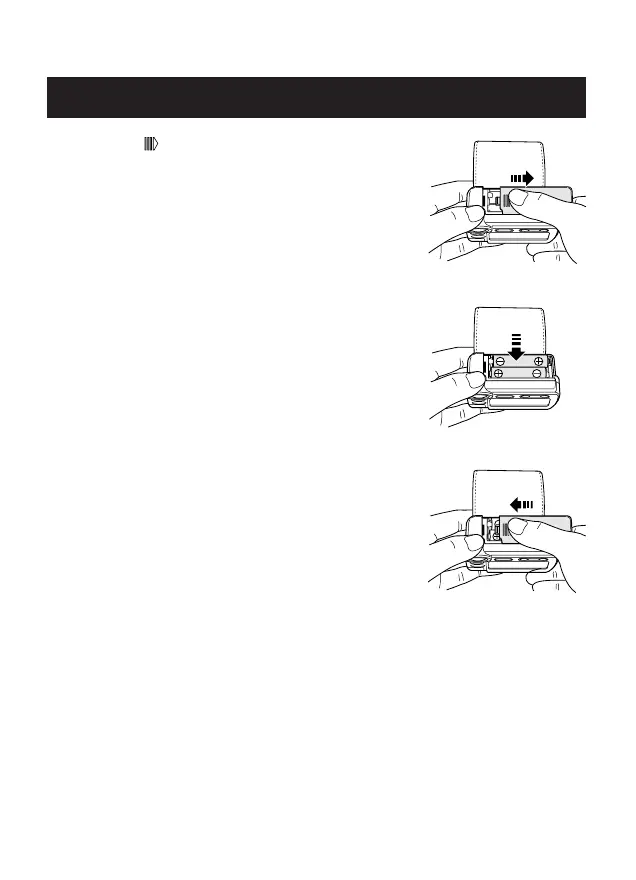
1. Press the ( ) indicator on the battery cover
and slide the cover off in the direction of the
arrow.
2. Install 2 “AAA” size batteries so the
+ (positive) and - (negative) polarities match the
polarities of the battery compartment as
indicated.
3. Replace the Battery Cover by sliding the cover
as illustrated until the cover clicks securely
over the battery compartment.



 To Next Page