EasyManua.ls Logo

Omron HEM-650 - User Manual

Omron HEM-650
72 pages
Print Icon
To Next Page IconTo Next Page
Loading...
6
5
0
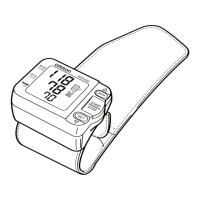
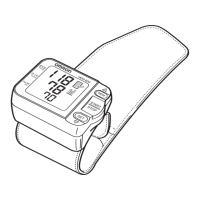
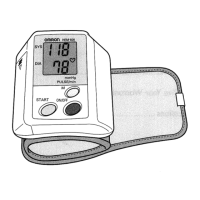
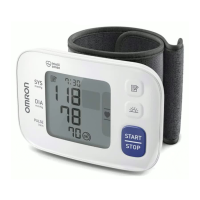
Wrist Blood Pressure Monitor
with Advanced Positioning Sensor (APS
®
)
Model HEM-650
Instruction Manual
ESPAÑOL
ENGLISH
HEM-650_E_SP_q6.qxp 6/25/07 7:19 PM Page 1

Table of Contents

Questions and Answers

  • C
    Claire MartinJul 30, 2025
    Why are the measurement values too high or too low on my Omron Blood Pressure Monitor?
    • S
      Steven HamiltonJul 31, 2025
      Blood pressure readings can vary due to factors like stress, time of day, and cuff application. Review the sections on preparing for a measurement, applying the wrist cuff, and taking a measurement to ensure proper technique.
  • T
    tammy83Aug 5, 2025
    What to do if no display appears on my Omron Blood Pressure Monitor when pressing START/STOP?
    • J
      Jeremy DiazAug 5, 2025
      Replace all batteries with new ones. Also, check the battery installation to ensure the battery polarities are correctly placed.
  • D
    derekalvarezAug 9, 2025
    What to do if my Omron HEM-650 Blood Pressure Monitor shows abnormal unit function?
    • N
      ncomptonAug 9, 2025
      Repair service is required. Refer to the warranty for service information.
  • M
    Molly RayAug 14, 2025
    What to do if my Omron HEM-650 Blood Pressure Monitor cuff over-inflated?
    • B
      bhillAug 14, 2025
      Repair service is required. Refer to the warranty for service information.
  • C
    Christopher ClarkAug 20, 2025
    What to do if I move during measurement with my Omron HEM-650 Blood Pressure Monitor?
    • K
      Kelly MillerAug 20, 2025
      Turn the unit off. Refer to “Taking a Measurement”. Wait 2-3 minutes. Take another measurement, ensuring you remain still until the results are displayed.
  • R
    rachel74Aug 25, 2025
    What to do if the cuff is not fastened securely on my Omron HEM-650 Blood Pressure Monitor?
    • C
      Chris ColonAug 26, 2025
      Remove the monitor from your wrist. Refer to “Applying the Wrist Cuff”. Wait 2-3 minutes before taking another measurement.

Summary

OMRON HEM-650 Wrist Blood Pressure Monitor Instruction Manual

Introduction

Provides an overview of the OMRON HEM-650 wrist blood pressure monitor and its features.

Safety Information

Details critical safety measures, warnings, and precautions for using the blood pressure monitor.

Care and Maintenance

Guidelines for maintaining the monitor's condition and protecting it from damage.

Before Taking a Measurement

Recommendations to ensure reliable blood pressure readings, including rest and environmental factors.

Know Your Unit

Identifies and describes the main components and features of the OMRON HEM-650 monitor.

Unit Display

Explains the different indicators and symbols shown on the monitor's digital display.

Display Symbols

Details the meaning of specific symbols like the Irregular Heartbeat Symbol displayed by the monitor.

Battery Installation

Step-by-step instructions for correctly installing the batteries in the blood pressure monitor.

Battery Replacement

Guidance on when and how to replace the batteries, including important warnings.

Setting the Advanced Positioning Sensor

Instructions on how to set or change the Advanced Positioning Sensor (APS) feature for accurate readings.

Setting the Position Sensor Alarm

Details on configuring the audible alarm to aid in correct wrist positioning during measurement.

Setting the Measurement Wrist

Instructions on how to set the monitor to take measurements on either the left or right wrist.

Setting the Date and Time

Procedure for setting the current date and time for accurate measurement logging.

Applying the Wrist Cuff

Guidance on how to correctly apply the wrist cuff to the arm for accurate blood pressure measurement.

Taking a Measurement

Comprehensive steps for performing blood pressure measurements using the OMRON HEM-650 monitor.

Using the Memory Function

Information on how to store, view, and manage measurement values in the monitor's memory.

Error Indicators and Troubleshooting Tips

Guides users through common error symbols and provides solutions for troubleshooting issues.

FCC Statement

Information regarding potential radio/television interference and compliance with FCC rules.

Warranty

Details the product warranty period, terms, and conditions for service.

Specifications

Detailed technical specifications of the OMRON HEM-650, including ranges and dimensions.

Omron HEM-650 Specifications

General IconGeneral
Measurement MethodOscillometric
Accuracy (Pressure)±3 mmHg
Accuracy (Pulse)±5% of reading
InflationAutomatic
DeflationAutomatic
Memory60 readings
Display TypeLCD
Measurement Range (Pressure)0 to 299 mmHg
Measurement Range (Pulse)40 to 180 beats/min
Power Source4 AA batteries or AC adapter
Cuff Size22-32 cm (8.7-12.6 inches)

Related product manuals