31
ERROR INDICATORS AND TROUBLESHOOTING TIPS
ERROR INDICATORS
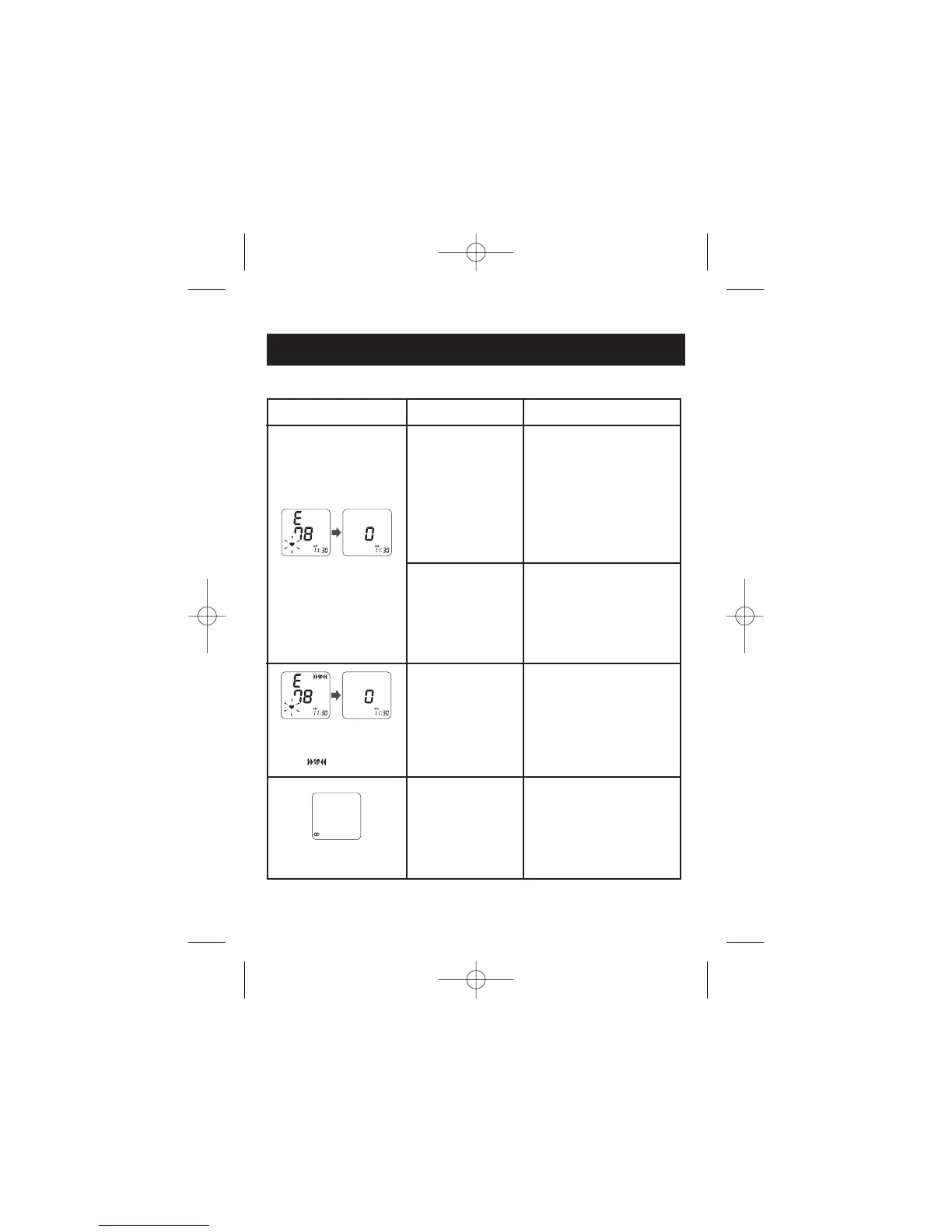
CAUSE CORRECTION
Movement during
measurement.
Turn the unit off. Refer to
“Taking a Measurement”.
Wait 2-3 minutes.
Take another measurement
and do not move until the
measurement results display.
SYMBOLS
After several seconds
The cuff is not
fastened securely.
Remove the monitor from
your wrist. Refer to
“Applying the Wrist Cuff”.
Wait 2-3 minutes.
Take another measurement.
Wrist is not in the
correct position.
Make sure the wrist
measurement setting is
correct. Refer to “Setting the
Measurement Wrist” and
“Taking a Measurement”.
The Position
Sensor Symbol
( ) appears.
Low Battery Indicator
appears.
Batteries are
worn.
Replace both batteries with
new ones immediately.


 To Next Page