EasyManua.ls Logo

Omron HJ-320 - User Manual

Omron HJ-320
22 pages
Print Icon
To Next Page IconTo Next Page
Loading...
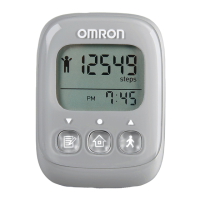
Pedometer
Model: HJ-320
INSTRUCTION MANUAL
ENGLISH

Questions and Answers

  • R
    richardwhiteJul 26, 2025
    What to do if Omron Pedometer displayed values are incorrect?
    • D
      Dr. Robert JensenJul 26, 2025
      If the displayed values on your Omron Pedometer are incorrect, it could be due to: * Incorrect positioning of the unit. Refer to the manual section 'USING THE UNIT' for correct placement. * Wrong set values. Check your settings to ensure they are accurate.
  • J
    Jo HumphreyAug 2, 2025
    What to do if the Omron HJ-320 Pedometer display is unusual?
    • D
      Dave McgeeAug 2, 2025
      If the display of your Omron Pedometer is unusual, or the buttons aren't working correctly, try the following: 1. Replace the battery with a new one (CR2032). 2. Reinstall the battery.
  • C
    Carolyn GuerraAug 9, 2025
    How to fix Omron HJ-320 Pedometer when the low battery indicator is blinking?
    • D
      Dominique LeeAug 9, 2025
      If the low battery indicator on your Omron Pedometer is blinking or appears continuously, it means the battery is low or worn. Replace it with a new CR2032 battery.
  • C
    Christopher NguyenAug 17, 2025
    Why is my Omron Pedometer display blank?
    • M
      Melissa MarshallAug 17, 2025
      If nothing is displayed on your Omron Pedometer, it could be due to several reasons: 1. The device might be in battery-saving mode. To resolve this, press any button. 2. The battery polarities (+ and -) might be aligned incorrectly. Ensure the battery is inserted correctly. 3. The battery might be worn out. Try replacing it with a new CR2032 battery.

Summary

Important Safety Information

Safety Symbols Used in Instruction Manual

Explanation of warning and caution symbols for safe usage.

Operating the Device Safely

Important safety precautions and warnings for device operation.

Care and Maintenance Guidelines

Stride Length Measurement

How to Measure Stride Length

Detailed procedure for measuring and calculating personal stride length.

Device Settings Configuration

Setting the Stride Length Value

How to input and adjust the measured stride length value.

Using the Pedometer Unit

Reading the Current Display

Memory Functionality

Battery Life Information

Battery Replacement Procedure

Step 1: Access Battery Compartment

Step 1 for battery replacement: accessing the battery compartment.

Step 2: Remove Old Battery Safely

Step 2 for battery replacement: safely extracting the old battery.

Troubleshooting Common Issues

Omron HJ-320 Specifications

General IconGeneral
TypePedometer
DisplayLCD
Step CountYes
Distance MeasurementYes
Calories BurnedYes
Activity TimeYes
Memory7 days
Battery TypeCR2032
Battery LifeUp to 6 months
Featuresclock function
Measurement Accuracy±5%
Step Count Range1 - 99, 999 steps

Related product manuals