EasyManua.ls Logo

Omron NX-EIC202 - Warnings

Omron NX-EIC202
18 pages
Print Icon
To Next Page IconTo Next Page
To Previous Page IconTo Previous Page
Loading...
Configure
Anytoo
above.
Thefoll
o
Setting
Perfor
m
section
Step1:
Startth
e
Step2:
Registe
r
Hardw
a
Please
o
Step3:
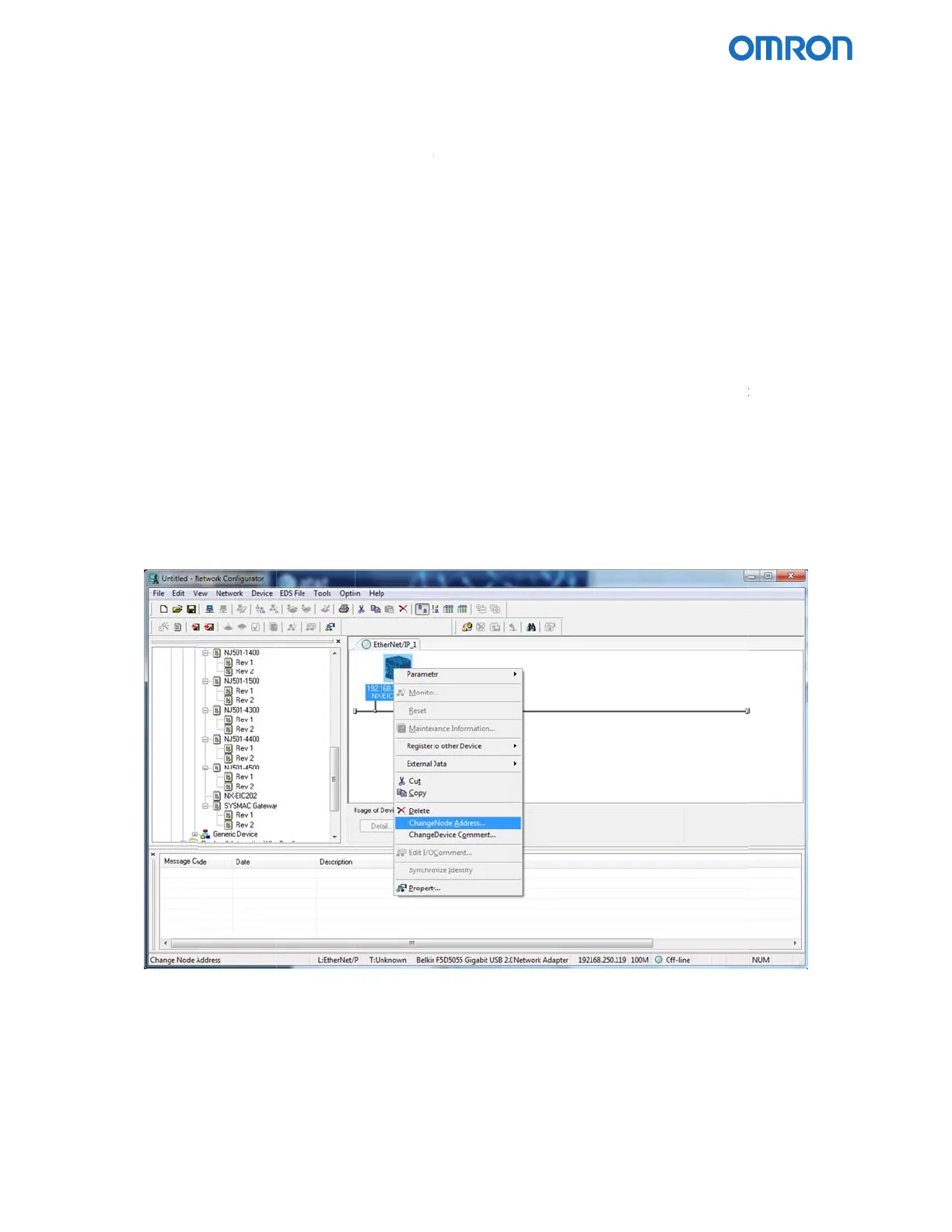
Right‐cl
Addres
s
Step4:
Right‐cl
Step5:
Setthe
t
OmronNXEI
C
lorunitwh
o
wingsecti
o
NTPserve
r
m
thefollow
i
9‐5).
e
Network
C
r
thedevice
s
a
reLis
t
and
d
o
nlyaddthe
icktheregi
s
s
.Settheno
d
icktheregi
s
t
woNTPpa
r
C
202EtherNet
/
ichsuppor
t
o
nshowsh
o
r
connecti
o
i
ngstepsof
C
onfigurato
r
s
thatwillp
d
roppingt
h
NX‐EIC202
s
tereddevi
c
d
eaddress
o
s
tereddevi
c
r
ametersto
/
IPCouplerfo
r
t
sCIPmess
a
o
wtouset
h
o
nusingNe
theOperati
o
r
articipatei
n
h
eminthe
N
.
c
e’siconto
d
o
ftheNX‐E
I
c
e’siconto
d
therequir
e
r
UsewithRoc
k
a
gingcanse
t
h
eNetwork
C
tworkCon
f
o
nManual
t
n
thetagda
t
N
etworkCo
n
d
isplaythe
p
I
C202you
w
d
isplaythe
p
e
dvalues.Cl
k
wellAutomat
i
t
theNTPs
e
C
onfigurato
f
igurator
t
oconfigure
t
alinksbyd
n
figuration
P
p
op‐upme
n
w
anttoconf
i
p
op‐upme
n
ickOKtocl
o
i
onPLCs
e
ttingbased
rtooltodo
w
theUnitus
raggingthe
P
aneonthe
n
u,andsele
c
i
gure.
n
u,andsele
c
o
sethewin
d
Pag
e
onthedes
c
w
nloadthe
s
ingEDSfile
devicesfro
m
right.
c
tChangeN
o
c
tParamete
r
d
ow.
e
15of16
c
ription
s
ettings.
(see[1]
m
the
o
de
r
~Edit.

Other manuals for Omron NX-EIC202

Related product manuals