EasyManua.ls Logo

Omron T9P - User Manual

Omron T9P
28 pages
Print Icon
To Next Page IconTo Next Page
Loading...
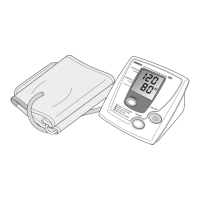
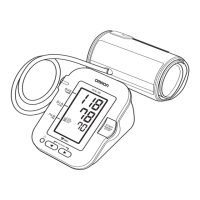
Automatic Blood Pressure Monitor
and Print-Out
with IntelliSense™
Model T9P
INSTRUCTION MANUAL
R
T9P new (6) 7/17/02 6:05 PM Page 1

Questions and Answers

  • P
    Parker RossAug 11, 2025
    What to do if Omron T9P cuff over-inflated?
    • M
      medinajaclynAug 11, 2025
      If your Omron Blood Pressure Monitor cuff over-inflates (more than 300 mmHg), turn the monitor off and carefully read and repeat the steps listed under "How to Take a Reading."
  • H
    hmoranAug 21, 2025
    What to do if battery is low on Omron T9P Blood Pressure Monitor?
    • B
      Bruce MooreAug 21, 2025
      If your Omron Blood Pressure Monitor displays a low battery warning, replace all four AA batteries with new ones.
  • B
    brooke79Sep 1, 2025
    How to fix cuff under-inflated on Omron T9P?
    • K
      Kim KellySep 1, 2025
      If the cuff is under-inflated on your Omron Blood Pressure Monitor, turn the monitor off, wait 2-3 minutes, and take another measurement, repeating the steps under "How to Take a Reading." If "EE" is still displayed, take another measurement by pressing and holding the START button as shown on instruction page 13 under "How to Take a Reading", instructions for special conditions. The cuff may also be wrapped too tightly around your arm.

Omron T9P Specifications

General IconGeneral
BrandOmron
ModelT9P
CategoryBlood Pressure Monitor
LanguageEnglish

Related product manuals