TITLE
8
HOW TO SET TIME AND DATE
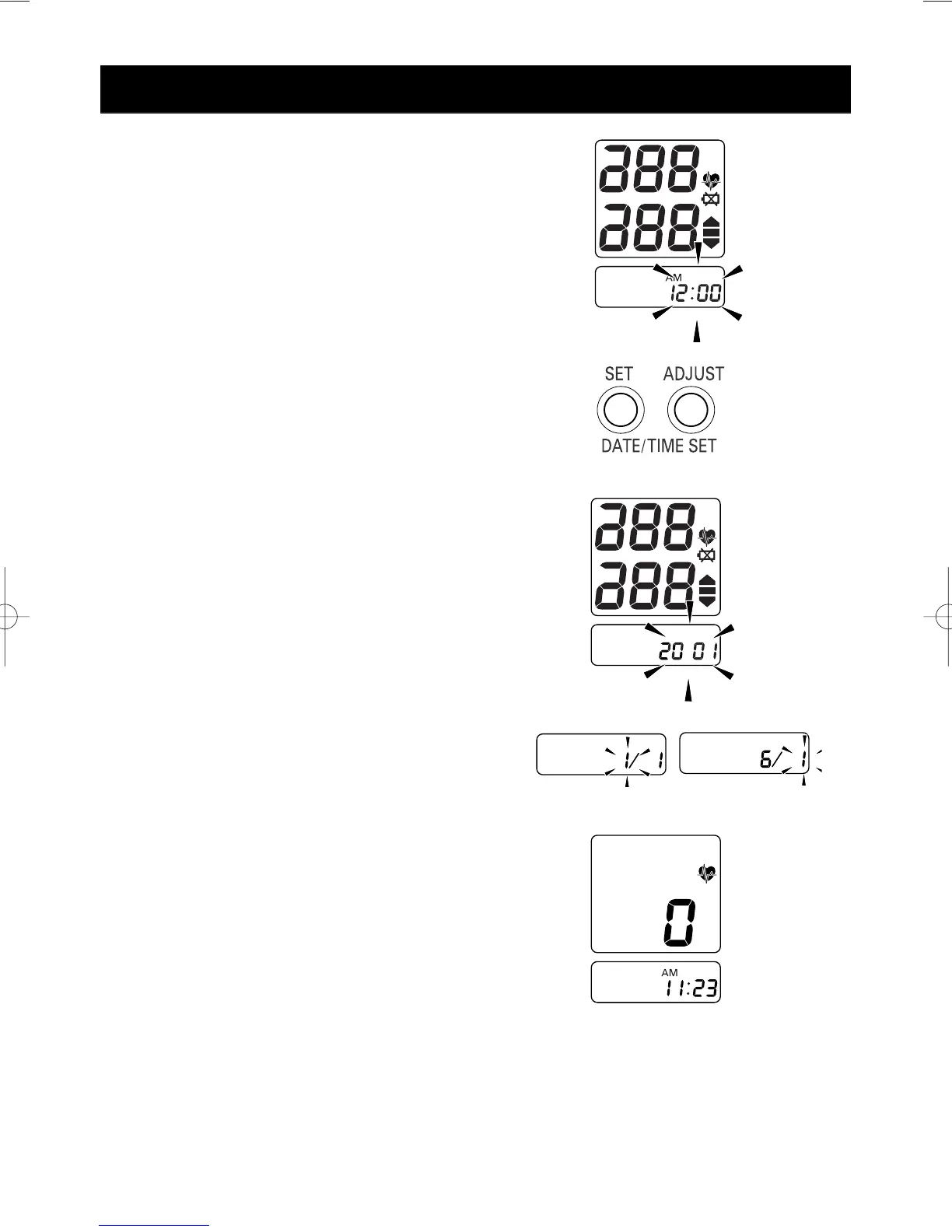
1. When the batteries are installed, the
display will show 12:00a.m.
2. Press and hold the
“SET” button. The
year digits (2001) will flash.
3. Press the
“ADJUST” button to
advance the digit(s) one at a time.
If you hold down the ADJUST
button, the digits will advance rapidly.
4. Press
“SET” button when desired
number is on the display to lock setting.
5. Repeat Step 3-4 for month and date.
6. Repeat Step 3-4 for hour and
minutes.



 To Next Page