OMS ARCADIA EXT S.T.01/3R ED.0 REV.8 09/2020
24
3.4. AUTOMATIC COMMANDS FROM THE CHAIR
The patient chair is endowed with commands that allow to make automatically assume default positions, they
have different functions depending on the version of the patient chair.
Note:
When you turn on the chair you can run any resetting of movements. This is necessary to use
the various automatic controls of the chair, rinsing and memories (if present).
3.4.1. ARCADIA EXT COMBINE TO THE DENTAL UNITS WITH SOSPEND WATER GROUP:
LINEA ESSE – LINEA PATAVIUM – TEMPO 9 ELX
3.4.1.1. STANDARD VERSION
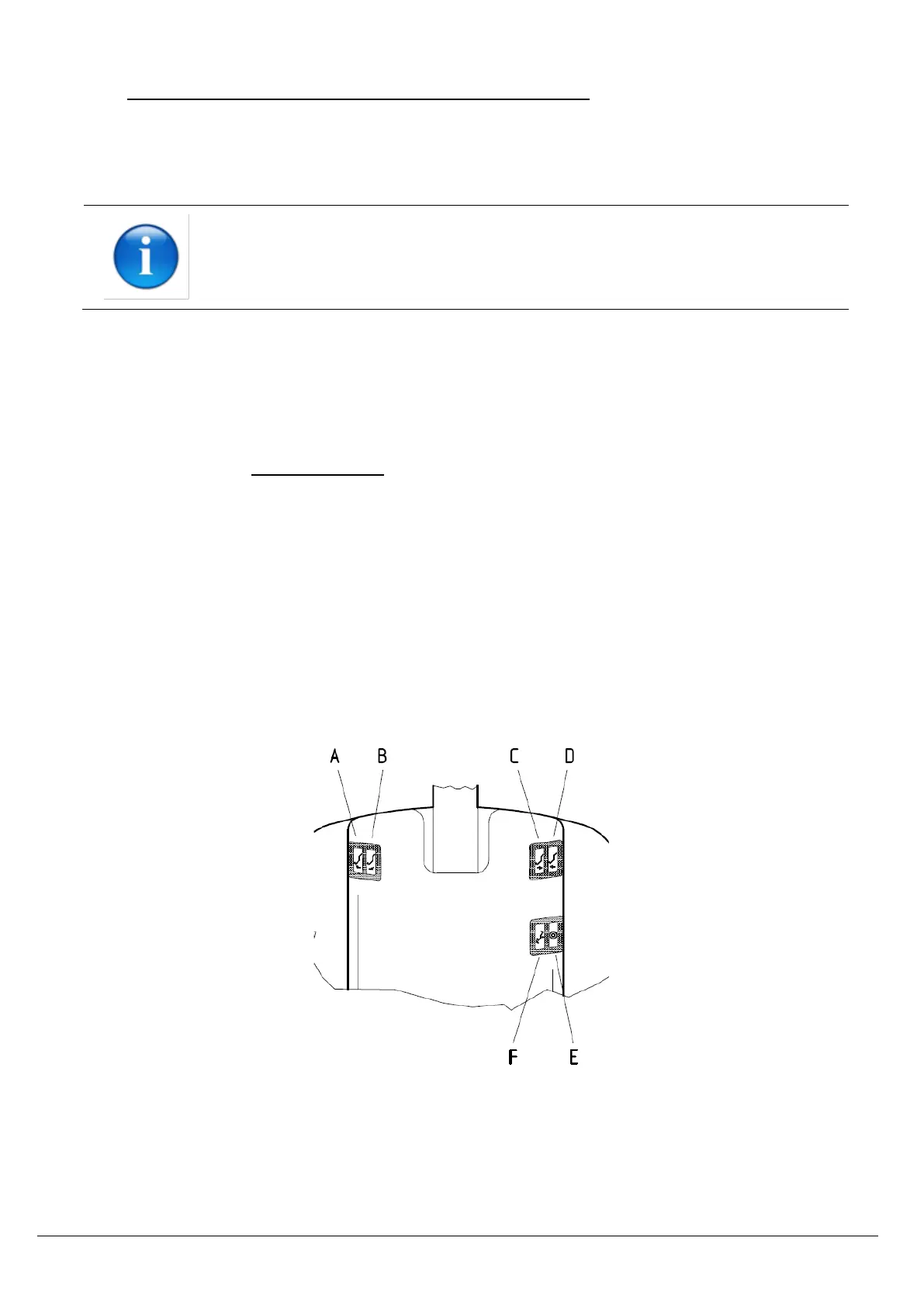
The operation of the controls is as follows:
E. Rinse command (push the button towards the outside):
starting from any position, this command activates the ascent of the backrest to the maximum of its stroke to
allow the patient to enter the glass rinsing.
F. Reset command (push the button towards the inside):
Starting from any position other than the one reset, this command allows, when pressed in the direction of the
arrow, to lower the pantograph of the patient chair in the minimum position and at the same time to pick up
the back up to the maximum of its stroke.


 To Next Page