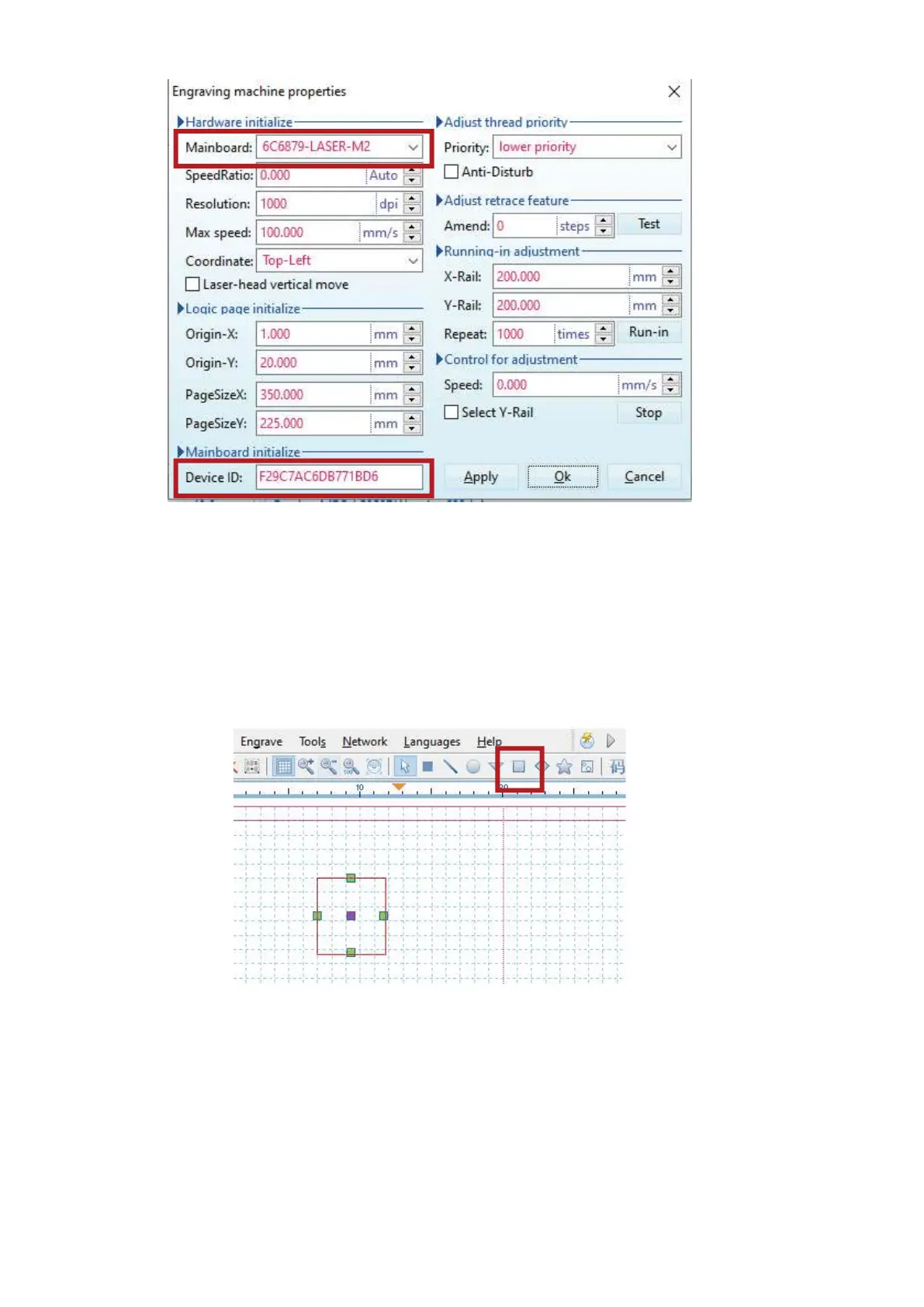
Press “Apply” and then “Ok”. You may be asked to restart the program. If so, close and reopen the
program. Close and refasten the cover lid.
5) Turn on your machine. You will now be able to control the machine with your PC.
6) To test out connectivity, use the Square Tool to draw a small rectangle. When you click on the square
again, it should be outlined in red. This means it will be processed.
7) Press “Engrave” on the Menu and you will hear the machine reset to its origin.
19


 To Next Page