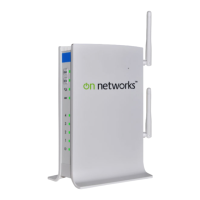
Need help?
Do you have a question about the on networks N150R and is the answer not in the manual?
Details the function of status LEDs on the front panel, including Power/Test, Wireless, and Internet.
Explains Ethernet ports, Internet port, Factory Reset button, and Power adapter outlet.
Instructions for unplugging the modem, removing the battery, and connecting it to the router.
Guides on powering the router and connecting a computer via Ethernet or wirelessly.
Steps to launch a browser and access the router setup page for configuration.
Information about the unique WiFi network name (SSID) and password for device security.
Describes using the device's utility to find and connect to the wireless network.
Explains using the Wi-Fi Protected Setup (WPS) button for quick wireless connection.
 General
| Model | N150R |
|---|---|
| Frequency Band | 2.4GHz |
| Maximum Wireless Speed | 150Mbps |
| Wireless Standard | 802.11n |
| Ethernet Ports | 4 x 10/100 Mbps |
| WAN Port | 1 x 10/100Mbps WAN Port |
| Security | WPA, WPA2 |
| Antennas | 1 x Fixed |

 To Next Page