Need help?
Do you have a question about the on networks N300RM and is the answer not in the manual?
Description of front panel buttons/LEDs, back panel ports, reset button, and label.
Step-by-step guide for connecting the modem router to the phone line and power.
Steps to access and log into the router's web interface.
Using the wizard for automatic Internet connection setup.
Connecting wireless devices using WPS or manual methods.
Configuring internet connection type, login credentials, and IP settings.
Setting up Wi-Fi network name, password, and security options.
Managing inbound and outbound traffic rules and blocking sites.
Configuring port forwarding and port triggering for local servers.
Configuring site-to-site VPN tunnels between networks.
Activating, verifying, and deactivating VPN tunnels.
Configuring VPN policies using auto or manual methods.
Interpreting LED indicators for problem diagnosis.
Diagnosing issues with login, internet, ADSL, and PPPoE/PPPoA connections.
 General
| Brand | On Networks |
|---|---|
| Model | N300RM |
| Frequency Band | 2.4 GHz |
| Maximum Wireless Speed | 300 Mbps |
| Ethernet Ports | 4 x 10/100 Mbps |
| WAN Port | 1 x 10/100 Mbps |
| Firewall | SPI firewall |
| VPN | No |
| Wireless Standard | 802.11n |
| Security | WPA/WPA2 |
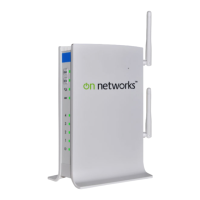
| Antenna | 2 external |

 To Next Page