Hardware Setup
11
N300 WiFi ADSL2+ Modem Router (N300RM)
Reset Button on the Side Panel
You can use the Reset button to return the modem router to its factory settings.
Reset button
To reset the modem router:
Use a pin or paper clip to press and hold the Reset button for at least 7 seconds.
For information about the factory settings, see Factory Settings on page 103.
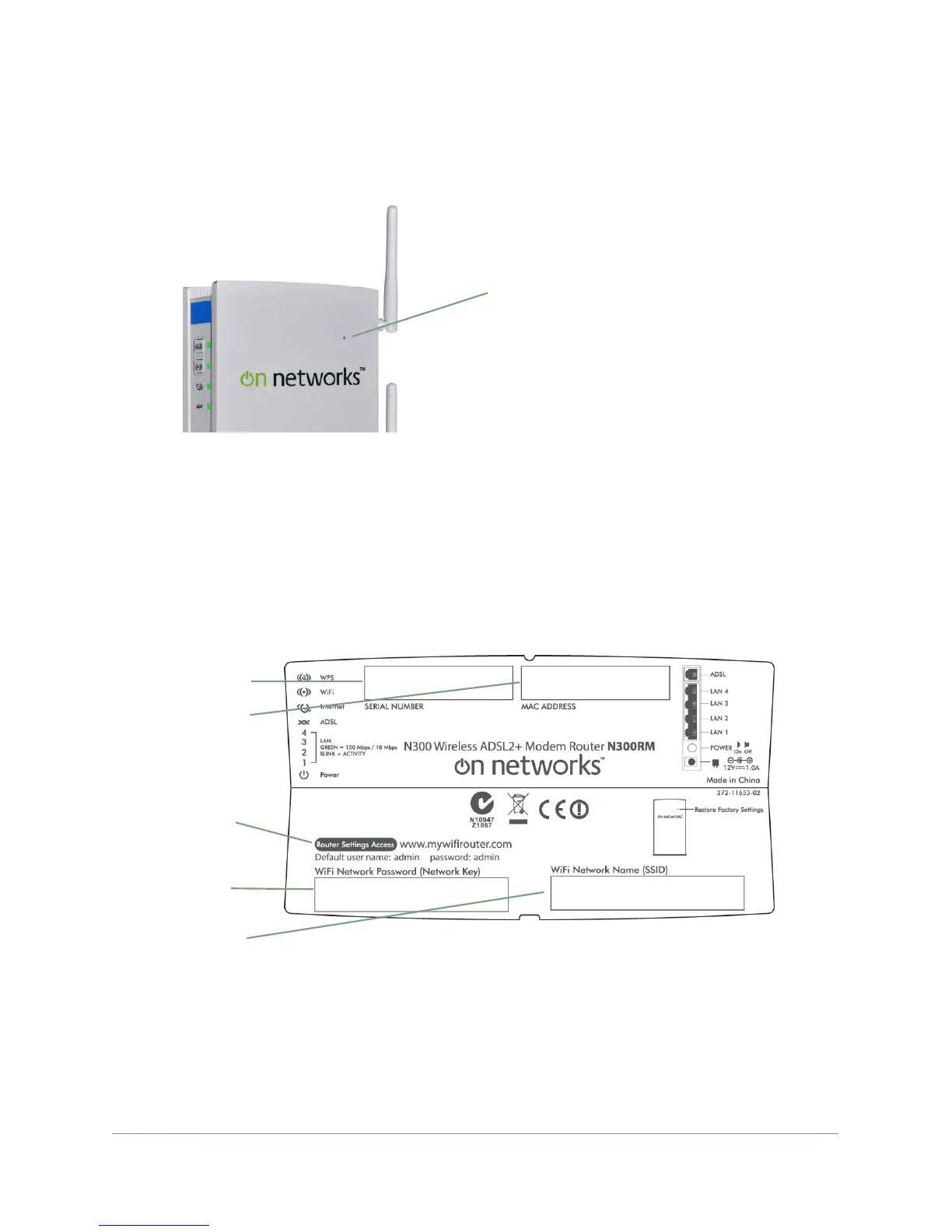
Label
The label on the bottom of the modem router shows the preset WiFi network name and
password, login information, MAC address, and serial number.
MAC address
Serial number
Preset WiFi
Router login
Password
WiFi Network
Name (SSID)
Figure 4. The label shows unique information about your modem


 To Next Page
 Loading...