5
4. Open a browser.
If a web page does not open,
close and reopen the browser and
enter
http://www.mywifirouter.com (or
http://192.168.0.1/index.htm) in
the address bar. See
Troubleshooting on page 9.
Preset Wireless Security
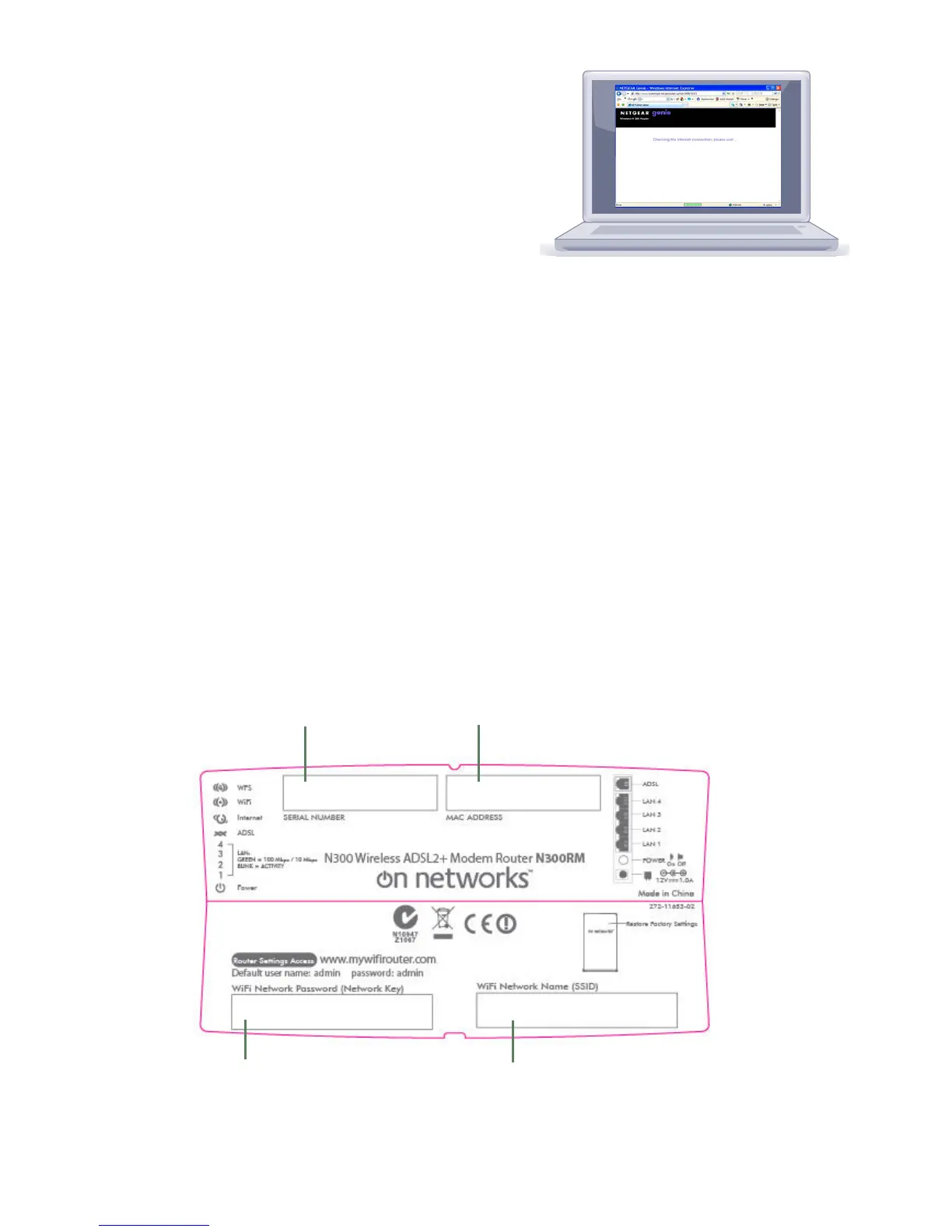
This product has a unique WiFi network name (SSID) and network
key (password). To protect and maximize your wireless security, the
default SSID and network key (password) are uniquely generated for
every device, like a serial number. This information is on the label on
the bottom of the product.
On Networks recommends that you do not change the preset WiFi
network name (SSID) and network key (password). If you do for any
reason change the settings, the security SSID and password on the
bottom of the product no longer apply.
4
Serial Number
Mac Address
Preset WiFi Password
Mac Address


 To Next Page
 Loading...