EasyManua.ls Logo

One Control Crocodile Tail Loop - User Manual

One Control Crocodile Tail Loop
9 pages
Print Icon
To Next Page IconTo Next Page
Loading...
KEY
All Red Lines Are Cables
Taking Signal Into OC10
All Green Lines Are Cables
Taking Signal Out Of OC10
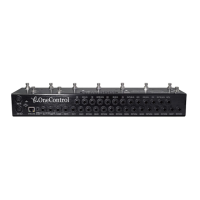
OC 10 Crocodile Tail Loop Setup Utilising Tuner Out And One Loop
The above setup is using the OC10 in it’s most basic form were the guitar signal is run directly into
the rear main input jack.
The tuner output is selected when the OC10 is in program mode via the top row left hand footswitch
labelled “TUNER/L10”, when selected this mutes all output from unit except signal running from tuner
jack output.
Loop 1 is being utilised in this example. loops 1 thru 7 are internally connected so signal from main
input will always be running to OUT 1 and OUT 2 whether pedals are connected or not.
OUT 2 is being utilised in this example to run directly to amp input, OUT 1 and OUT 2 are in parallel
and are both supplied signal from the input jacks through loops 1 to 7, OUT 1 would be utilised if sig-
nal was required to run directly into IN 8 which is the start of the second run of loops (8,9,10)
SETUP 1
Question and Answer IconNeed help?

Do you have a question about the One Control Crocodile Tail Loop and is the answer not in the manual?

Summary

One Control OC10 Setup 1: Basic Loop and Tuner Integration

Core Signal Flow and Tuner Mute

Guitar signal via main input; tuner output mutes amp when activated.

Loop 1 and Parallel Outputs

Loop 1 used; OUT 1 and OUT 2 are parallel, fed from loops 1-7.

One Control OC10 Setup 2: Buffer Circuit and Loop 8

Buffer Circuit for Signal Integrity

Utilizing buffer enhances signal strength and clarity for long cable runs and multiple effects.

Loop 8 Connection and Signal Path

Loop 8 connected via S8/R8; loops 8-10 require manual linking for signal continuation.

One Control OC10 Setup 3: Footswitching and Amp Channel Control

Buffer, Loops 1-7, 8-9 for Effects

BJF buffer, loops 1-7 for effects, loops 8-9 for effects, loop 10 for amp channel switching.

Utilizing Footswitching (Control Switching)

Using Send/Out sockets on loops 8, 9, 10 for amplifier or effect control switching.

Amp Channel Switching with Loop 10

Loop 10's S10(N.C) socket used with mono cable for switching amp channels.

One Control OC10 Setup 4: FX Loop Integration

FX Loop Signal Routing

Loops 1-7 to amp input, loops 8-9 through amp FX loop (FX Send to IN 8, OUT 9 to FX Return).

Understanding Amplifier FX Loops

Explains Parallel vs. Series FX loops and their impact on signal processing.

One Control OC10 Setup 5: MIDI Control and FX Loop

FX Loop and MIDI Signal Flow

Loops 1-7 to amp input, loops 8-9 via FX loop, with MIDI control for delay unit.

MIDI Control Activation and Mapping

MIDI transmitted on Channel 1; presets 1-70 map directly to MIDI patch numbers.

One Control Crocodile Tail Loop Specifications

General IconGeneral
BrandOne Control
ModelCrocodile Tail Loop
CategorySwitch
LanguageEnglish

Related product manuals