1645 Chapter 2
User manual Installing and connecting the 1645
29
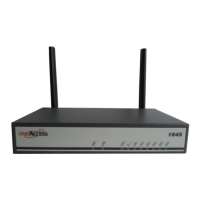
2.8.2 LED states
The state of the LEDs indicates the following:
LED name Colour Description
PWR Bicolour • OFF: No input power.
• ON - Green: Switched on and operational.
• ON - Red: Switched on and not operational.
• Blinking green : (Re)boot in progress.
DSL1
DSL2
DSL3
DSL4
Green These LEDs are present on the devices equipped with an SHDSL
interface.
• OFF: The SHDSL line pair is not configured, or the SHDSL line
pair does not get any reaction of the other side of the SHDSL line
pair (although it is configured).
• Blinking green: The SHDSL synchronisation is in progress on the
line pair.
• ON - green: The SHDSL line pair is synchronised.
DSL Bicolour This LED is present on the devices equipped with an ADSL2+/VDSL
interface.
• OFF: The DSL interface is not configured.
• ON - Red: The DSL interface does not get any reaction of the other
side of the DSL link on any of the line pairs (although it is config-
ured).
• Blinking green: The DSL synchronisation is in progress. Less than
minActiveLinks are yet synchronised in case of multipair with EFM or
IMA.
• ON - Green: The DSL uplink is synchronised. In case of multipair
with EFM or IMA at least minActiveLinks are in use.
IP Green • OFF: No IP interfaces are in use or all IP interfaces are down.
1,2
• ON - Green: All IP interfaces are up.
• Blinking green: At least one IP interface is up and at least one is
not up.
ETH1 Green • OFF: None of the ports on the Ethernet switch is active.
• ON - Green: At least one of the ports on the Ethernet switch is
active.
• Blinking green: Traffic in progress on at least one of the ports on
the Ethernet switch.


 To Next Page