ONE300 – Installation Manual
25
5.2 Extension Board
The installation or exchange of a daughter board requires remove the cover (see
chapter 4.1).
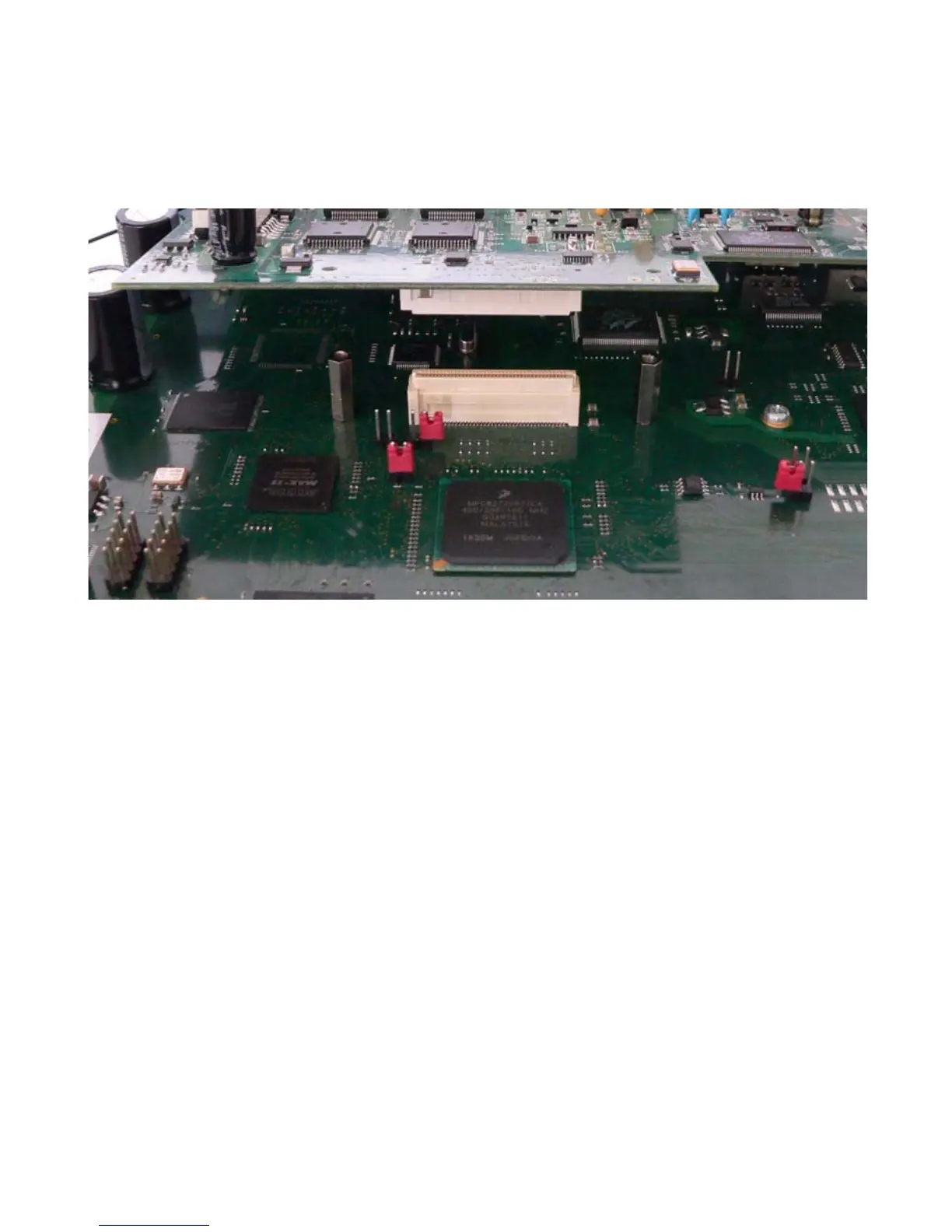
Figure 4. Removal-Installation of an Extension Board
5.2.1 Removal of an extension board
• Unscrew and remove the cover,
• Unscrew the fixing stand of the module on the motherboard,
• Loosen the module from the motherboard connection connector,
• Loosen the module from the motherboard connector by gently separating the
motherboard and the module.
5.2.2 Installation of an extension board
• Unscrew and remove the cover,
• Remove the protective faceplate of the slot,
• Position the module so that the module metallic faceplate fits in the place
made available by the removal of the faceplate,
• Lower the module while aligning the module with the motherboard connector,
• Plug the module into the motherboard connector.
• Screw the fixing stand


 To Next Page