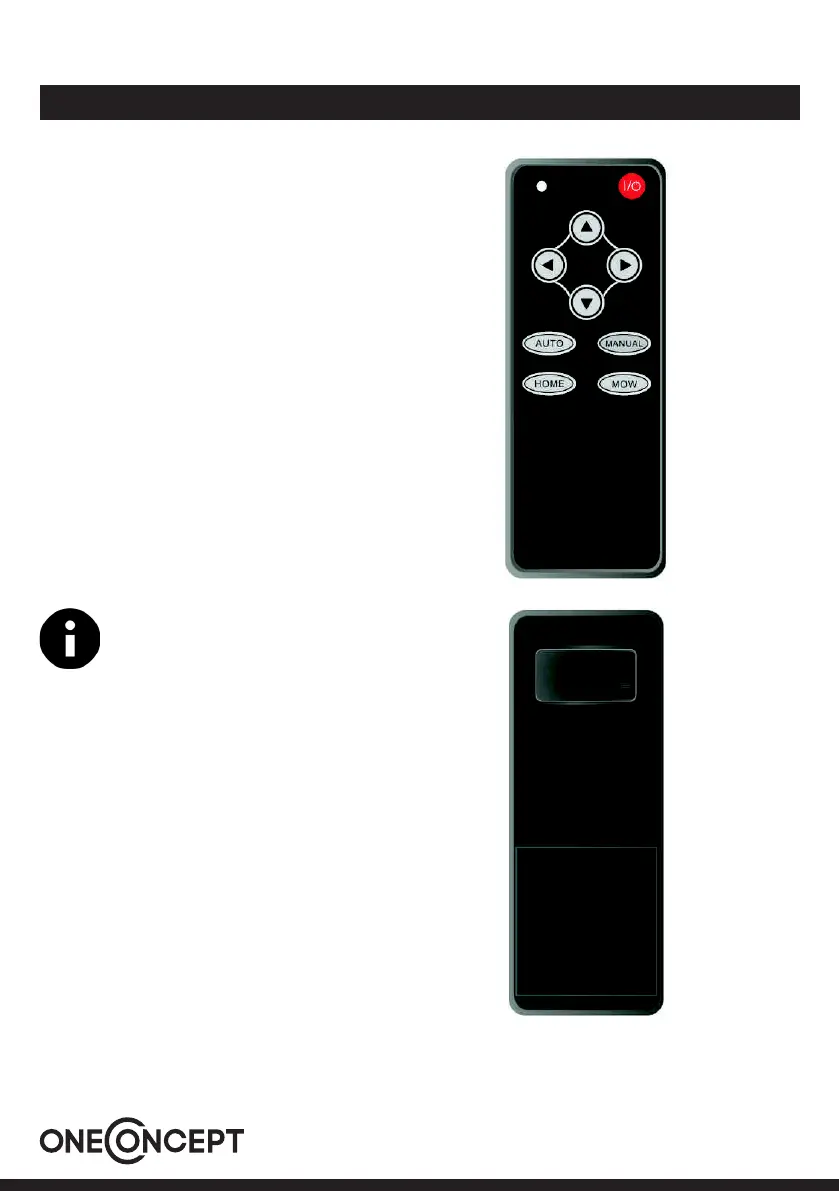
Remote Control
1 Indicator light
2 To stop the mower. Press it, the mower
enters taskstate
3 In manual only speed up.
In Auto, when it reaches the highest
speed, it goes in circle.
4 Turn right
5 Speed down
6 Turn left
7 To start the mower. In taskstate, press it,
the mower starts working
8 Press it during mower is working, it goes
back to charging station.
9 To start the mower, In taskstate, press it,
the mower starts running in low speed.
10 Turn on or turn o the cutting blade
11 Battery location, with 2pcs AAA battery
Please turn o the power of remote control
while it is idle.
42


 To Next Page