30
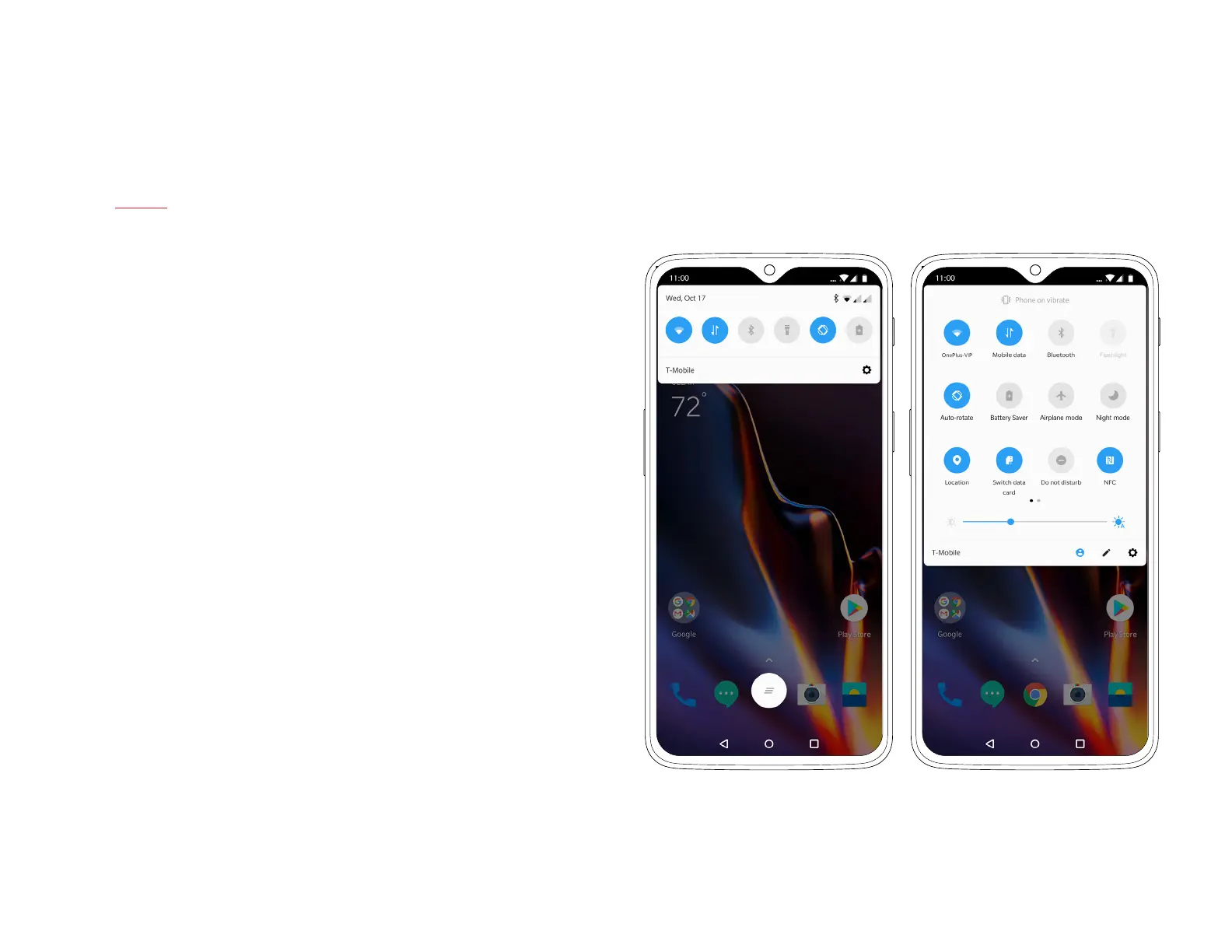
Notication Shade
At any time, you can swipe down from the top of your OnePlus 6T
to expand the Notication Shade. This menu offers quick access
to your notications as well as the navigation bar. Simply tap a
notication to open the corresponding app.
You can expand your navigation bar by swiping down a second
time, allowing you to quickly toggle certain functions on or off.
Customize the toggles in your Navigation Shade by tapping the pen
icon in the bottom-corner of the Navigation Shade.
| What’s in the Box Device OxygenOS



 To Next Page