16
onesc
re
e
nso
lu
t
i
ons.
c
om
|
+1
858.552.0290
|
Un
i
t
ed
St
ate
s|
Pa
k
i
st
an
|
Colom
bi
a
|
Mexico
|
UAE
6.2.
OneScreen
TM
Canvas
The OneScreen Canvas comes with a perpetual license of OneScreen Annotate and the first year
subscription of OneScreen Swap. With OneScreen Canvas you also get the On‐board PC preinstalled,
which has all the necessary software install and configured. However, if you would like to connect an
externalPCto
theTouchscreenpleaseseebelow.
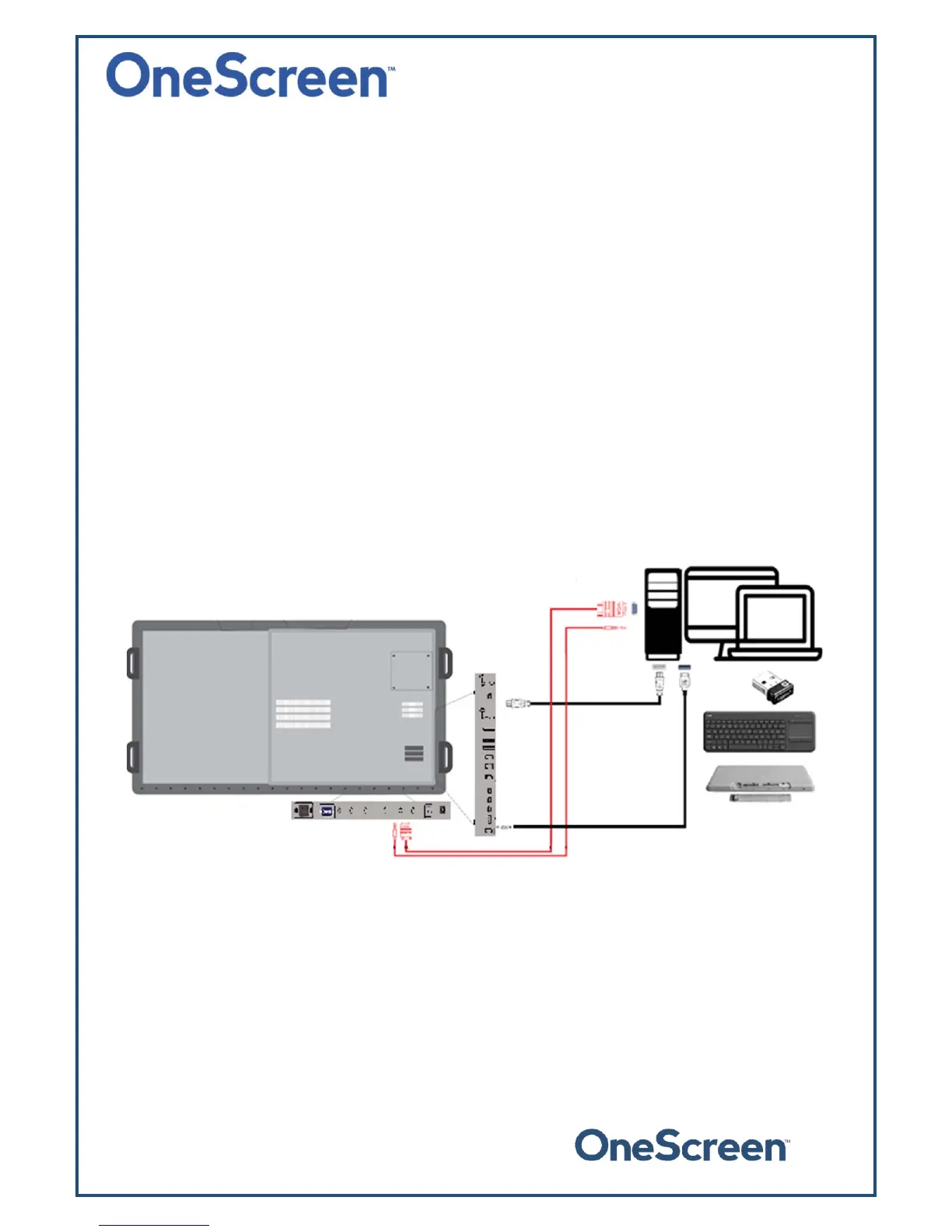
6.2.1. ConnectinganExternalPC
ToconnectanexternalPC,pleaseusetheHDMIorVGAcableandtheUSBtouchcable(asshowninWhat’s
Included).
Connect the USB Dongle to your PC, which will allow you to use the unit wirelessly. The USB dongle is
locatedinthekeyboardbatterycompartment,pleasetakeit
outandplugitinyourcomputer/laptop.
ConnectoneendoftheHDMIorVGAcabletoyourlaptopandtheotherendtooneofthecorresponding
portsontheOneScreenTouchscreen.IfyouareconnectingtheVGAcable,pleasealsousetheAUXcableto
transferaudio.
Connect
thestandardUSBendoftheUSBTouchCabletoyourlaptopandtheotherendtotheportshown
belowontheOneScreenT ouchscreen.


 To Next Page