22
onesc
re
e
nso
lu
t
i
ons.
c
om
|
+1
858.552.0290
|
Un
i
t
ed
St
ate
s|
Pa
k
i
st
an
|
Colom
bi
a
|
Mexico
|
UAE
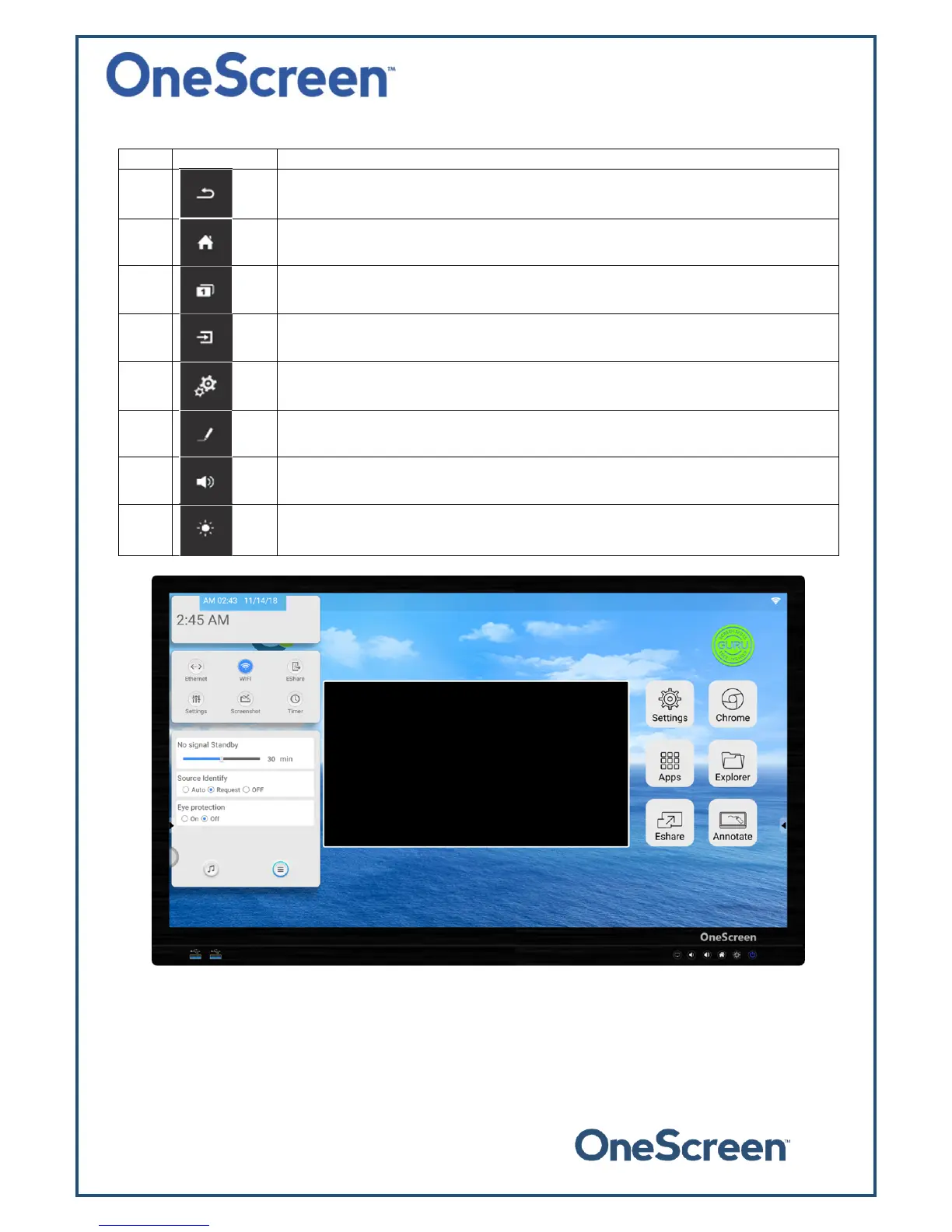
Theiconsinthetoolbararediscussedinthetablebelow:
Sr. Icon Function
1.
Thisbuttonwilltakeyoutothepreviouswindow.
2.
Thisbuttonwilltakeyoutothehomescreen.
3.
This button will show the running applications. Users can close individual or all
application.
4.
Thisbuttonwilltaketheusertothesourcemenu.
5.
This button takes the user to the settings side pan el.The side panel is shown
below.
6.
This button launches the whiteboard application. This applicatio n allows the user
toperformbasicAnnotation.
7.
Pressthisbuttontoincreaseordecreasethevolume.
8.
Pressthisbuttontoincreaseordecreasethebrightness.


 To Previous Page