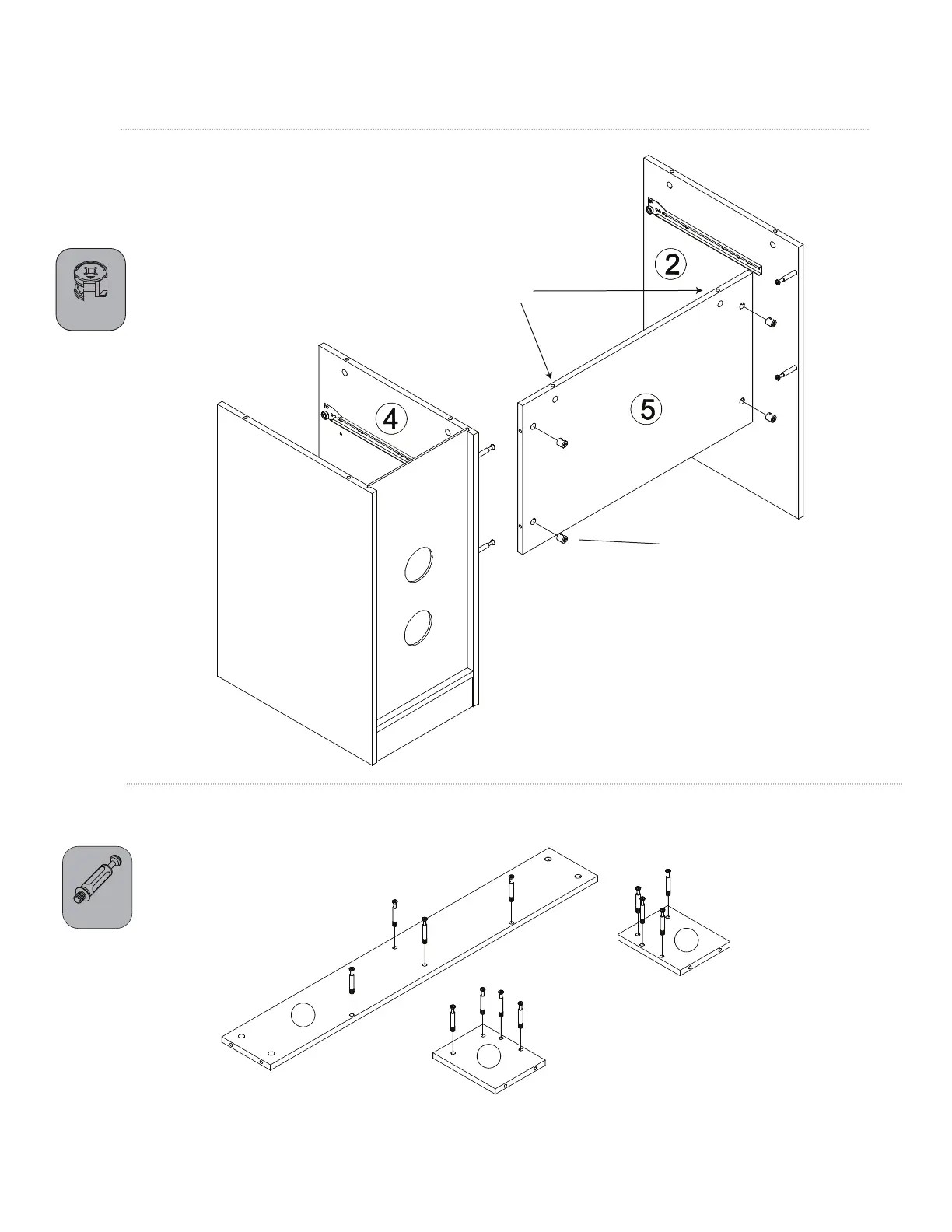
CAUTION: Make sure these
holes are facing up.
ASSEMBLY INSTRUCTIONS
STEP 7
Screw minix bolts (D) into hutch top (17), hutch left board (18), and hutch right board (19).
STEP 6
Insert four cams (E) into the left back board (5). Make sure arrows are
facing the smaller holes. Attach back board (5) to left board (2) and
middle board (4). Turn the cams about 1/2 turn clockwise to lock into place.
CAUTION: Do not overtighten cams.
17
18
19
10 of 16
E x 4
D x 12
E



 To Next Page