EasyManua.ls Logo

ONFORU BDC80G-3 - User Manual

Default Icon
12 pages
Print Icon
To Next Page IconTo Next Page
Loading...
MODEL:
BDB55G-3
BDI45G-2 BDC80G-3 BDD100G-3
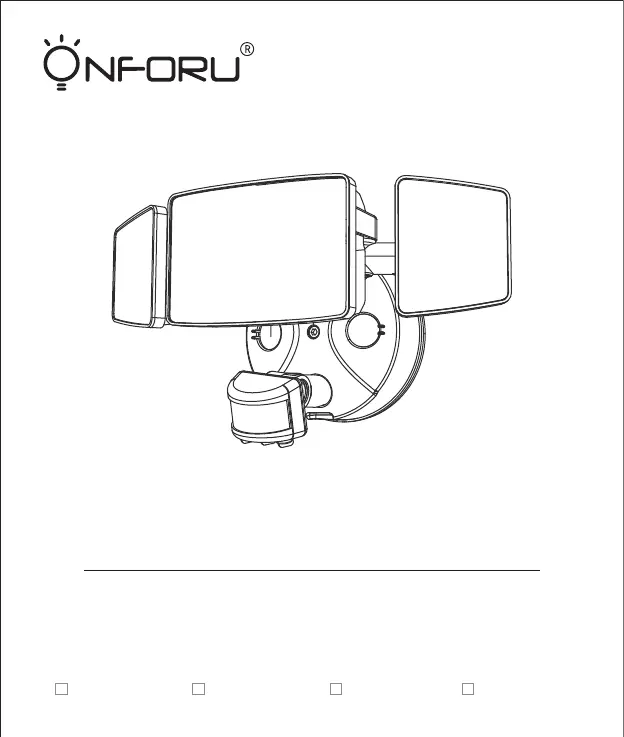
Quick Start Guide
PIR LED WALL LIGHTS WITH
MOTION SENSOR

Other manuals for ONFORU BDC80G-3

Questions and Answers

  • S
    Stephanie GarciaAug 10, 2025
    Why does my ONFORU BDC80G-3 LED sensor light stay on continuously?
    • M
      mikecortezAug 10, 2025
      The LED sensor light may remain on if there is continuous movement within its sensing range. Check the area for ongoing activity and retune or override the sensor head if necessary.
  • M
    Mark HernandezAug 16, 2025
    What to do if my ONFORU Lighting Equipment LED lights turn on unexpectedly?
    • D
      David FrancisAug 16, 2025
      Unexpected activation of your ONFORU lighting equipment can occur due to several reasons: wind blowing branches or bushes within the sensing range, sensing cars on the road, or sudden temperature changes from climate factors, fans, or exhaust from open windows. Adjust the scope to avoid these triggers or change irradiation area.
  • S
    Sabrina BarreraAug 21, 2025
    Why is my ONFORU BDC80G-3 LED sensor light flashing?
    • J
      james21Aug 22, 2025
      The LED sensor light might be flashing because it is surrounded by other unstable light sources shining onto the induction. Avoid exposing the sensor to such light sources.
  • A
    andrea35Aug 28, 2025
    How to fix ONFORU BDC80G-3 LED sensor light that illuminates during the day?
    • K
      Kristin FoxAug 28, 2025
      If your ONFORU lighting equipment's LED sensor light turns on during the day, it might be due to shadows around the sensor causing it to mistakenly think it's night. Ensure that you do not cover the sensor head and that the light is placed in a location where the light is bright enough during the day.
  • M
    Margaret HarperSep 3, 2025
    What to do if ONFORU Lighting Equipment LED senses movement but doesn't light up?
    • E
      ecollinsSep 3, 2025
      If your ONFORU lighting equipment LED senses movement but doesn't illuminate, consider these potential causes: * The light may not be energized, so check the power-on status. * Surrounding light sources might be interfering, making the light misjudge it as daytime. Try turning off nearby lights or directing the sensor head elsewhere. * If it's daytime, the brightness might be in night mode; try resetting it. * Internal wiring could be loose; rewire after a power failure.

Summary

Components and Structure

Parts List

Specifications

Operation Instructions

Sensor Settings and Range

Details sensitivity, day/night identification, time-delay adjustments, and the 180° detection range.

Preparation and Safety

Tools Required

Lists the necessary tools, not included with the product, for installation.

Electrical Safety and Risk of Shock

Details risks of electric shock, proper wiring practices, and grounding requirements during installation.

Installation Steps

Troubleshooting

ONFORU BDC80G-3 Specifications

General IconGeneral
Model NumberBDC80G-3
TypeLED Flood Light
Wattage80W
CRI≥80
Beam Angle120°
MaterialAluminum + PC
IP RatingIP66
Lifespan50, 000 hours

Related product manuals