EasyManua.ls Logo

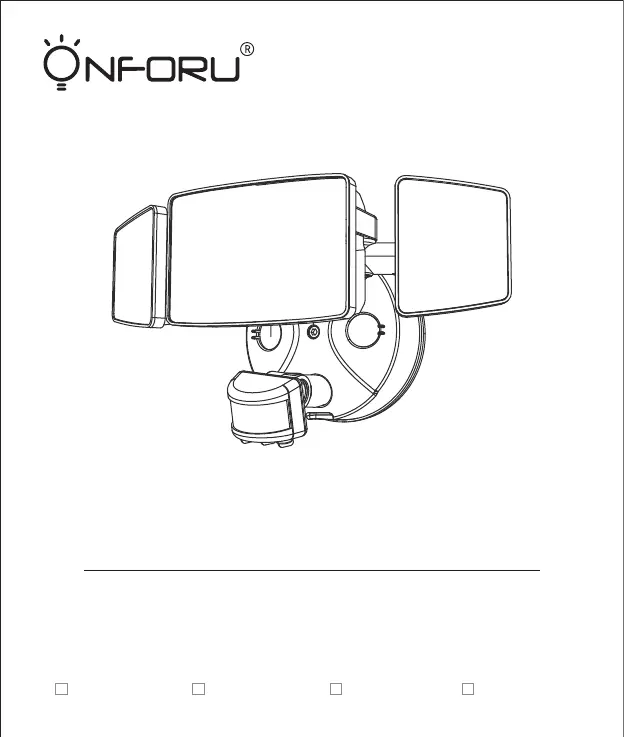
ONFORU BDB55G-3 - User Manual

ONFORU BDB55G-3
12 pages
Print Icon
To Next Page IconTo Next Page
Loading...
MODEL:
BDB55G-3
BDI45G-2 BDC80G-3 BDD100G-3
Quick Start Guide
PIR LED WALL LIGHTS WITH
MOTION SENSOR

Questions and Answers

  • O
    oparsonsAug 6, 2025
    Why does my ONFORU BDB55G-3 LED sensor light stay on continuously?
    • S
      Shannon SanchezAug 6, 2025
      The LED sensor light may remain on if there is continuous movement within its sensing range. Check the area for ongoing activity and retune or override the sensor head if necessary.
  • J
    John ReynoldsAug 12, 2025
    What to do if my ONFORU BDB55G-3 Lighting Equipment LED lights turn on unexpectedly?
    • A
      Angela DiazAug 12, 2025
      Unexpected activation of your ONFORU lighting equipment can occur due to several reasons: wind blowing branches or bushes within the sensing range, sensing cars on the road, or sudden temperature changes from climate factors, fans, or exhaust from open windows. Adjust the scope to avoid these triggers or change irradiation area.
  • A
    Allison SchmidtAug 18, 2025
    Why is my ONFORU BDB55G-3 LED sensor light flashing?
    • V
      Vincent RobinsonAug 18, 2025
      The LED sensor light might be flashing because it is surrounded by other unstable light sources shining onto the induction. Avoid exposing the sensor to such light sources.
  • U
    ujohnsonAug 25, 2025
    How to fix ONFORU BDB55G-3 Lighting Equipment LED sensor light that illuminates during the day?
    • C
      Christopher YoungAug 25, 2025
      If your ONFORU lighting equipment's LED sensor light turns on during the day, it might be due to shadows around the sensor causing it to mistakenly think it's night. Ensure that you do not cover the sensor head and that the light is placed in a location where the light is bright enough during the day.
  • T
    Todd CruzAug 30, 2025
    What to do if ONFORU BDB55G-3 Lighting Equipment LED senses movement but doesn't light up?
    • A
      Andrea GregoryAug 30, 2025
      If your ONFORU lighting equipment LED senses movement but doesn't illuminate, consider these potential causes: * The light may not be energized, so check the power-on status. * Surrounding light sources might be interfering, making the light misjudge it as daytime. Try turning off nearby lights or directing the sensor head elsewhere. * If it's daytime, the brightness might be in night mode; try resetting it. * Internal wiring could be loose; rewire after a power failure.

Summary

Quick Start Guide

Components and Structure

Product Component Identification

Details and labels the main parts of the PIR LED wall light fixture.

Parts List

Specifications

General Electrical and Performance Specs

Covers input current, power, luminous flux, voltage, CCT, CRI, and lifetime.

Dimensional and Coverage Specs

Details dimensions, weight, projected area, and lighting coverage for models.

Environmental and Operational Specs

Specifies luminaire location suitability and operating temperature range.

Operation Instructions

Sensor Sensitivity Adjustment

How to adjust the SENS control for desired detection distance and sensitivity.

Ambient Light Detection Settings

Configure the sensor to distinguish between day and night operation.

Time-Delay Control

Setting the duration the light remains active after motion is detected.

Detection Zone and Notes

Information on the 180° detection range, sensor tilt, and operational tips.

Preparation and Safety

Assembly and Installation Guidelines

Pre-assembly checks, estimated time, and recommended installation height.

Required Tools for Installation

Lists non-included tools necessary for proper installation.

Electrical Safety and Warnings

Crucial warnings and cautions regarding power shutoff and installation codes.

Wiring and Grounding Safety

Notes on wire connectors, insulation, and essential grounding instructions.

Installation Steps

Mounting and Wiring Connections

Step-by-step guide for mounting the bracket and making electrical connections.

Fixture Assembly and Sealing

Instructions for final fixture assembly, including plate engagement and sealing.

Troubleshooting Guide

Common Malfunctions and Remedies

Addresses issues like light not turning on, staying on, or flashing, with solutions.

ONFORU BDB55G-3 Specifications

General IconGeneral
BrandONFORU
ModelBDB55G-3
CategoryLighting Equipment
LanguageEnglish

Related product manuals