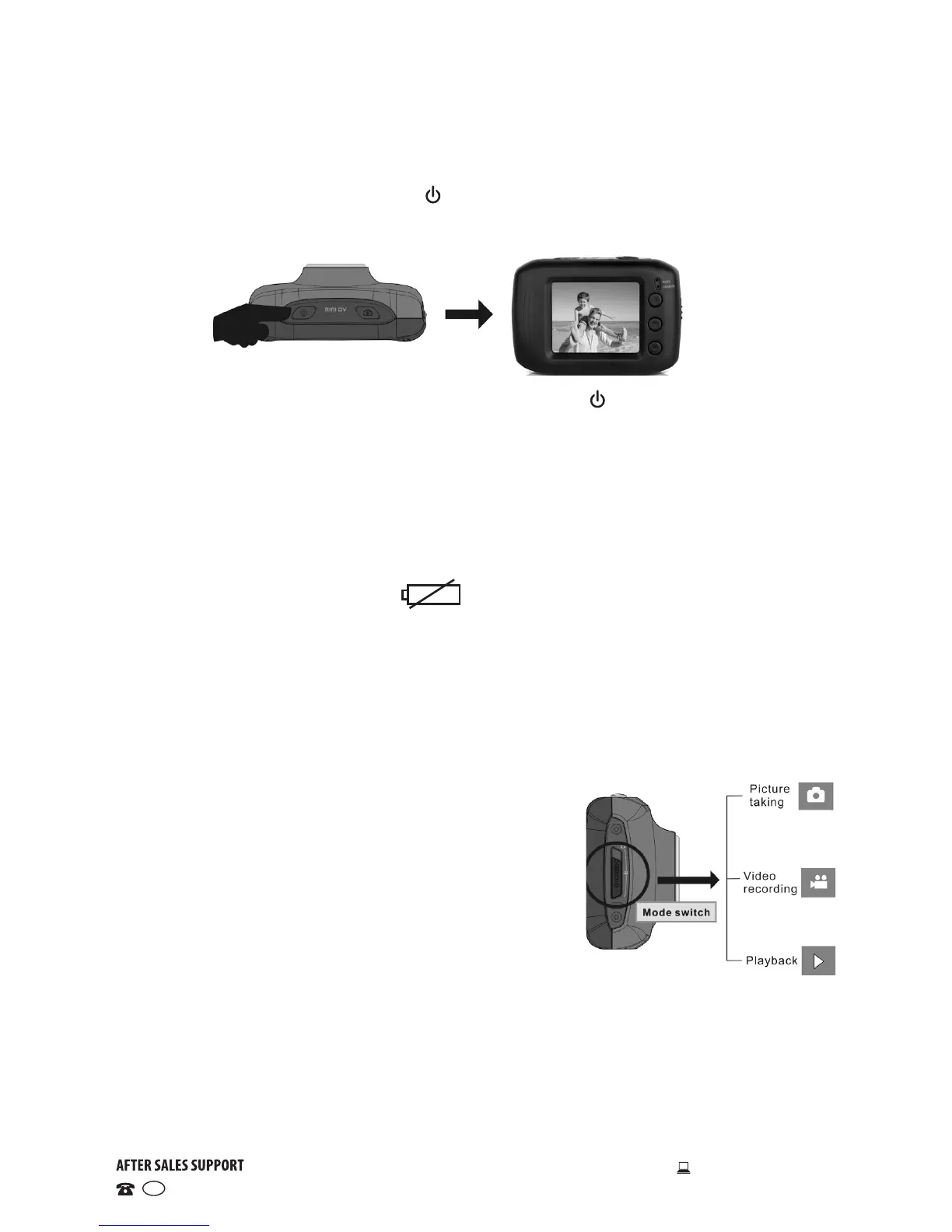
Powering On/Off
• Power-on: Press and hold the ON/OFF switch for about 3 seconds, the
screen starts up and the camera enters standby state.
• Power-o: In idle state of the camera, press the ON/OFF switch briefly
to turn the camera off.
• Automatic power-o: When the camera has been idle for a certain
amount of time, it will switch off automatically to save power.
• The idle time can be set to your preference, the default automatic power-
off time is 5 minutes.
• Power-o due to low battery: If the camera’s battery power has dropped
to extremely low levels, the icon appears on the LCD screen and
you will have to recharge the battery. When the icon turns red and flashes,
the camera will automatically power off.
Selecting a mode
The camera is equipped with three modes: image capture, video recording
and playback. After powering the unit on, use the MODE switch to select the
appropriate mode.
• Image capture: Take pictures
• Video recording: Record video, timed video
recording (5min, 3min, 1min)
• Playback: Play back picture and video files
Indicators
• Charging indicator: The upper (charging)
indicator signals that the camera is being charged.
• Operation indicator: The lower (operation) indicator signals that the
camera is working (e.g. recording video, taking pictures or automatic
screen turn-off). It flashes once when taking a photo and remains
illuminated when connected to a computer.
Instructions


 To Next Page