Getting Started
Before first use
• Unpack the product but keep all packaging materials until you have
made sure your new Action Camera is undamaged and in good working
order. Plastic wrapping can be a suffocation hazard for babies and young
children, so ensure all packaging materials are out of their reach.
• Inspect the supplied USB cable and ensure it is undamaged. Do not use it
for charging the product if the cable is damaged.
• Read this manual to familiarise yourself with the product, its buttons
and functions and all accessories. Pay particular attention to the safety
instructions on the previous pages.
Charging the built-in lithium battery
• The battery has been partially charged at the factory. To perform all
functions, we recommend you fully recharge it before using the camera for
the first time.
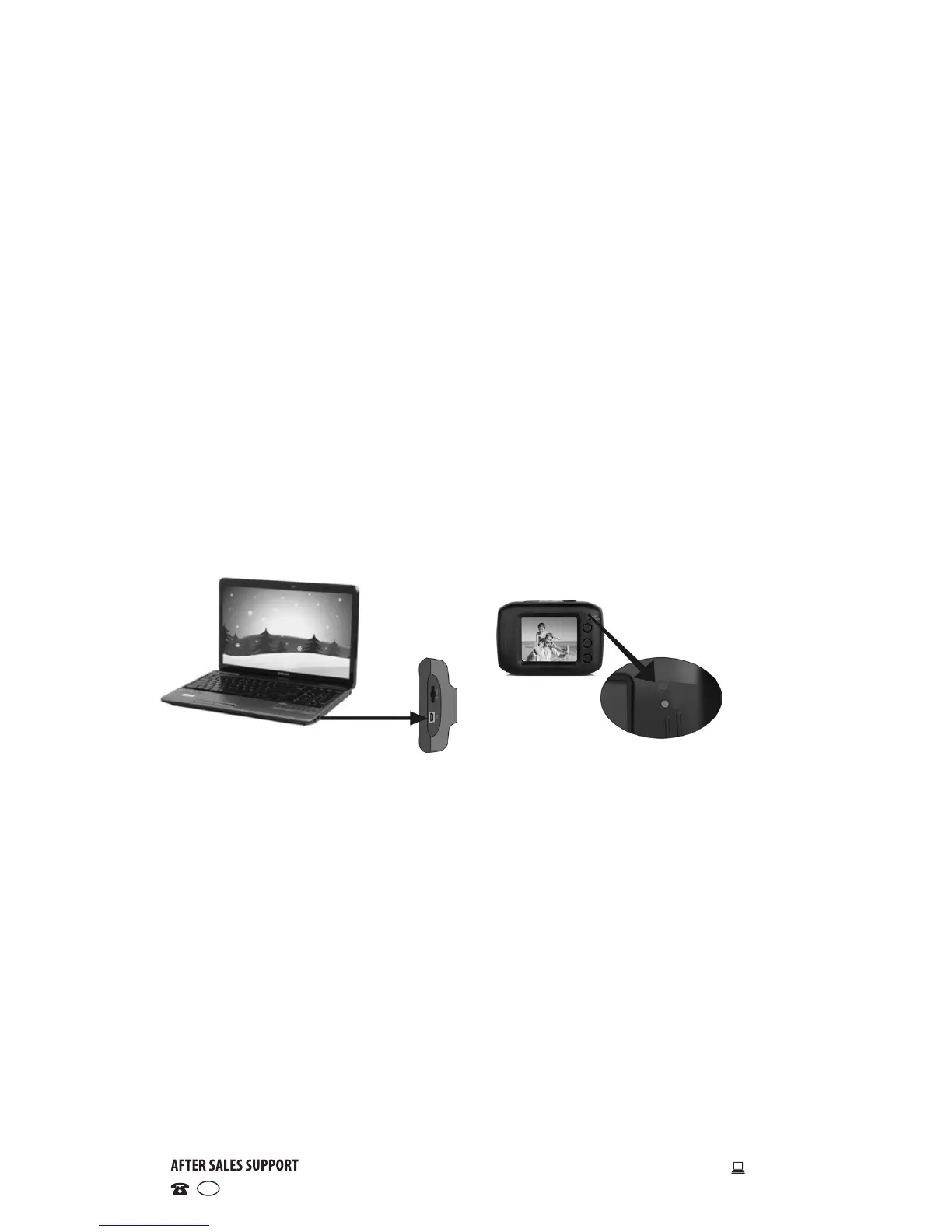
• Make sure the camera is switched off, then connect it to a computer for
charging, using the supplied USB cable.
• The charging indicator illuminates during charging. It will turn off once the
battery is fully charged.
• A full charge generally takes about 2-4 hours.


 To Next Page