Instructions (Cont.)
Image capture menu setup
• Press the OK button to open the image capture setup menu, then use the
or buttons to select a menu item. The background of the selected
menu item will be highlighted once selected.
• Press the OK button to enter the submenu, then use the or buttons to
select an option. Press OK to confirm and return to the main menu. In the
main menu, press SHUTTER to exit the menu.
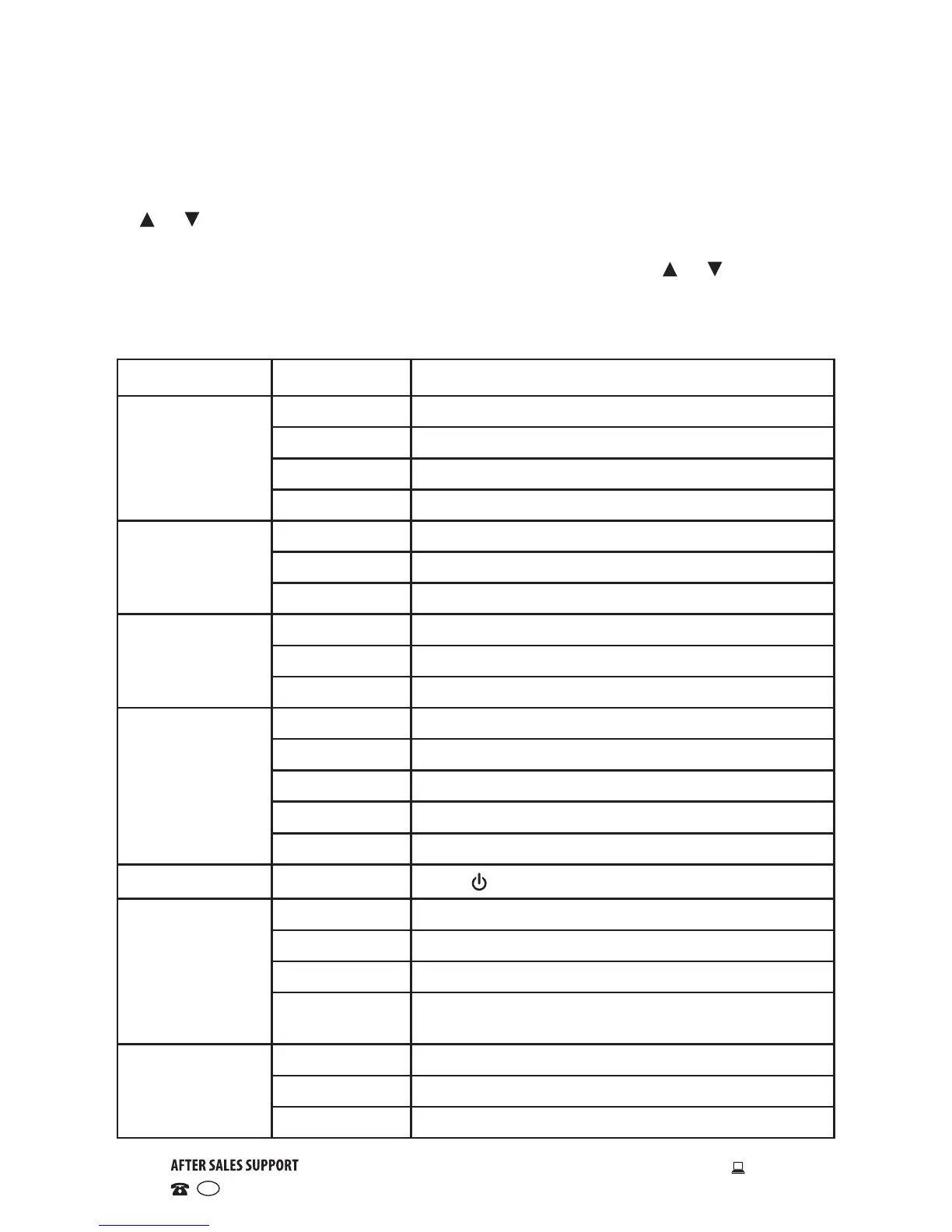
Main menu Submenu Description
Resolution
1280 x 720 1 MP (megapixel) resolution
2048 x 1536 3 MP (megapixel) resolution
2592 x 1944 5 MP (megapixel) resolution
3264 x 2448 8 MP (megapixel) resolution
Quality
Super Fine Best image quality
Fine Good image quality
Normal General image quality
Metering
Centre Metering subject to the central area
Multi Metering subject to multiple points
Spot Metering subject to one point
White balance
Auto Suitable for most situations
Daylight Suitable for daylight environments
Cloudy Suitable for cloudy environments
Fluorescent Suitable for fluorescent light source environments
Tungsten Suitable for tungsten light source environments
Exposure /
Press switch and OK to adjust light exposure.
Self-timer
Off No self-timer, general single shot mode
2s Two-second delay self-timer mode
10s Ten-second delay self-timer mode
Continuous Continuous picture taking mode while holding
the shutter button
Effect
Normal / B&W Normal effect / Black & White effect
Sepia / Negative
Sepia effect / Negative film effect
Red/Green/Blue
Reddish / greenish / bluish effect


 To Next Page