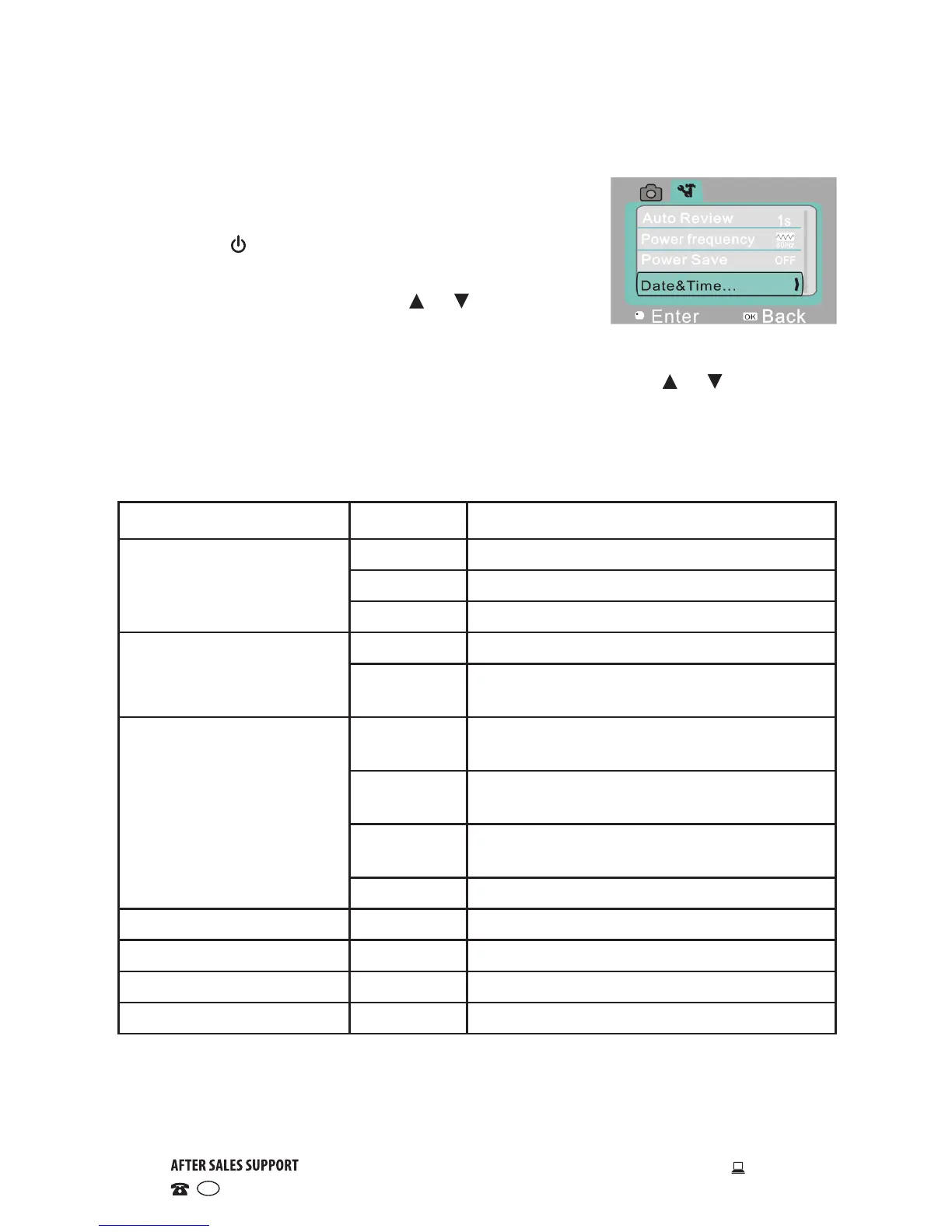
System setup menu
• In capture, video recording or playback mode,
press the OK button to open the menu, and then
press the ON/OFF switch to switch over to the
setup menu.
• In the setup menu, press the or buttons
to select a menu item. The background of the
selected menu item will be highlighted once selected.
• Press the OK button to enter the submenu, then use the or buttons to
select an option. Press OK to confirm and return to the main menu.
• In the main menu, press SHUTTER to exit the menu.
Main menu Submenu Description
Auto review
Off No playback performed after capture
1 second Playback performed 1 second after capture
3 seconds Playback performed 3 seconds after capture
Power frequency
50Hz Set to 50Hz light source frequency
60Hz Set to 60Hz Playback performed 1 sec-
ond later after capture
Power save
1 minute Automatic shutdown performed after 1
minute idle time
3 minutes Automatic shutdown performed after 3
minutes idle time
5 minutes Automatic shutdown performed after 5
minutes idle time
OFF Cancel automatic shutdown
Date and time / Set up date and time format
Language / Set up language
Format Yes/No Format memory card
Reset all Yes/No Back to factory setting
Instructions (Cont.)


 To Next Page