
 Need help?
Do you have a question about the Onix ACBB-0918 and is the answer not in the manual?
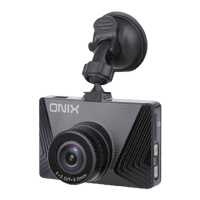
Lists included accessories for the car black box recorder.
Explains the main functions of the car recorder like recording, photo capture, and preview.
Details how to start, stop, and manage video recording, including tips.
Instructions for taking still images using the car recorder.
How to view recorded videos and photos on the device.
Steps for deleting recorded files from the car black box recorder.
Configures settings specific to video recording, like resolution and sound.
Adjusts settings for photo capture, including resolution and timer.
Guide on transferring recorded files to a computer via USB.
Detailed technical specifications of the car black box recorder.
 General
| Viewing Angle | Unknown |
|---|---|
| Display Size | 3.0 inch |
| Display Type | LCD |
| Photo Format | JPG |
| Loop Recording | Support |
| G-Sensor | Support |
| Motion Detection | Support |
| Parking Monitor | Support |
| Microphone | Support |
| Speaker | Support |
| Screen Size | 3.0 inch |
| Night Vision | Support |

 To Next Page