EasyManua.ls Logo

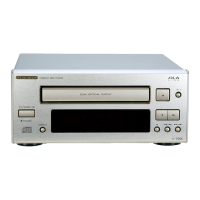
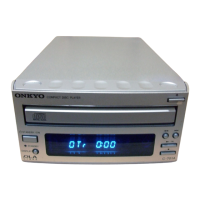
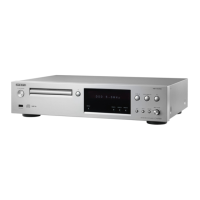
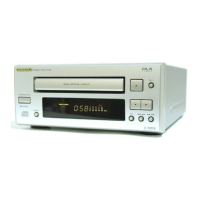
Onkyo C-S5VL - Service Manual

Onkyo C-S5VL
70 pages
Print Icon
To Next Page IconTo Next Page
Loading...
C-S5VL
SERVICE MANUAL
SERVICE MANUAL
SUPER AUDIO CD / CD PLAYER
Black and Silver models
MODEL C-S5VL
120V AC, 60Hz
100-240V AC, 50/60Hz
BMDC
SMUP
BMUP
SMUF
SMUR
Ref. No. 4147
062009
RC-749C
SAFETY-RELATED COMPONENT
WARNING!!
COMPONENTS IDENTIFIED BY MARK ON THE
SCHEMATIC DIAGRAM AND IN THE PARTS LIST ARE
CRITICAL FOR RISK OF FIRE AND ELECTRIC SHOCK.
REPLACE THESE COMPONENTS WITH ONKYO
PARTS WHOSE PART NUMBERS APPEAR AS SHOWN
IN THIS MANUAL.
MAKE LEAKAGE-CURRENT OR RESISTANCE
MEASUREMENTS TO DETERMINE THAT EXPOSED
PARTS ARE ACCEPTABLY INSULATED FROM THE
SUPPLY CIRCUIT BEFORE RETURNING THE
APPLIANCE TO THE CUSTOMER.

Other manuals for Onkyo C-S5VL

Questions and Answers

  • S
    smithamyAug 16, 2025
    Why is my Onkyo C-S5VL remote not working?
    • S
      Stephanie ThorntonAug 17, 2025
      If your Onkyo CD Player's remote controller isn't working but the buttons on the unit are, try these steps: First, install two new batteries in the remote. Second, ensure that you're not too far from the unit and there's a clear line of sight. Third, check that the unit's remote control sensor isn't exposed to bright light, like direct sunlight or inverted fluorescent light. Lastly, make sure that the audio rack doesn't have colored or tinted glass, which could interfere with the remote's signal.
  • B
    Brandon BentonAug 19, 2025
    What to do if my Onkyo C-S5VL can't play a disc?
    • E
      ecarterSep 12, 2025
      If your Onkyo CD Player won't play a disc, try the following: * Make sure the disc is placed correctly in the tray, printed-side up. * Ensure the disc is clean. * Verify that the CD player supports the disc type. * If condensation is a risk, let the unit sit for about an hour after powering it on before attempting to use it.
  • A
    Amanda GlennAug 22, 2025
    Why aren't the system features working on my Onkyo C-S5VL?
    • R
      Rodney WilsonAug 22, 2025
      If the system features on your Onkyo CD Player are not working, make sure that both the cable and audio cable are connected correctly to the component. The system will not function if only the cable and digital cable are connected. Check the amplifier and AV receiver input. Also check the manual of each device, because there may be settings that prevent connected devices from operating.
  • M
    Mark WhiteAug 25, 2025
    What to do if there is no sound from my Onkyo C-S5VL CD Player?
    • B
      Brenda AdamsAug 26, 2025
      If no audio is output when playing a disc on your Onkyo CD Player, whether through analog or digital connections, verify that all cables are fully plugged in. Ensure that the connected component's input terminal and settings are correct. Also, check that the amplifier's volume isn't at its lowest setting or muted. If you're using headphones, adjust the volume using the PHONES LEVEL control on the unit.
  • J
    Jaclyn PriceAug 27, 2025
    How to fix an Onkyo C-S5VL that won't turn on?
    • M
      Matthew MillerAug 27, 2025
      If your Onkyo CD Player isn't powering on, ensure that the power cord is securely plugged into both the wall outlet and the unit's AC inlet.
  • M
    michael24Aug 30, 2025
    Why does my Onkyo C-S5VL sound bad when playing Super Audio CDs?
    • M
      Marie PetersAug 30, 2025
      If you're experiencing poor audio playback quality with Super Audio CDs on your Onkyo CD Player, the sound quality may suffer if you play it back with DIGITAL OUT on. You should normally keep it off.
  • C
    Christopher DavisSep 2, 2025
    Why is there no audio from my Onkyo C-S5VL using a digital connection?
    • Z
      Zachary BradleySep 2, 2025
      If you're not getting any audio output via a digital connection on your Onkyo CD Player, make sure the Digital Out button isn't set to 'off.' When using a digital connection, the Digital Out button should be set to 'on'.
  • C
    Carl CastilloSep 5, 2025
    How to eliminate noise in audio from my Onkyo CD Player?
    • N
      nelsonemilySep 5, 2025
      If you're hearing noise in the audio from your Onkyo CD Player, it may be picking up interference from another digital component. Try turning off nearby devices to identify the source of the noise, and then move those components away from the unit.
  • J
    Jerry CampbellSep 7, 2025
    Why can't I store tracks in memory on my Onkyo C-S5VL CD Player?
    • J
      Jordan GentrySep 7, 2025
      If your Onkyo CD Player isn't storing tracks in memory, ensure that the disc is correctly placed in the tray and that the track number you're trying to save actually exists on the disc.
  • X
    xsmithSep 10, 2025
    Why does it take so long to select tracks on my Onkyo C-S5VL CD Player?
    • M
      Molly KnightSep 10, 2025
      If your Onkyo CD Player is taking too long to select tracks, make sure that the disc isn't dirty. Clean the disc surface or, if the disc is scratched, replace it.

Summary

ONKYO C-S5 VL Product Overview and Safety

Safety-Related Component Warning

Critical components identified by mark are vital for fire and shock protection.

Service Procedures and Precautions

Laser Beam Protection During Servicing

Guidelines for safely servicing the laser pickup block to avoid eye exposure.

General Servicing Precautions

Essential precautions for safe and effective servicing, including grounding.

Fuse Replacement and Version Check

Instructions for fuse replacement, pre-shipment settings, and microprocessor version check.

Firmware Update Process

Confirming and Writing Firmware

Steps to confirm the current firmware version and write new firmware via CD-R.

System Diagrams and Schematics

Exploded View Diagrams

Illustrative diagrams showing the internal components and their assembly.

Block Diagrams

Overall functional block diagram illustrating system interconnections.

Schematic Diagrams

Detailed electrical circuit schematics for various sections of the unit.

Printed Circuit Board Layouts

Visual representations of component placement on various PC boards.

Integrated Circuit Terminal Descriptions

WM8742 DAC IC Details

Block diagram and terminal description for the WM8742 DAC integrated circuit.

System Micon and Display Micon ICs

Terminal descriptions for the main System Micon and Display Micon processors.

Operational Amplifiers and Support ICs

Details for operational amplifiers, voltage regulators, and other support ICs.

Parts List and Packing Information

Packing Procedure

Illustrated steps for packing the unit and its accessories for shipment.

Exploded View Parts List

List of all parts with reference numbers, descriptions, and quantities.

Onkyo C-S5VL Specifications

General IconGeneral
Frequency range4 - 50000 Hz
Audio formats supportedMP3, WMA
Total Harmonic Distortion (THD)0.0025 %
Built-in speaker(s)No
CD-RW playbackYes
Device typeHiFi CD player
Product colorSilver
Disc loading typeTray
Number of optical discs1 discs
Volume controlRotary
Headphone outputs1
Power consumption (typical)16 W
Package depth448 mm
Package width562 mm
Package height212 mm
Package weight7000 g
Weight and Dimensions IconWeight and Dimensions
Depth318 mm
Width435 mm
Height80 mm
Weight4500 g

Related product manuals