EasyManua.ls Logo

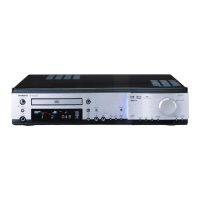
Onkyo DR-L50 - User Manual

Onkyo DR-L50
88 pages
Print Icon
To Next Page IconTo Next Page
Loading...
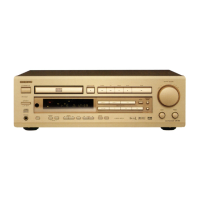
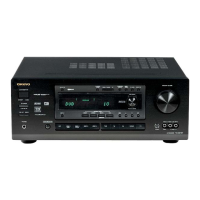
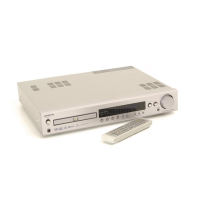
DVD Receiver
DR-L50
Instruction Manual
Thank you for purchasing the Onkyo DVD Receiver.
Please read this manual thoroughly before making
connections and turning on the power.
Following the instructions in this manual will enable
you to obtain optimum performance and listening
enjoyment from your new DVD Receiver.
Please retain this manual for future reference.
Contents
Getting Started
Setup
Before Using Your DVD Receiver
Other
Advanced Operation
Basic Operation
E

Table of Contents

Other manuals for Onkyo DR-L50

Questions and Answers

  • S
    stephanie48Aug 16, 2025
    Why is there no sound coming from my Onkyo Receiver?
    • V
      vthompsonAug 16, 2025
      If your Onkyo Receiver isn't producing any sound, first, ensure that the muting function is deactivated. Check all the connections to the receiver to make sure they are secure. If the STANDBY indicator is flashing, it indicates that the amplifier protection circuitry has been activated, in which case you should contact your nearest Onkyo service center. Also, disconnect any headphones and increase the volume using the MASTER VOLUME control.
  • C
    Christine MosesAug 19, 2025
    How to fix an Onkyo DR-L50 that doesn't switch on?
    • M
      Matthew KingAug 19, 2025
      If your Onkyo Receiver isn't switching on, check that the power cord is properly connected to both the power outlet and the unit's AC inlet. If it's still not working, try switching the STANDBY/ON button off and then on again. If this doesn't resolve the issue, disconnect the power cord and then reconnect it.
  • B
    Brady DunnAug 22, 2025
    What to do if no picture appears on the TV screen from my Onkyo Receiver?
    • E
      Erin RobertsAug 22, 2025
      If no picture appears on your TV screen when using the Onkyo DVD Receiver, first ensure that your TV is set to the correct input for the DVD Receiver. Then, double-check the video connection cable between the DVD Receiver and the TV to make sure it is securely connected.
  • D
    Devin JohnsonAug 25, 2025
    Why is no sound reproduced from the center speaker of my Onkyo DR-L50 Receiver?
    • J
      John NavarroAug 26, 2025
      If you're getting little to no sound from the center speaker on your Onkyo Receiver, first check the speaker connections. Note that no sound is produced from the center speaker when the listening mode is set to “STEREO” or “ORCHESTRA.” Adjust the volume level of the center speaker, and verify that the selected speaker configuration includes the center speaker.
  • B
    Bill DavilaAug 28, 2025
    Why don't the buttons on my Onkyo DR-L50 Receiver remote operate?
    • L
      Luke HuntAug 28, 2025
      If the buttons on the remote controller for your Onkyo DVD Receiver aren't working but the buttons on the receiver itself are, make sure you've inserted new batteries into the remote. Point the remote directly at the receiver's remote sensor, and ensure you're within a 5-meter (16 feet) range. Also, press the appropriate MODE button.
  • H
    Howard CastanedaAug 31, 2025
    Why is the sound of the playback source not heard on my Onkyo Receiver?
    • C
      Caleb FryeAug 31, 2025
      If you're not hearing the sound of the playback source on your Onkyo Receiver, make sure that you've selected the correct input source on the receiver.
  • P
    Pamela QuinnSep 3, 2025
    Why does the disc tray come back out automatically on my Onkyo DVD Receiver?
    • L
      Lauren GeorgeSep 3, 2025
      If the disc tray on your Onkyo DVD Receiver automatically comes back out shortly after closing, make sure the disc is properly aligned using the disc tray guide. Also, ensure the disc isn't dirty or warped. If the region number on the disc doesn't match the receiver, the disc cannot be used.
  • A
    Amy BrownSep 6, 2025
    What to do if my Onkyo DVD Receiver does not start playback?
    • E
      Emily ClarkSep 6, 2025
      If your Onkyo DVD Receiver isn't starting playback, be sure that a playable disc is inserted correctly (playback side down) within the disc tray guide. Check that “DVD,” “VCD,” or “CD” is lit in the receiver’s display. If the disc is dirty, eject it and clean it. Also, check if the parental lock function is activated and deactivate it or change the parental lock level if needed.
  • D
    dianadavidsonSep 9, 2025
    Why are the settings on my Onkyo Receiver being canceled?
    • M
      Matthew WilliamsSep 9, 2025
      If your Onkyo receiver's settings are being canceled, it's likely due to a power failure or unplugging the power cord. To prevent this, press STANDBY/ON before unplugging the power cord.
  • K
    Kim JordanSep 12, 2025
    Why are no preset channels selected on my Onkyo Receiver?
    • C
      Christopher BeckSep 12, 2025
      If no preset channels are selected on your Onkyo Receiver, it's likely that the power cord was unplugged, or the main power was switched off for a long time, causing the preset data in memory to be lost. You'll need to preset the radio stations again.

Summary

Important Safety Instructions

Precautions

Model-Specific Precautions

Includes specific safety and compliance notes for British, US, and FCC regulations.

Getting Started

Product Features & Accessories

Details receiver features, supplied accessories, and notes on disc compatibility.

Disc Handling Guide

Provides guidelines for handling, cleaning, storing, and understanding disc composition.

Parts and Controls Overview

Front Panel Controls

Details the buttons and indicators on the front of the DVD Receiver.

Display Indicators

Explains the various indicators and information shown on the unit's display.

Remote Controller Guide

Remote Controller Operation

Identifies and explains the functions of all buttons on the remote controller.

Remote Controller Setup

Instructions for inserting batteries and pointing the remote correctly.

Connections and Setup

Rear Panel Connections

Diagrams and descriptions of all input and output jacks on the rear of the unit.

Connecting to TV and Audio;Video Equipment

Guides for connecting the receiver to TVs and other audio/video devices.

Speaker and Antenna Connections

Instructions for connecting speakers, positioning them, and making antenna connections.

System Component Connections

Details RI connection for Onkyo components and antenna setup.

Power and Initial Setup

Connecting Power and Turning On

Steps for connecting the power cord and turning on the DVD Receiver for the first time.

Initial System Configuration

Guides for setting the TV system and using the IPM function.

Speaker System Configuration

Speaker Channel and Subwoofer Setup

Guides for setting speaker channels (2-5) and subwoofer modes.

Speaker Distance and Volume Adjustment

How to set speaker distances and balance volume levels using test tones.

Basic Operation Guide

Playing Discs

Step-by-step guide on loading discs and starting playback of DVDs, VCDs, CDs, and MP3s.

Using the Setup Navigator

Guide to the on-screen Setup Navigator for initial system configuration.

Customizing Settings

OSD Language and TV Screen Size Settings

How to set OSD language and adjust TV aspect ratio for optimal display.

Navigating Disc Menus

Explains how to navigate DVD and Video CD menu screens and play VCDs directly.

Disc Playback Navigation

Skipping Tracks and Scanning

How to skip chapters/tracks and perform forward/reverse scanning.

Playback Control

Resume Playback and Power Off

How to resume playback from the last stopped point and switch the unit off.

Listening to the Radio

Tuning Radio Stations

Guides for manually tuning and presetting FM/AM radio stations.

Radio Station Memory Management

Features for auto-memory tuning and naming preset stations.

Selecting and Erasing Preset Stations

How to select and remove stored radio stations.

Playing Connected Sources

Source Selection and Digital Sound

How to select input sources and understand digital sound reproduction.

Operating External Onkyo Equipment

Common Functions

Volume, Muting, and Headphones

How to adjust volume, mute sound, and use headphones.

Display Brightness Control

How to adjust the brightness of the unit's front panel display.

Timer Functions Overview

Setting Date and Time

Step-by-step guide to setting the unit's internal clock and date.

Sleep Timer Operation

Instructions for setting the timer to automatically switch the unit to standby.

Playback Timer Setup

Recording Timer Setup

Timer On;Off and Overlapping Settings

How to manage timer activation, deactivation, and handle overlapping timer schedules.

Enjoying Sound Effects

Surround Sound Modes

Details DOLBY DIGITAL, DTS, and DOLBY PRO LOGIC II surround sound systems.

Onkyo DSP Sound Modes

Introduces Onkyo's exclusive sound effects modes like Orchestra and Unplugged.

Theater-Dimensional Mode

Theater-Dimensional Mode

Explains virtual surround technology and its setup for incomplete speaker systems.

Listening Modes and Source Correlation

Table correlating input sources with compatible listening modes.

Choosing Theater-Dimensional Mode

Dolby Pro Logic II & DSP Modes

Changing Sound to Stereo

Adjusting Speaker Volume Balance

Temporary Volume Adjustment

How to temporarily adjust individual speaker volume levels for personal preference.

Saving Volume Adjustments

Procedure to save temporary speaker volume adjustments.

Late Night Function and Sound Enhancement

Late Night Function

How to narrow dynamic range for low-volume night listening.

Bass and High Frequency Boost

Using Acoustic Control to enhance bass and treble frequencies.

Locating Specific Disc Content

Disc Search Functions

Explains various search methods for navigating disc content by title, chapter, track, or time.

Using the MP3 Navigator

Repeat Playback Modes

Repeating Sections or Entire Tracks

How to set repeat modes for entire discs, titles, chapters, or tracks.

Repeat Program and Specific Segment

How to repeat a programmed sequence or a selected portion of a disc.

Still Frame and Slow Playback

Viewing Still Frames and Advancing Frames

How to pause playback to view a single frame or advance frame by frame.

Slow Playback Modes

How to play back video content at various slow-motion speeds.

Programming Playback Order

Programming DVDs

Guide to creating custom playback sequences for DVDs, up to 24 steps.

Saving and Erasing Programs

How to save custom playback sequences to memory and how to erase them.

Programming Video CDs and CDs

How to create custom playback sequences for Video CDs and CDs, up to 24 steps.

Programming MP3 s

Guide to creating custom playback sequences for MP3 tracks, up to 24 steps.

Additional Programming Options

Confirming, Adding, and Deleting Programs

Procedures for managing programmed playback sequences.

Random Playback

Setting Up Random Play

How to play tracks, chapters, or titles in a random sequence.

Selecting Audio and Subtitle Languages

Audio Language and Subtitle Selection

How to select preferred audio and subtitle tracks from DVDs with multiple language options.

Changing Audio Type for VCDs;MP3 s

How to select audio output type (Stereo, Left, Right) for VCDs and MP3s.

Continuing Playback (Last Memory)

Memorizing and Resuming Playback Points

How to mark and resume playback from specific points on discs.

DVD Settings Management

Condition Memory and Camera Angle Selection

How to save DVD settings and select different camera angles.

Viewing Disc Information

Disc Information During Playback

How to display track, title, and time information during playback.

Disc Information When Stopped

How to display track, title, and folder information when the disc is stopped.

Customizing Function Settings

Navigating Setup Menus

Basic outline for navigating and using the DVD receiver's setup menus.

OSD Language and TV Screen Size

How to set OSD language and adjust TV aspect ratio for optimal display.

Video Output and Screen Saver Settings

Options for configuring video output, AV connector settings, and screen saver.

Adjusting Video Quality

How to select preset video settings or customize picture quality parameters.

Creating Custom Picture Settings

Detailed steps to customize video quality settings like DNR, Sharpness, and Gamma.

Video 2 Options

Options for customizing background, paused image display, and on-screen display position.

Language Options Setup

OSD Language and Audio Preferences

How to set OSD language and select preferred default audio language.

Subtitle and DVD Menu Language Preferences

How to select preferred subtitle and DVD menu languages.

Auto Language Control

How to automatically set audio/subtitle language based on program content.

Subtitle Display and Forcing Subtitles

How to turn subtitles or assist subtitles on/off and force subtitles.

Language Code List

Parental Lock Settings

Password Management

Procedures for registering, changing, or resetting the parental lock password.

Setting Parental Lock Level and Country Code

How to set parental lock levels and country codes for regional restrictions.

Function Memory and System Reset

Memorizing and Recalling Settings

How to save custom settings to memory and recall them.

Resetting to Factory Defaults

Procedure to restore factory default settings for the entire unit.

Recording with Connected Equipment

Basic Recording Procedures

General steps for recording audio and video from connected sources.

Digital and Analog Recording

Guides for digital recording via optical connections and analog output.

TV Control with Remote

Pre-programming Remote Codes

How to program the remote controller to operate other brand TVs.

Troubleshooting Guide

Amplifier and Audio Issues

Troubleshooting common problems related to audio output and speaker connections.

Disc Playback Issues

Troubleshooting playback issues specific to DVD, VCD, CD, and MP3 formats.

Tuner, Remote, and Other Issues

Troubleshooting common problems with radio reception, remote control, and timer functions.

Specifications

Component Specifications

Technical details for Amplifier, DVD, and Tuner sections.

General Specifications

General details including power, dimensions, and weight.

Onkyo DR-L50 Specifications

General IconGeneral
TypeReceiver
Tuning rangeFM, MW
Power Output35W (front), 35W (center), 35W (rear)
Channels2
Frequency Response20Hz to 20kHz
Total Harmonic Distortion0.8%
Input Sensitivity200 mV
InputsCD, Tape
Outputstape

Related product manuals