EasyManua.ls Logo

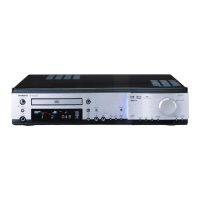
Onkyo DR-2000 - User Manual

Onkyo DR-2000
72 pages
Print Icon
To Next Page IconTo Next Page
Loading...
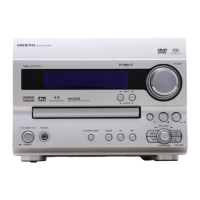
DVD Receiver
DR-2000
Instruction Manual
Thank you for purchasing the Onkyo DVD Receiver.
Please read this manual thoroughly before making
connections and turning on the power.
Following the instructions in this manual will enable
you to obtain optimum performance and listening
enjoyment from your new DVD Receiver.
Please retain this manual for future reference.
Contents
Getting Started
Basic Operation
Before Using Your DVD Receiver 2
Other
Additional Operation
Advanced DVD/VIDEO CD/
Audio CD Operation

Questions and Answers

  • T
    troymeadowsAug 19, 2025
    How to fix an Onkyo DR-2000 Receiver that doesn’t switch on?
    • T
      Traci OliverAug 19, 2025
      If your Onkyo DVD Receiver doesn’t switch on, check that the power cord is properly connected. Ensure the main power is turned on. If it still doesn't work, switch off the main power, then switch it on again, or disconnect the power cord and then reconnect it. If the AC fuse is blown, contact your nearest Onkyo service center.
  • E
    Eric CainAug 21, 2025
    Why is there no sound coming from my Onkyo DR-2000?
    • J
      Jonathan LeachAug 22, 2025
      If no sound is reproduced by the Onkyo Receiver, first, deactivate the muting function. Check all connections to the DVD Receiver. If headphones are connected, decrease the volume, and then disconnect the headphones. If the amplifier protection circuitry has activated (The STANDBY indicator flashes), contact your nearest Onkyo service center.
  • M
    Matthew CampbellAug 23, 2025
    What to do if Onkyo DVD Receiver does not start playback?
    • J
      jennifer92Aug 25, 2025
      If the Onkyo DVD Receiver does not start playback, insert a disc, ensuring that 'DVD,' 'VCD,' or 'CD' is lit in the DVD Receiver’s display. Check the playable region number on the rear panel of the unit. Ensure that a playable disc is inserted with the playback side down, placed within the proper guide on the disc tray. If the disc is dirty, eject it and clean it. Also, deactivate the parental lock function or change the parental lock level if it is activated.
  • J
    Jasmine SimonAug 26, 2025
    What to do if the playback source sound is not heard on Onkyo DR-2000?
    • T
      troygoodmanAug 26, 2025
      If the sound of the playback source is not heard on your Onkyo Receiver, select the appropriate input source.
  • R
    Rachel SchmidtAug 28, 2025
    What to do if no sound is reproduced from the center speaker on Onkyo DR-2000 Receiver?
    • Q
      qjonesAug 28, 2025
      If no sound or very little sound is reproduced from the center speaker of your Onkyo Receiver, check the speaker connections. Note that no sound is reproduced from the center speaker when the listening mode is 'Stereo' or 'Orchestra.' Adjust the volume level of the center speaker. Check that the selected speaker configuration includes the center speaker.
  • M
    michelle27Aug 30, 2025
    What to do if the Onkyo Receiver remote controller buttons don't work?
    • M
      Melanie Tucker PhDAug 30, 2025
      If the buttons on the DVD controller Receiver operate but the buttons on the remote controller do not, first, make sure that new batteries are inserted. If the problem persists, replace the batteries. Ensure that the remote controller is pointed at the remote sensor of the DVD Receiver and that you are within 5 m (16 feet). Also, check that the appropriate MODE button is pressed.
  • G
    Gary DurhamSep 1, 2025
    Why is there no picture on my TV screen from my Onkyo Receiver?
    • B
      Beverly WallaceSep 1, 2025
      If there is no picture on the TV screen when using the Onkyo Receiver, first ensure that the TV is set to the DVD Receiver’s input. Then, check the video cable connections between the DVD Receiver and the TV. If only the S video connection is made, also make the video connection.
  • M
    Mary WestSep 3, 2025
    How to fix Onkyo Receiver buttons that don't operate?
    • J
      Joseph WilliamsSep 3, 2025
      If the buttons on the remote controller and DVD Receiver do not operate, switch off the main power, then switch it on again. If not recovered, disconnect the power cord, then connect it again. This is because power supply fluctuations or other abnormalities such as static electricity may interrupt correct operation.
  • K
    Kristin RangelSep 5, 2025
    Why is brightness unstable or noise visible during Onkyo DR-2000 Receiver playback?
    • V
      Veronica WilliamsSep 6, 2025
      To address unstable brightness or visible noise during playback on your Onkyo Receiver, connect the DVD Receiver directly to the TV, avoiding connections through a VCR. This issue occurs because copy protection is activated.
  • Y
    Yolanda PeckSep 8, 2025
    Why is the playback picture occasionally distorted on my Onkyo DR-2000?
    • M
      Matthew WilliamsSep 8, 2025
      If the playback picture is occasionally distorted on your Onkyo Receiver, eject the disc and clean it if it is dirty. A small amount of picture distortion may appear during fast forward or fast reverse playback, which is not a malfunction.

Summary

Getting Started

Connecting to TV and Audio;Video Equipment

Steps for connecting the DVD Receiver to a television and external audio/video devices.

Speaker Setup and Connection

Guidance on speaker placement, connecting speakers, and RI connection.

Power Connection and Initial Setup

Steps to connect power and perform initial receiver setup.

Speaker Configuration and Adjustment

Guide for configuring speaker systems, distances, and volume balance.

Basic Operation

Playing Discs

Steps for inserting a disc and starting playback of DVD, VCD, or CD.

Playing Connected Sources

Selecting and playing external audio/video sources.

Advanced DVD;VIDEO CD;Audio CD Operation

Sound Signal Conversion and Display

Configuring audio output and viewing disc information.

Customizing Function Settings

Adjusting system preferences for language, picture, audio, display, and operation.

Additional Operation

Enjoying the Sound Effects

Other

Troubleshooting

Guide to diagnosing and resolving common operational problems.

Onkyo DR-2000 Specifications

General IconGeneral
TypeReceiver
Tuning rangeFM, MW
Audio Channels2
Total Harmonic Distortion0.08%
Input Sensitivity2.5mV (MM)
Input ConnectionsCD, tape, phono
Output Connectionstape
Speaker load impedance4Ω to 16Ω

Related product manuals